- Click inside the editor > Select Text
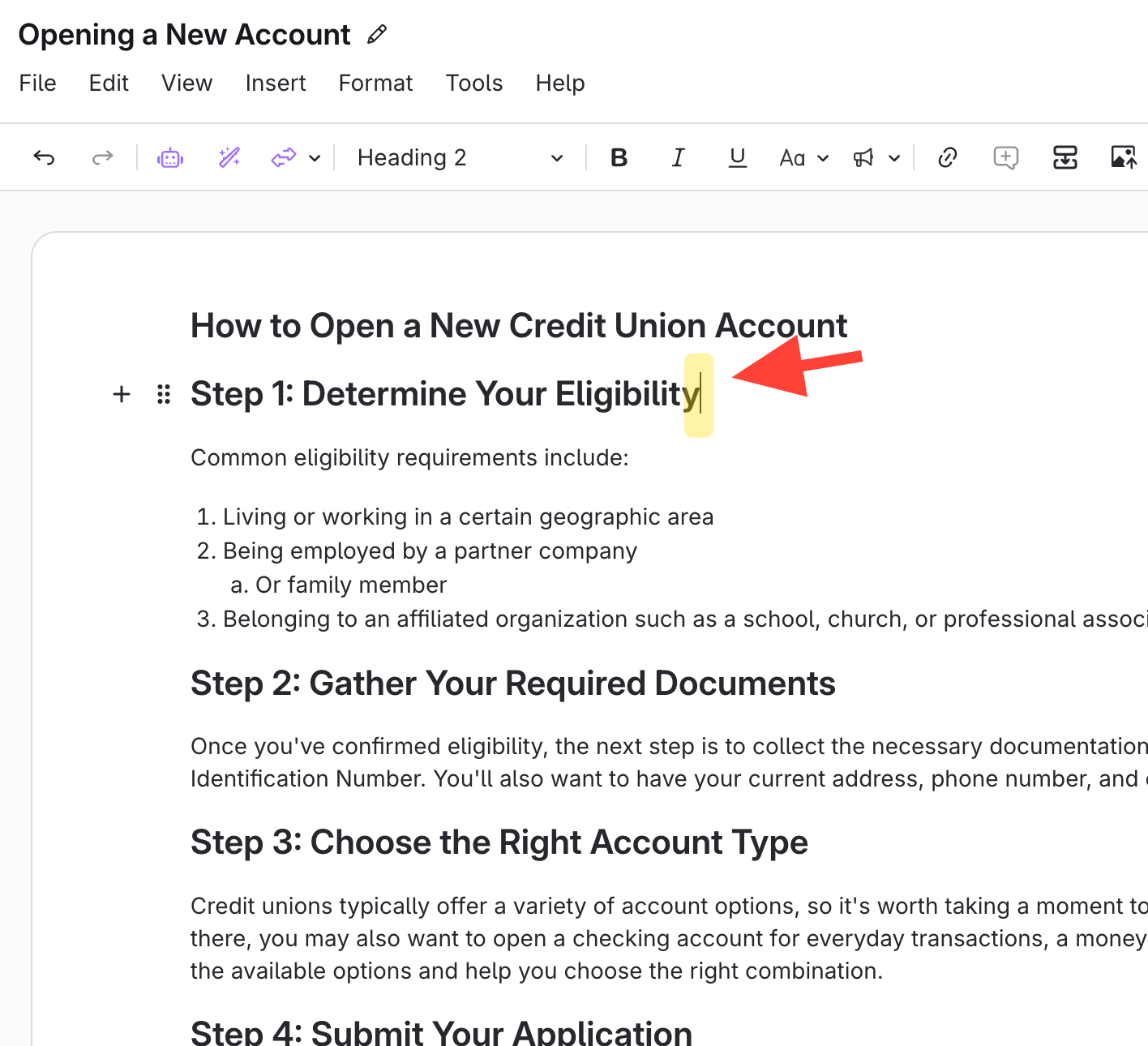
- Select all text
- Ctrl+A (Windows)
- Cmd+A (Mac)
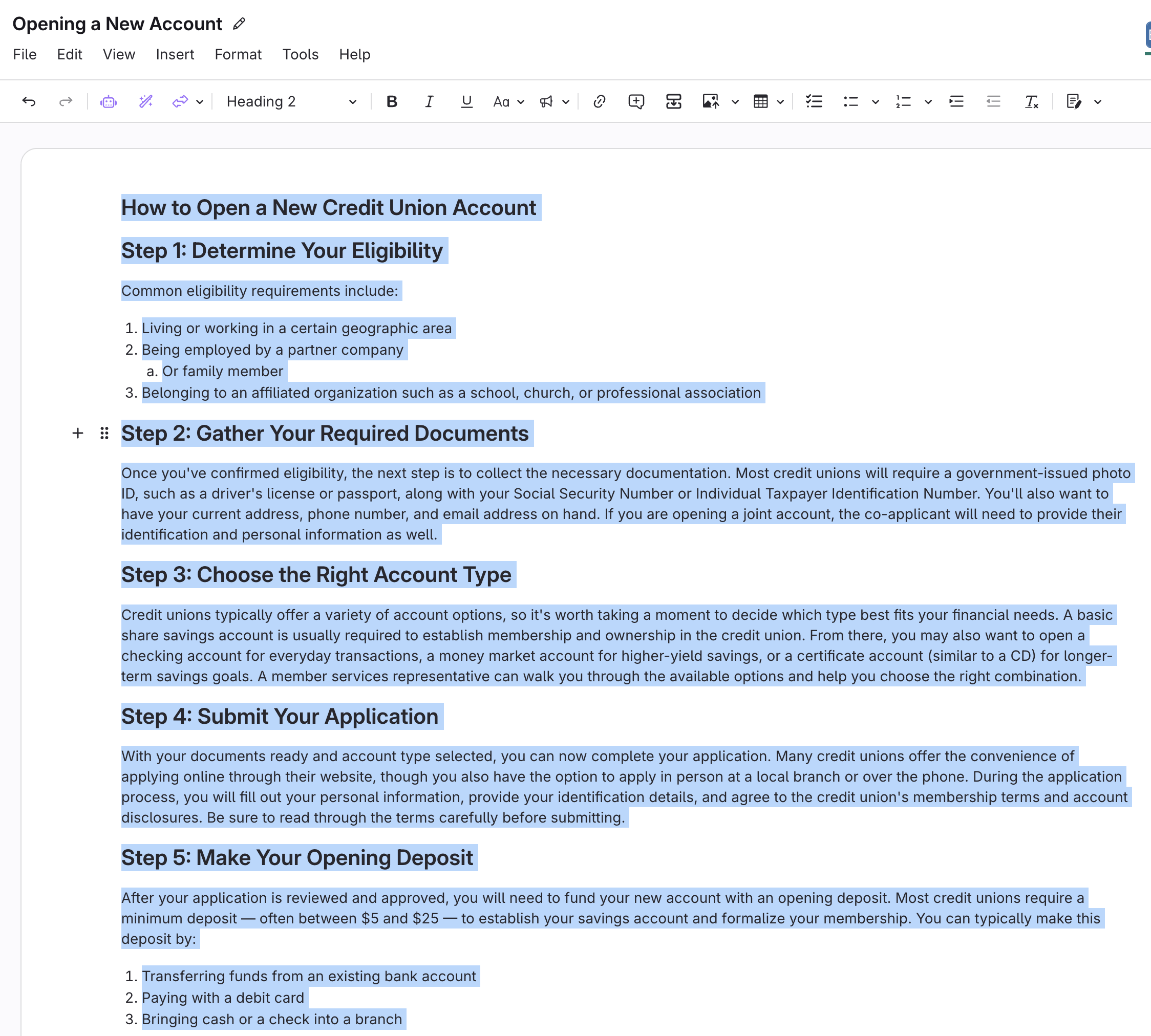
- Remove all bullet and numbered lists
- Click the numbered list button twice:
- First click: applies numbering to all text.
- Second click: removes all numbering.

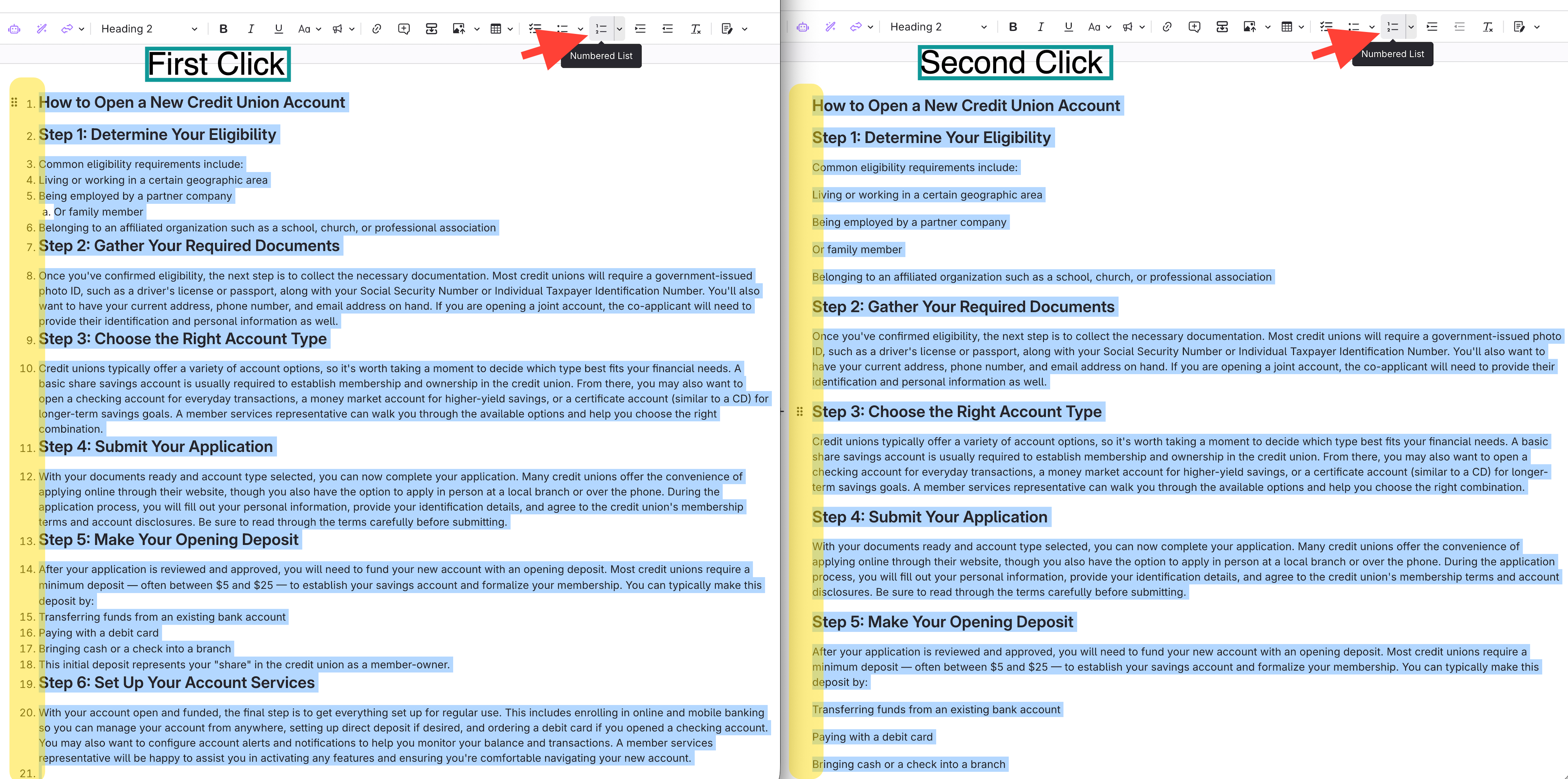
- Click the numbered list button twice:
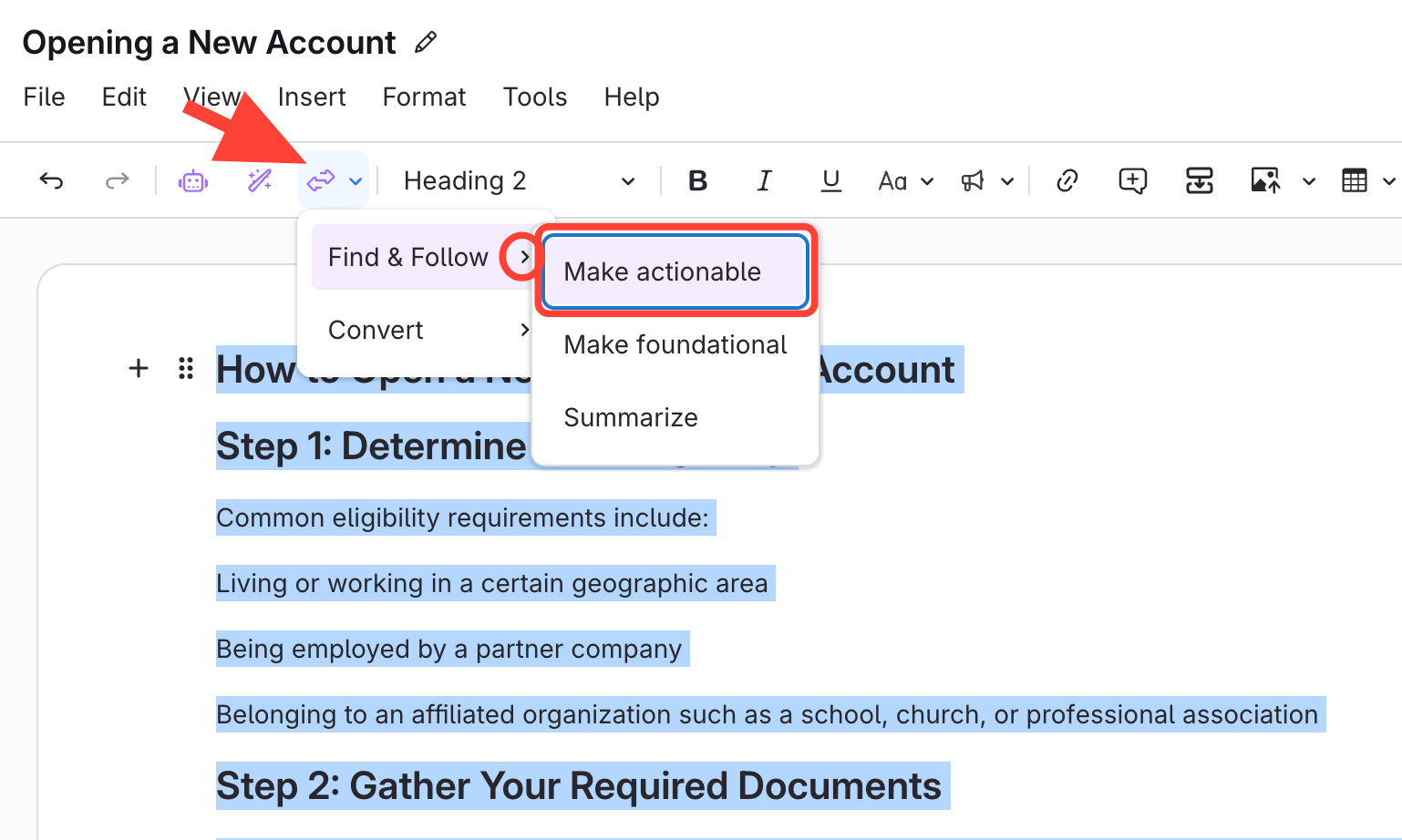
- Apply Make actionable
- Click Clarify Transform
- SelectFind & Follow
- SelectMake actionable.
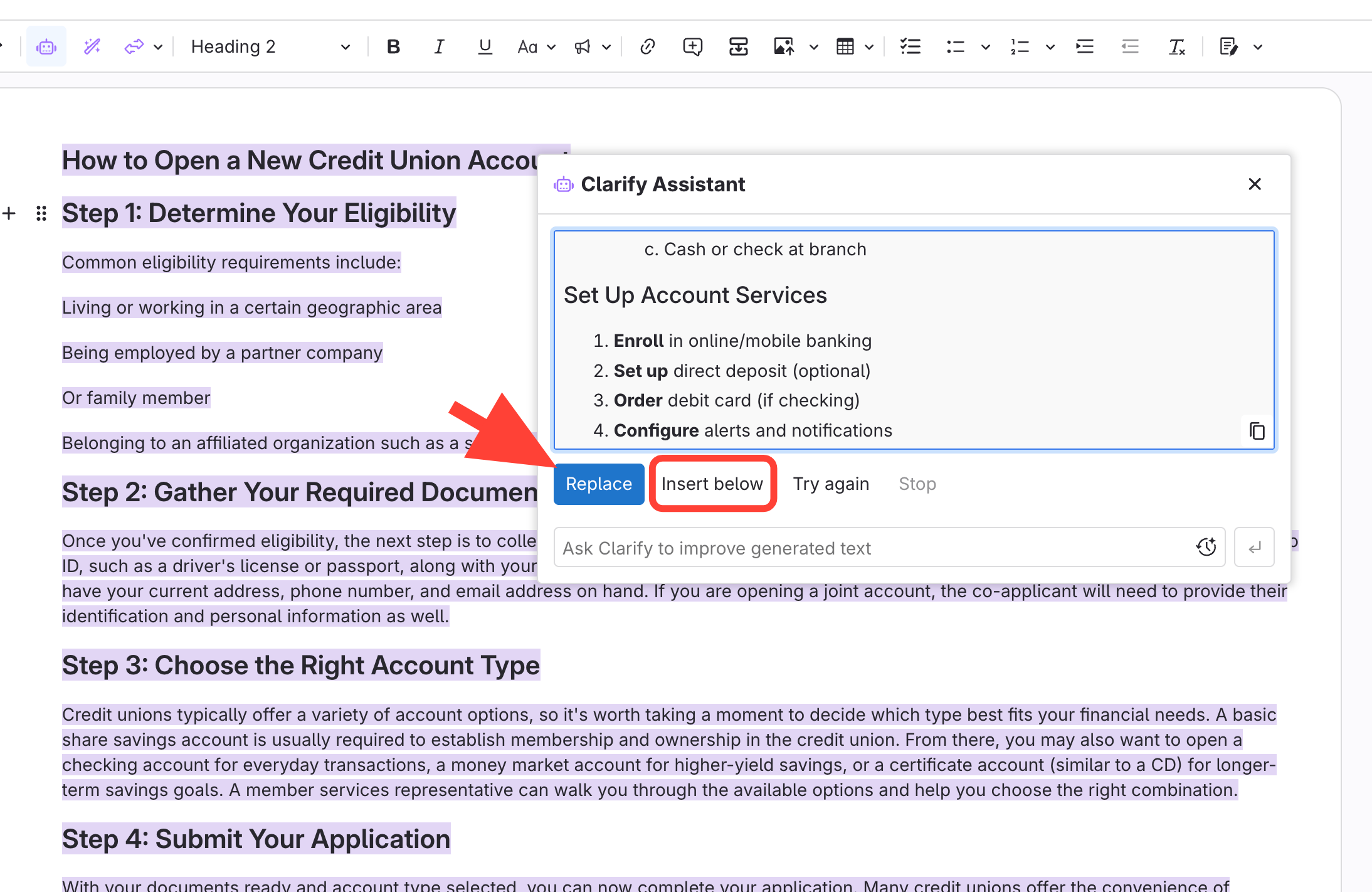
- Review the AI output
Choose to:
- Replace the original content, or
- Insert below to keep the source content above.
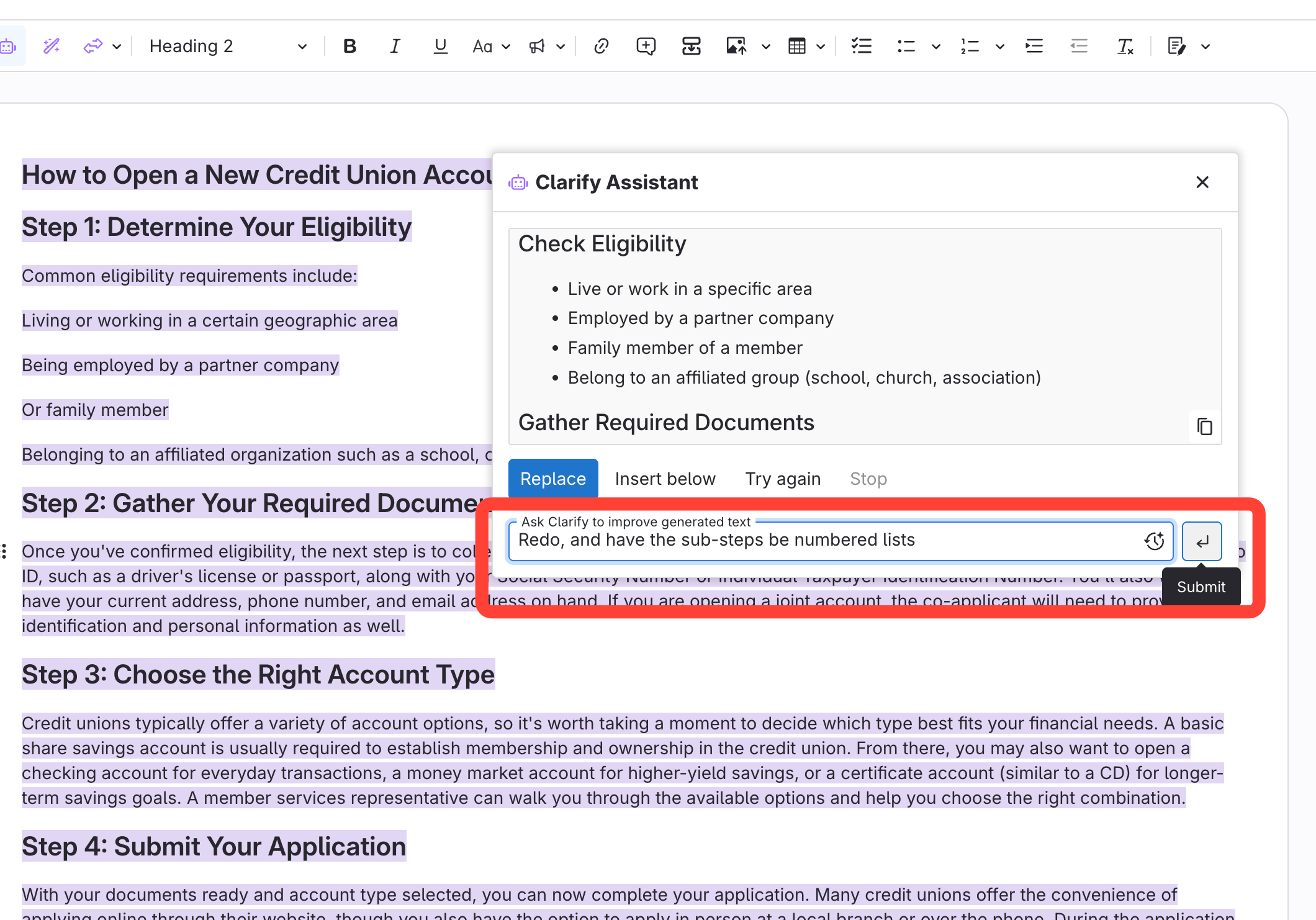
Extra instructions for AI, if needed
- Format the new content
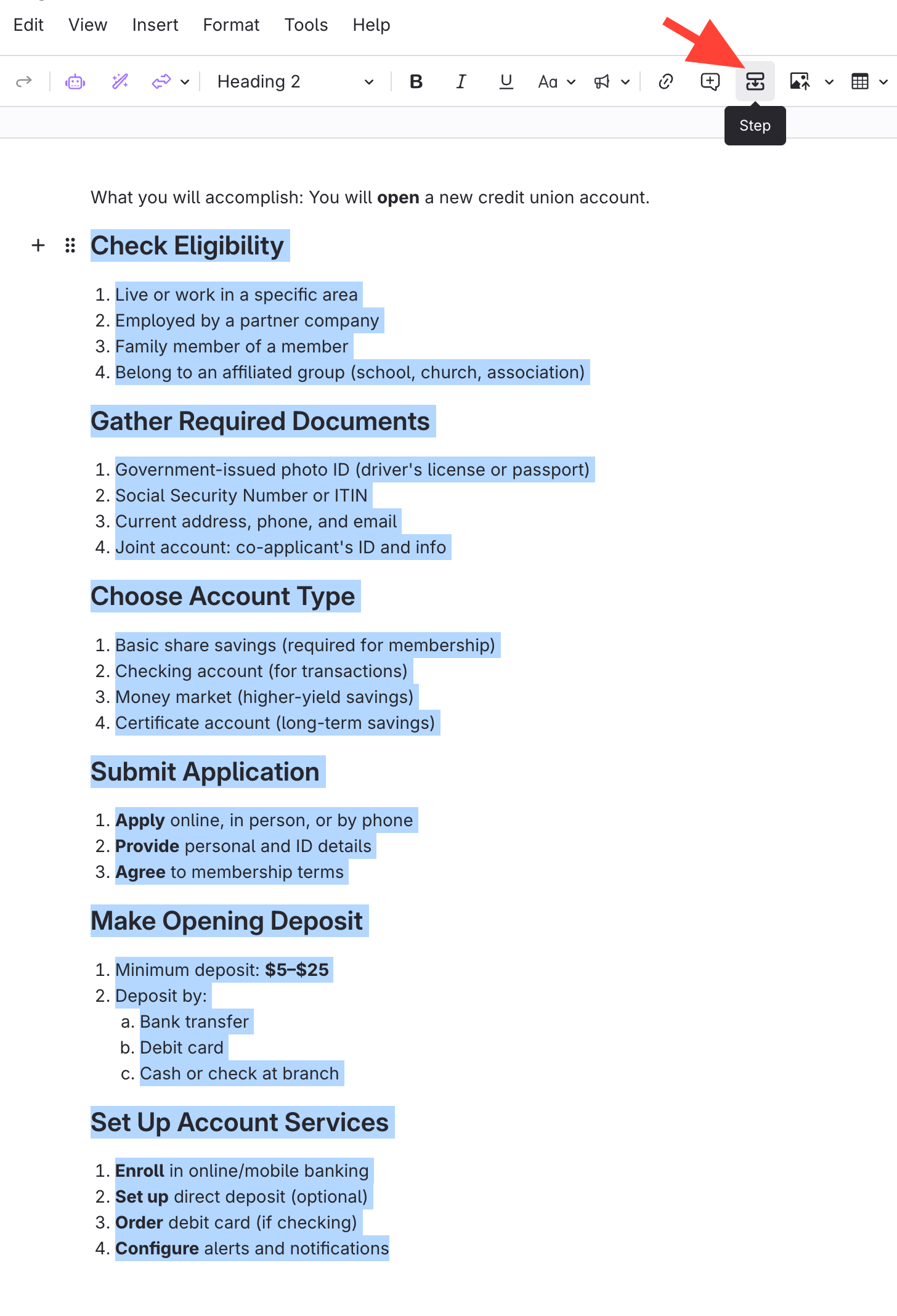
- Select the new formatted content.
- Make sure to capture all Headings or numbered items.
- Click Step
- Select the new formatted content.
- Make desired edits
Below is an image of the Formatted Content on Published site. Note that this also includes the first sentence with an introduction style.
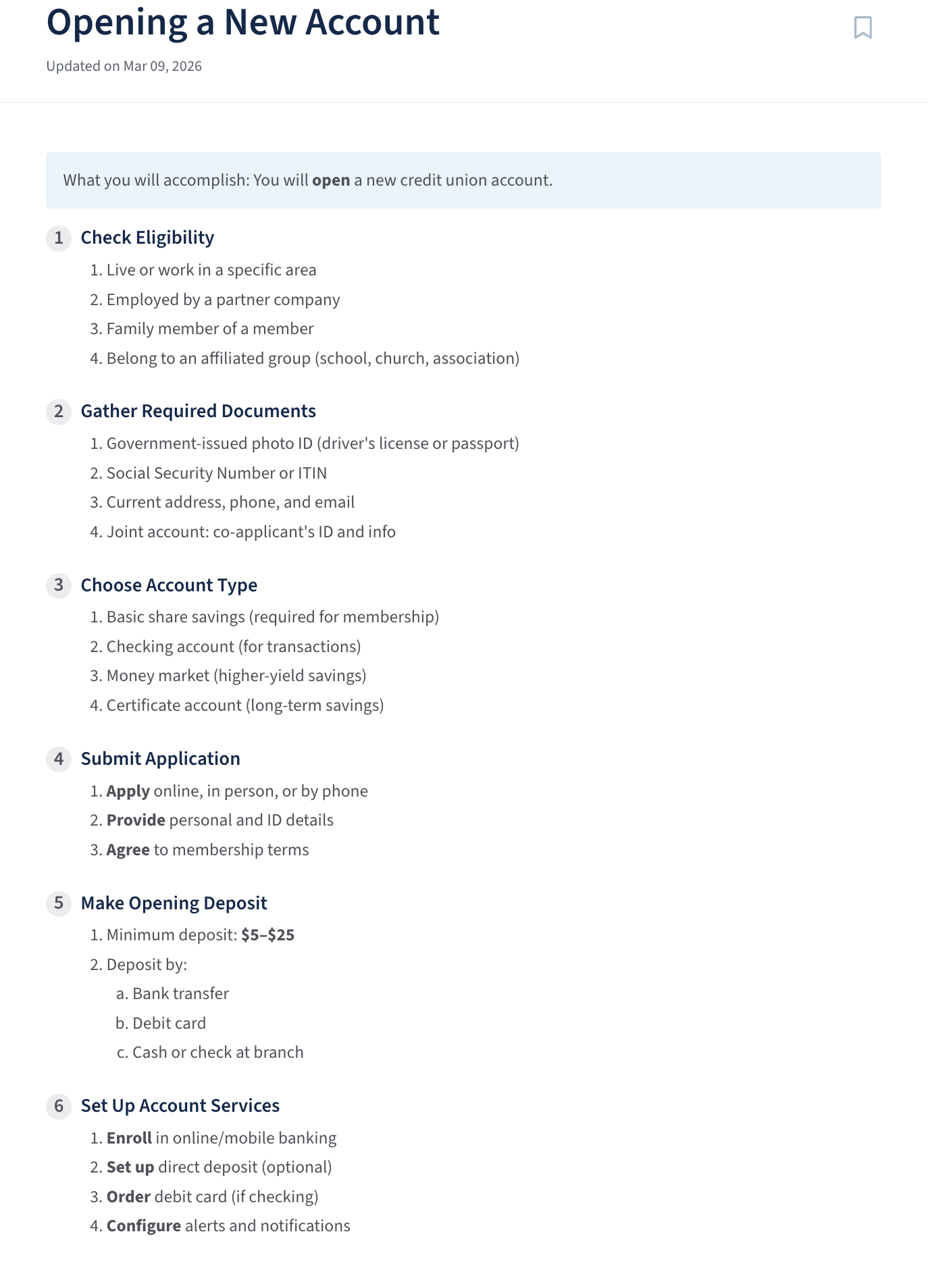
Steps to optimize imported procedures using Make Actionable AI
Updated on