- Create Your Quiz
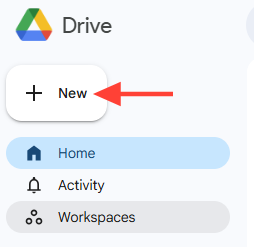
- Click + New
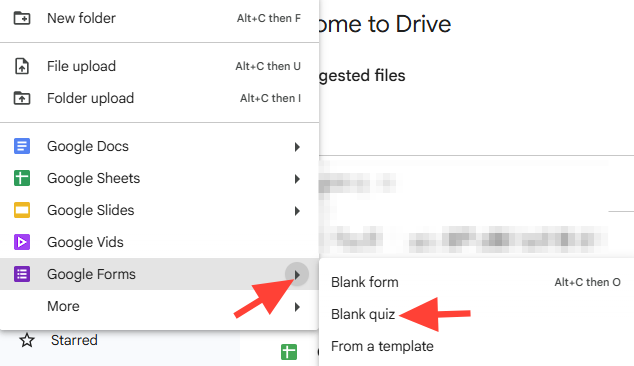
- Click Google Forms > Blank Quiz
- Copy the embed code
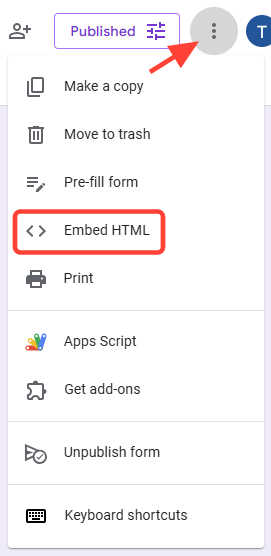
- Click the three dots
- Select Embed HTML
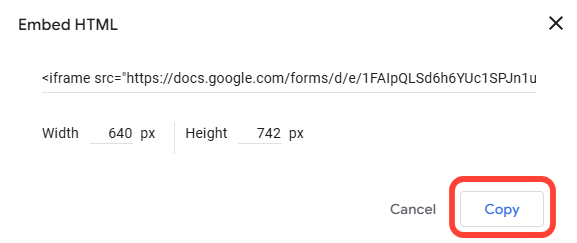
- Copy the Embed Code
- Add Code to ScreenSteps
- Select Insert
- Select HTML Snippet
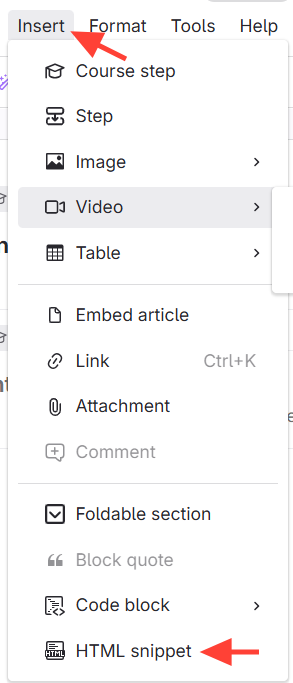
- Paste Code Into the HTML Snippet Box
- Click the green Check to save

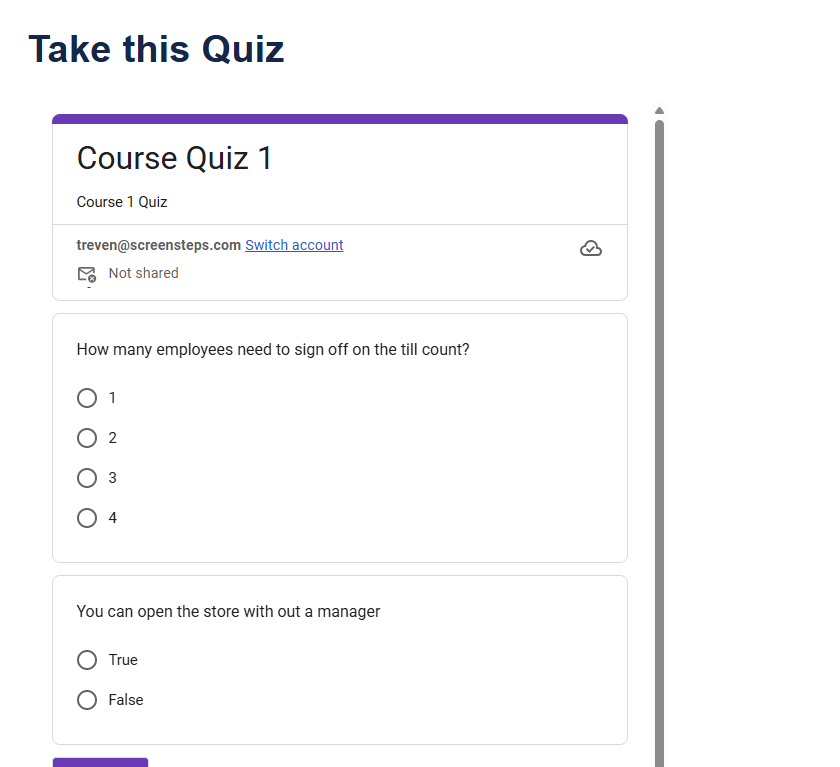
- This is what it will look like
How to Embed a Quiz/Assessment into a ScreenSteps Article or Course
Updated on