- Create Checkpoint
Two options:
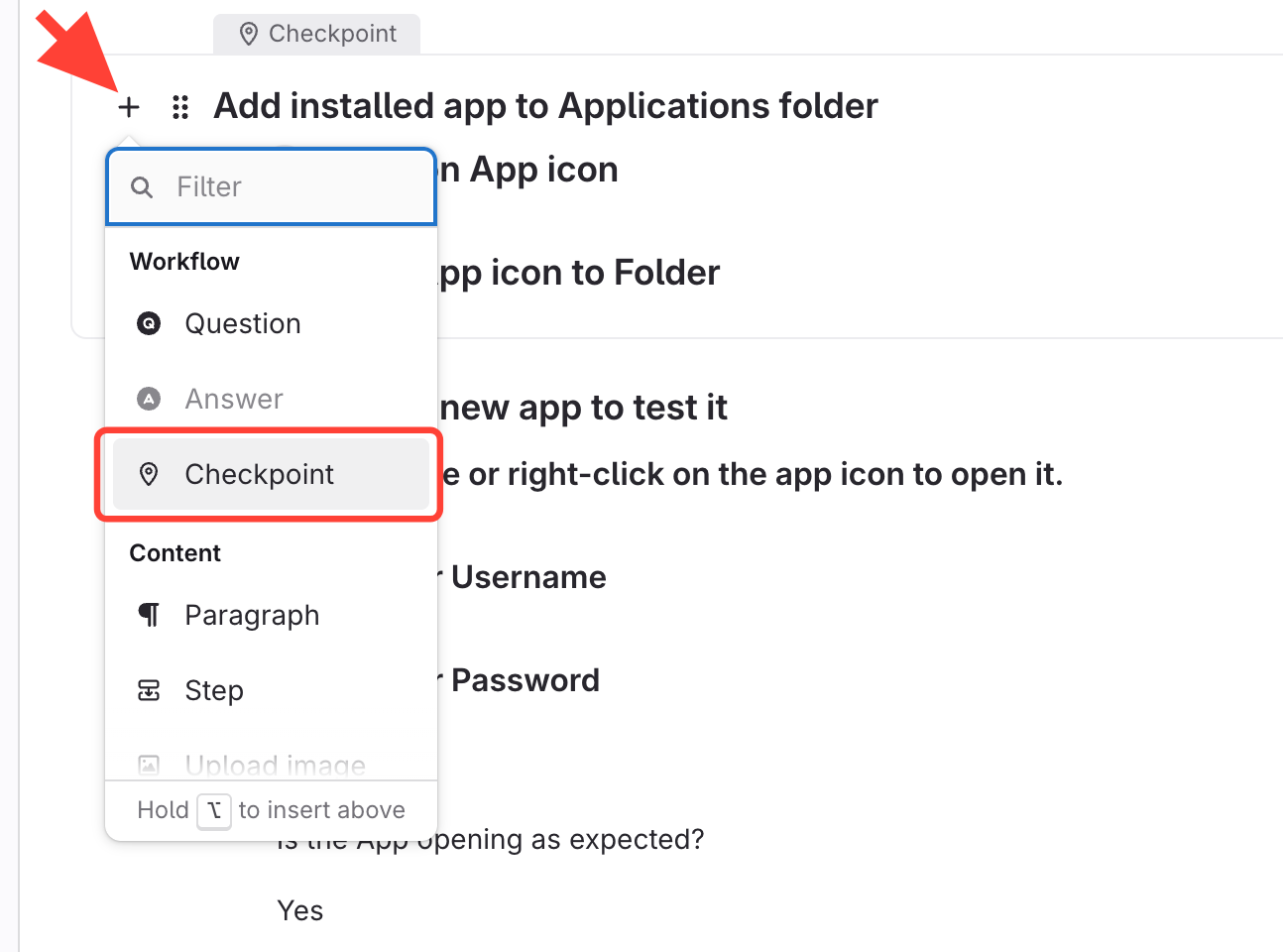
Add a new Checkpoint after the Checkpoint/Question that is currently last
Click "+" > Checkpoint
OR
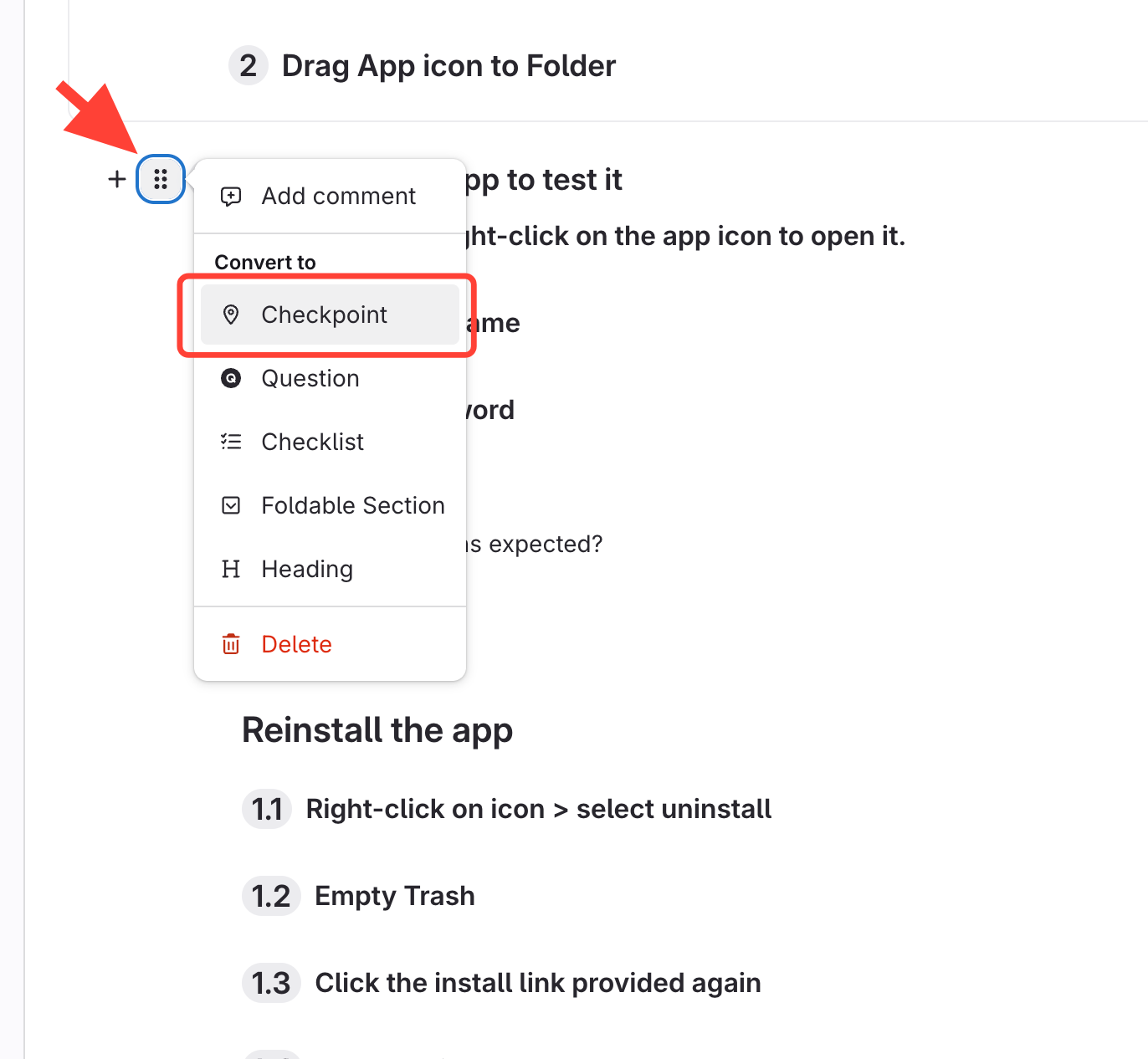
Convert Heading/Step to Checkpoint
Click Handle/modify button > Convert to - Checkpoint
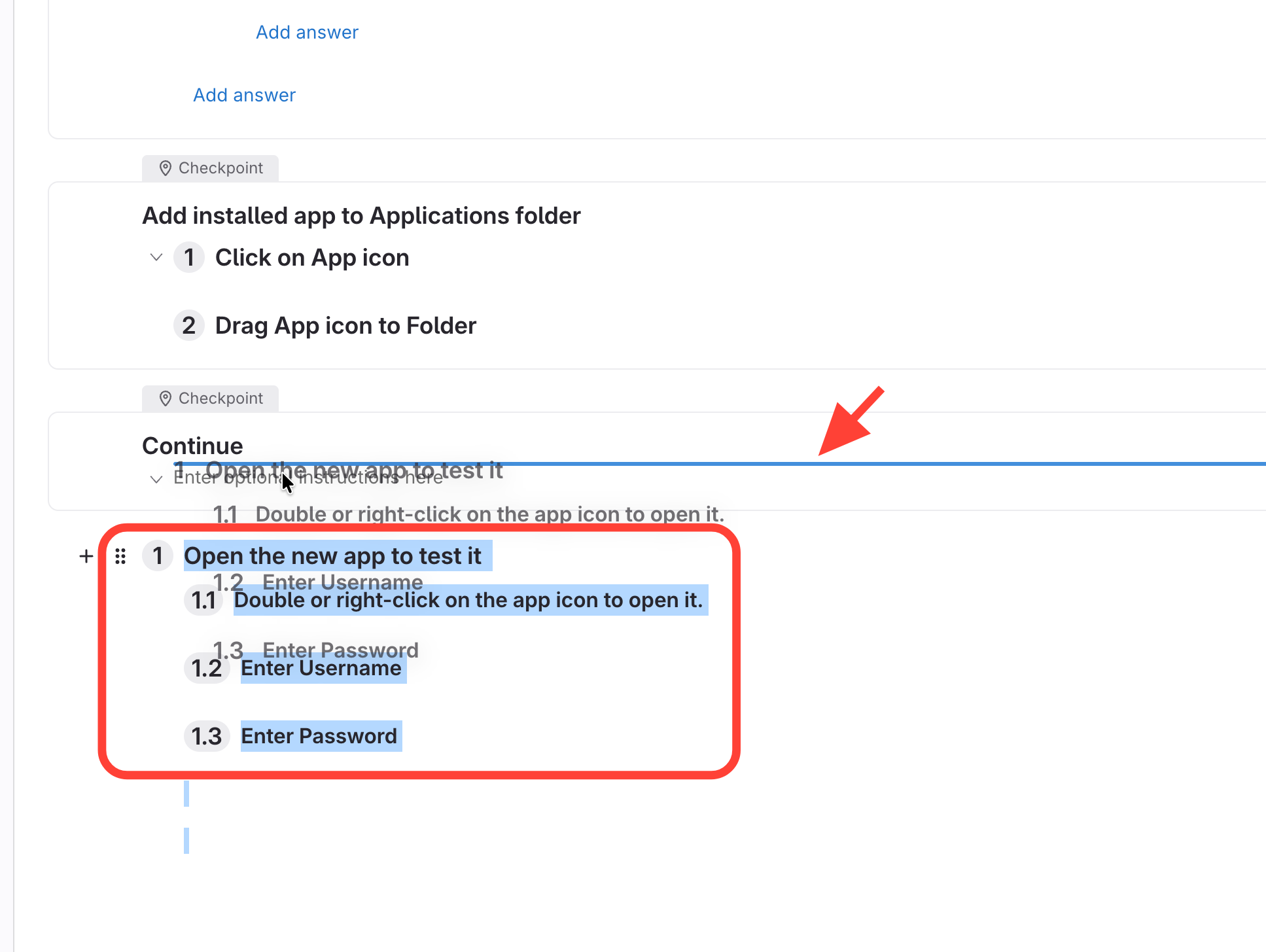
- Move all remaining Headings/Steps/content under that Checkpoint
- Highlight remaining content
- Click on the blue area > drag to new Checkpoint
- Release when you see the blue line
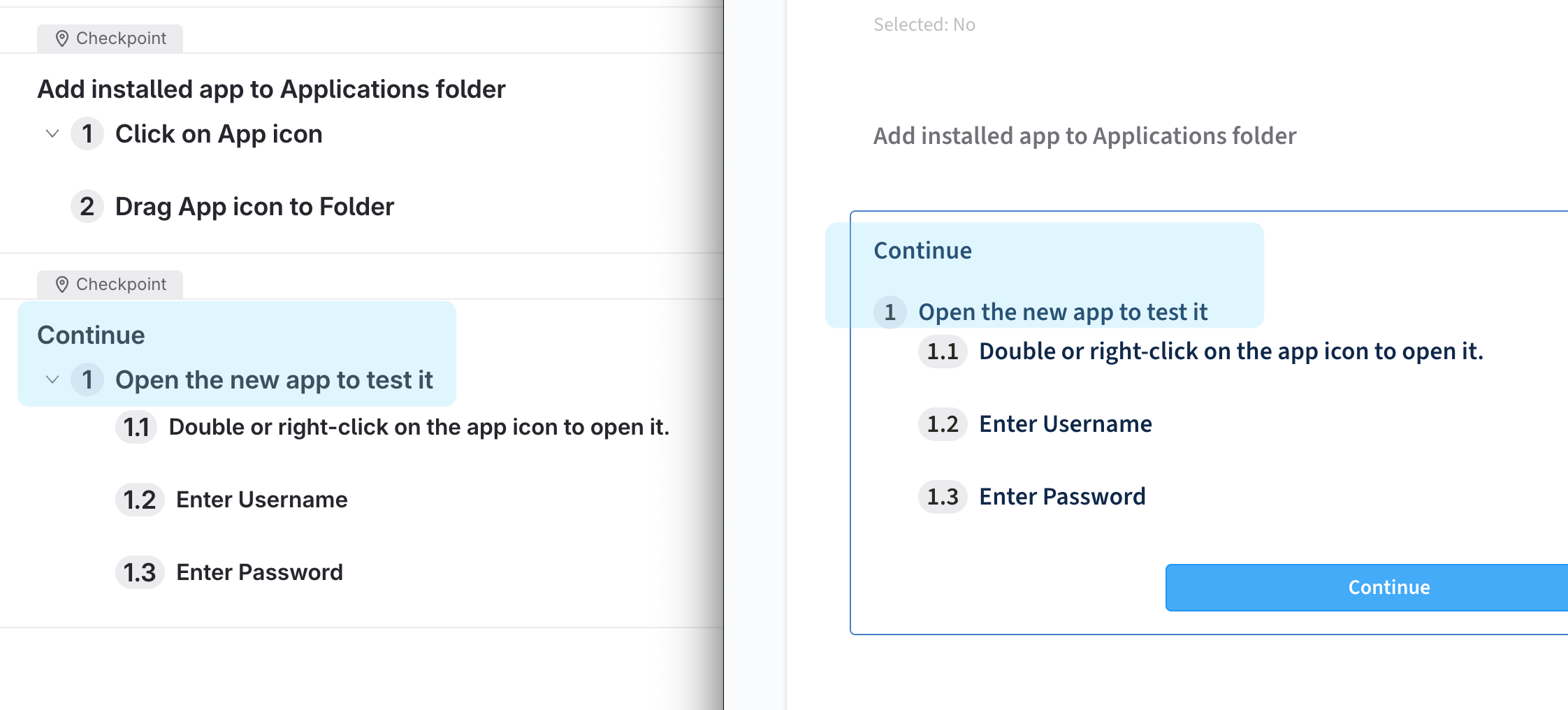
Final Result
The remaining content is now displaying.
Fix when published workflow isn't showing all content at end of editor
Updated on