- Navigate to Your Account's Content
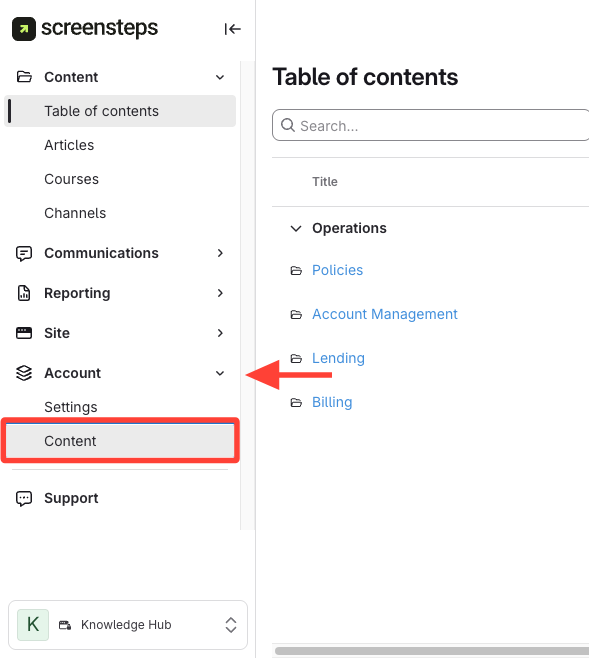
Click Account > Content on the sidebar
- Check for the Copy Requests option
Look for the Copy requests option in the Content tab.
If present, copy requests are activated on your account.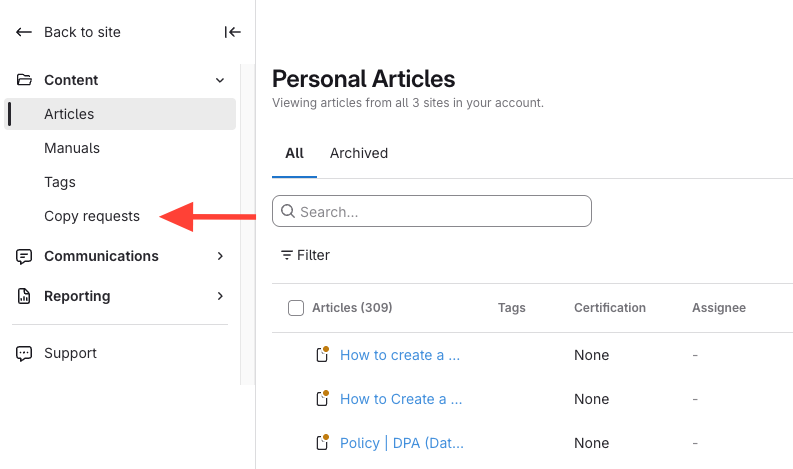
- Contact support if Copy Requests is missing
How to Determine Whether Copy Requests are Activated On Your Account
Updated on