There are two ways to add a checkpoint
- Option 1
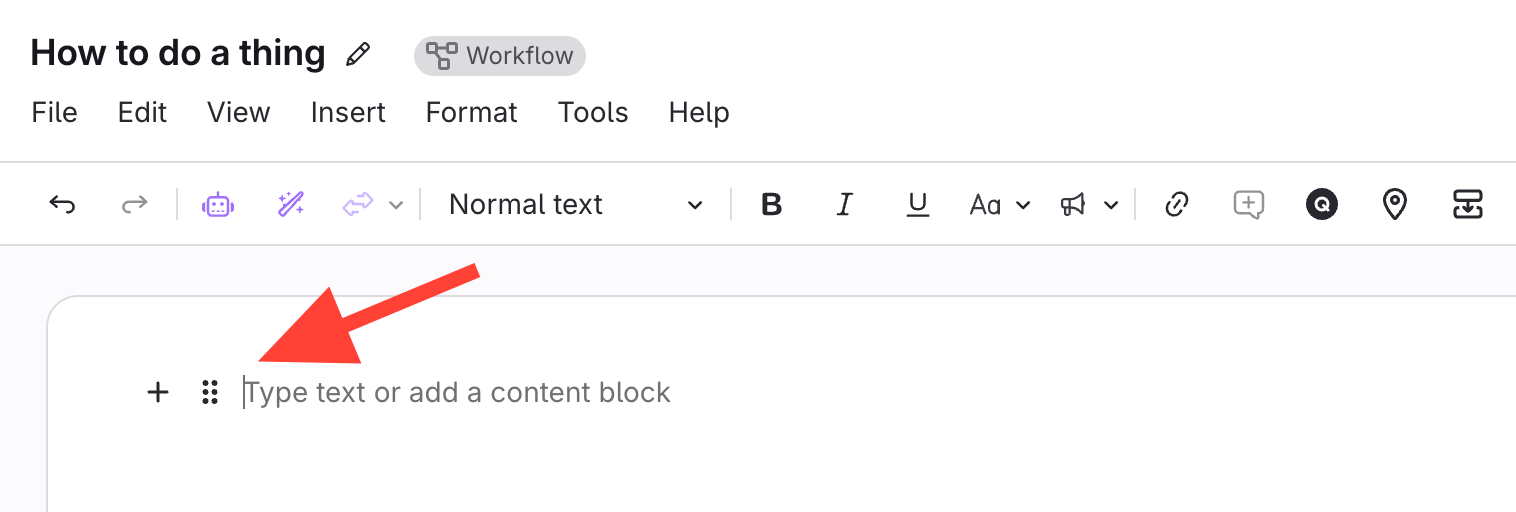
- Place your cursor where you want the checkpoint
- Before a question
- After an Answer option
- After a Question block
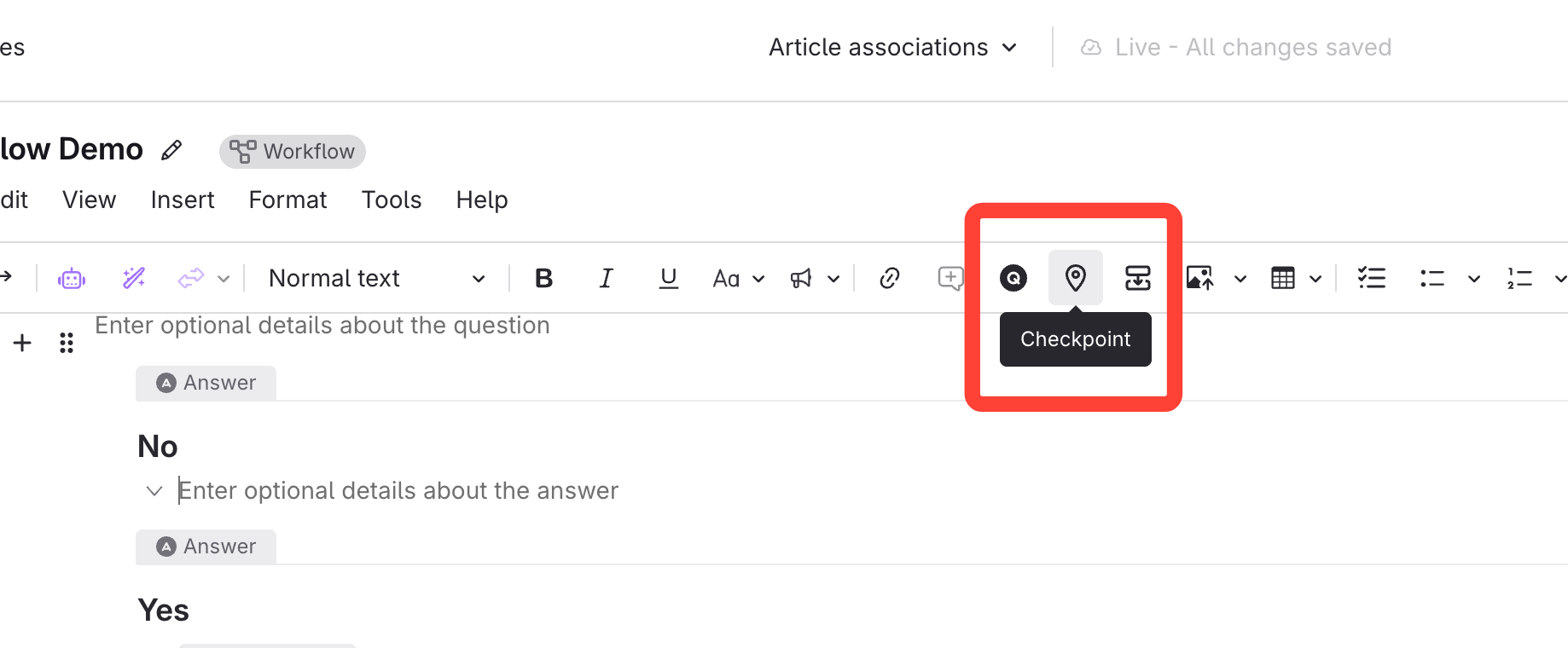
- Click the Checkpoint icon
- Place your cursor where you want the checkpoint
- Option 2
- Click the plus button > Checkpoint
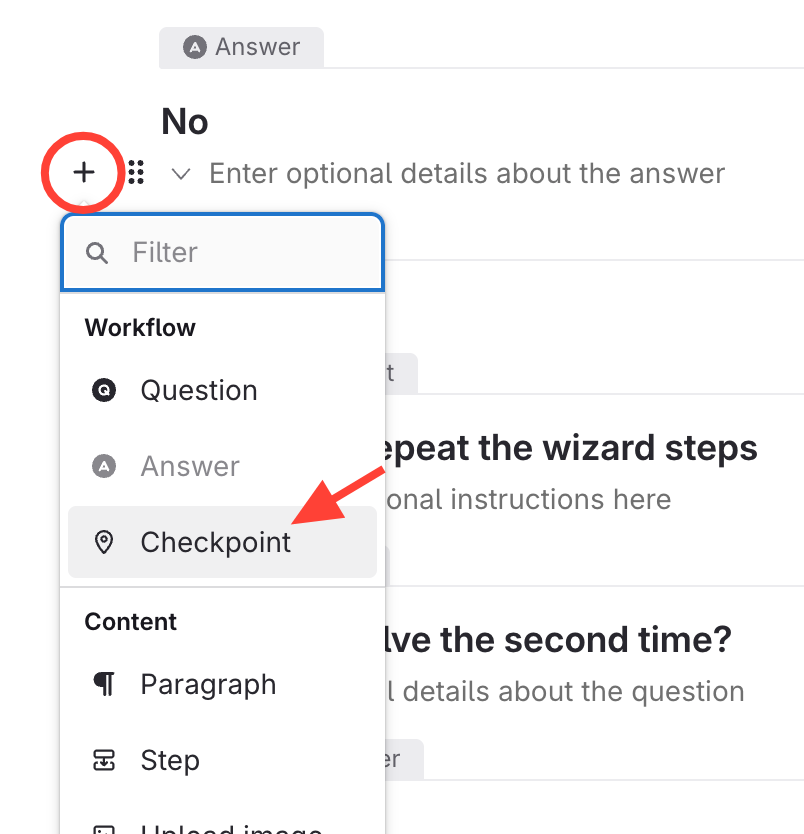
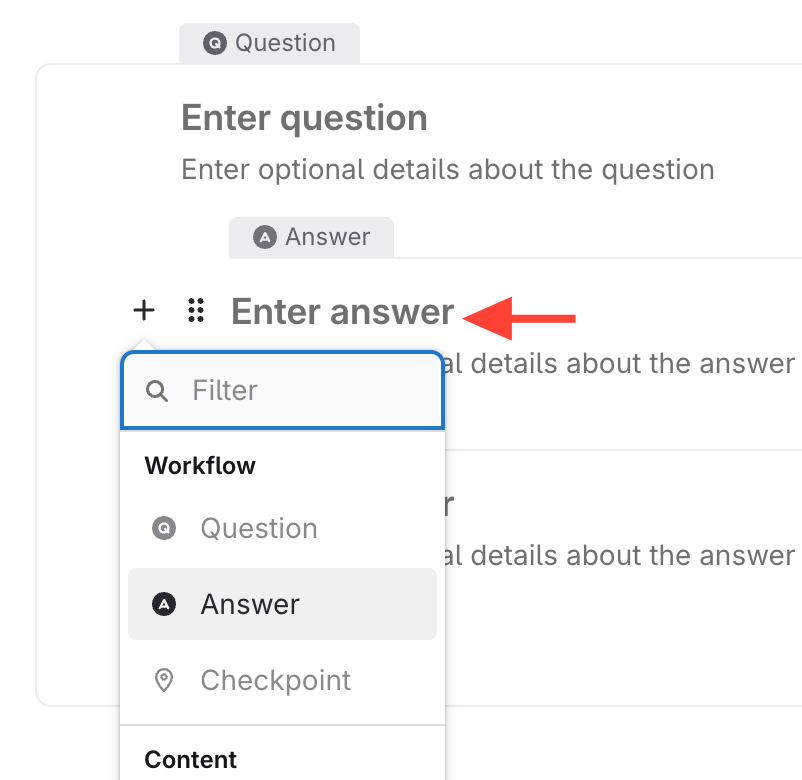
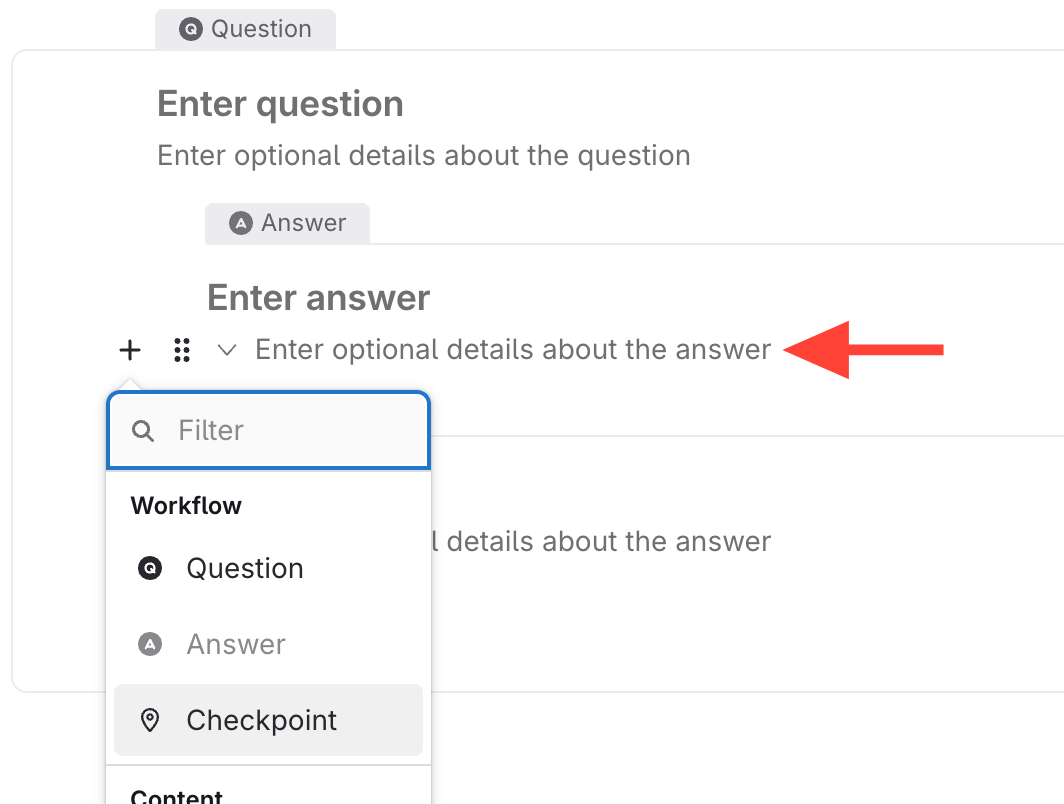
- Click the plus button > Checkpoint