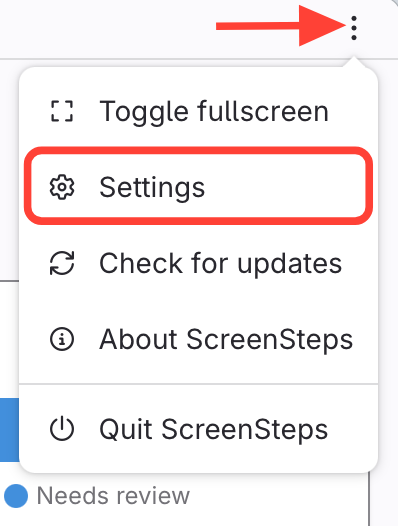
- Open Settings
- Select the 3 dots in the top right corner
- Click Settings
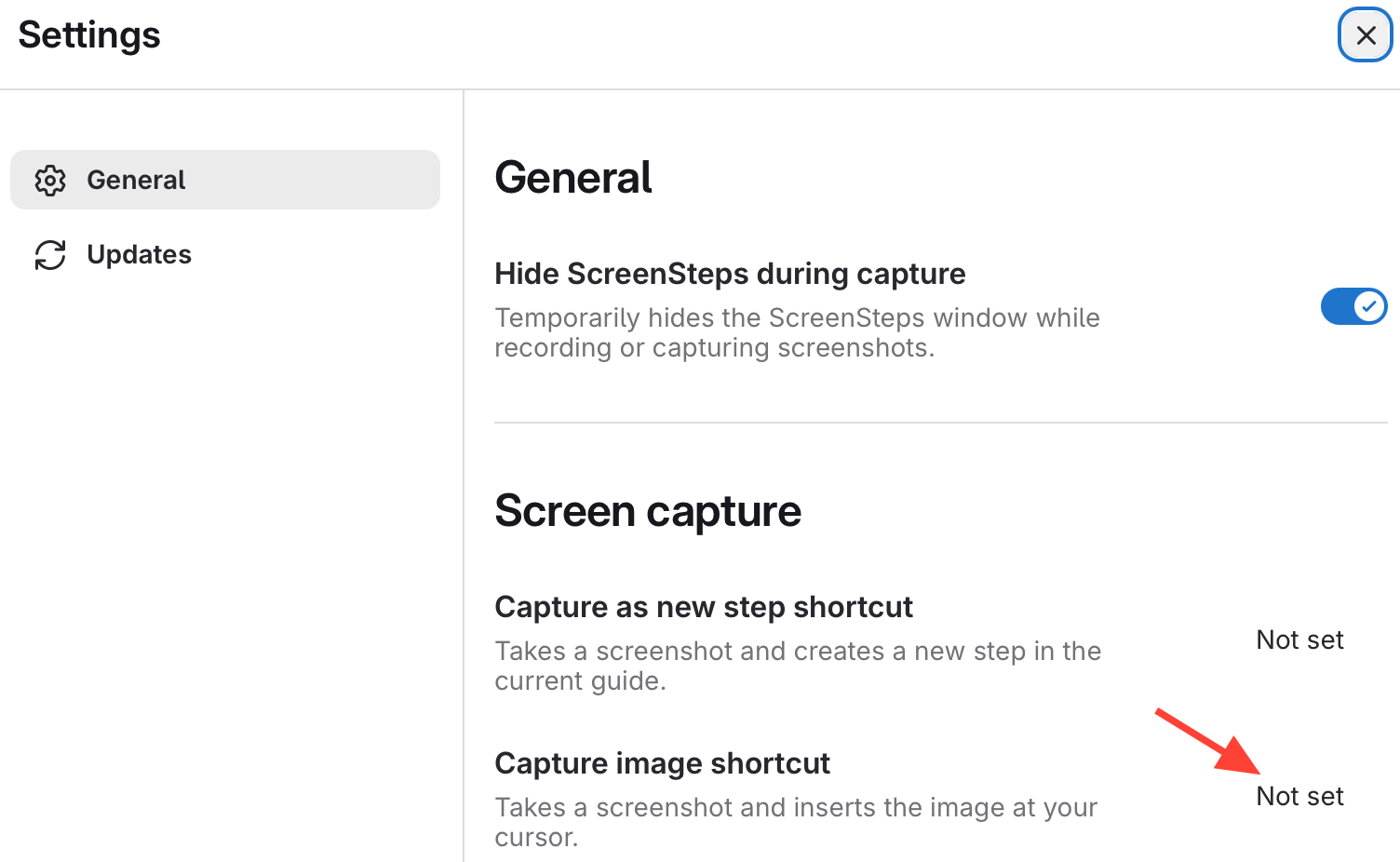
- Capture Shortcut
- Click into the box that says "Not Set"
- Press the keys you want to be your short cut
How to Configure the Keyboard Shortcut for Capturing Images in Desktop Editor
Updated on