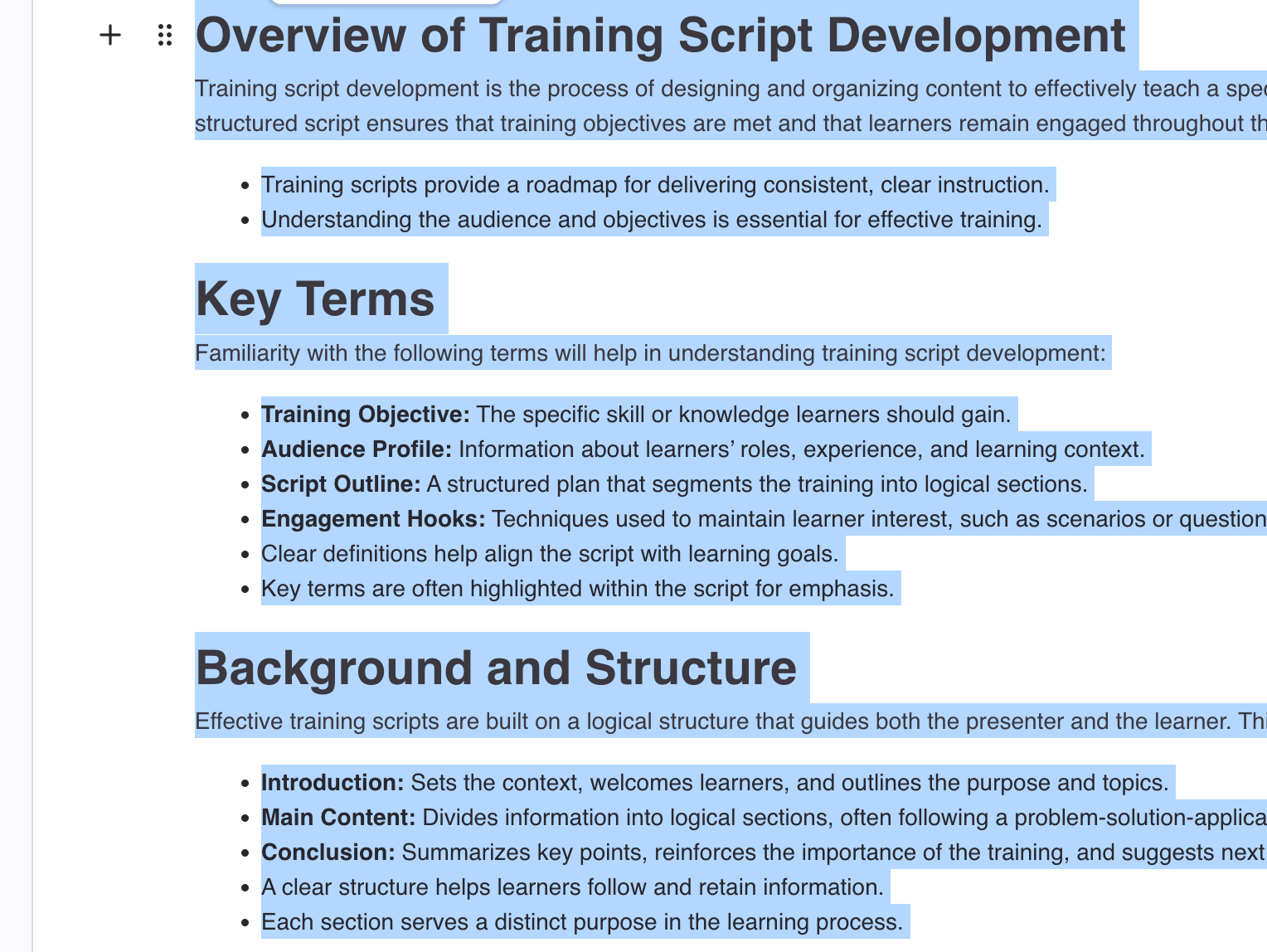
- Select Text
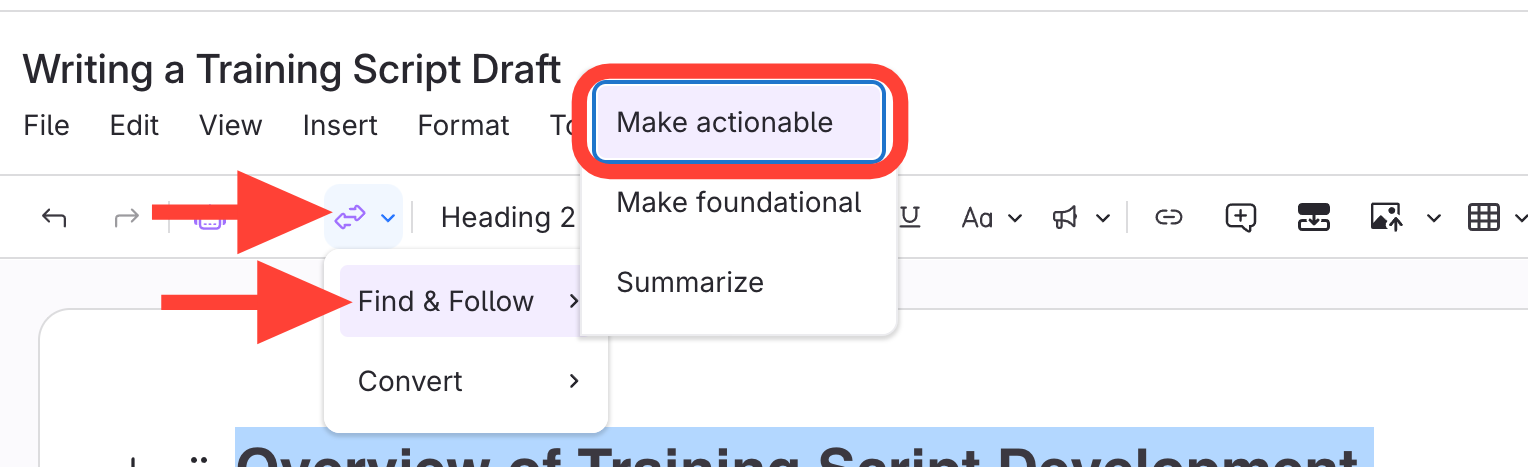
- Select Make Actionable
- Click Clarify Transform
- Click Find & Follow
- Click Make Actionable.
- Choose Action
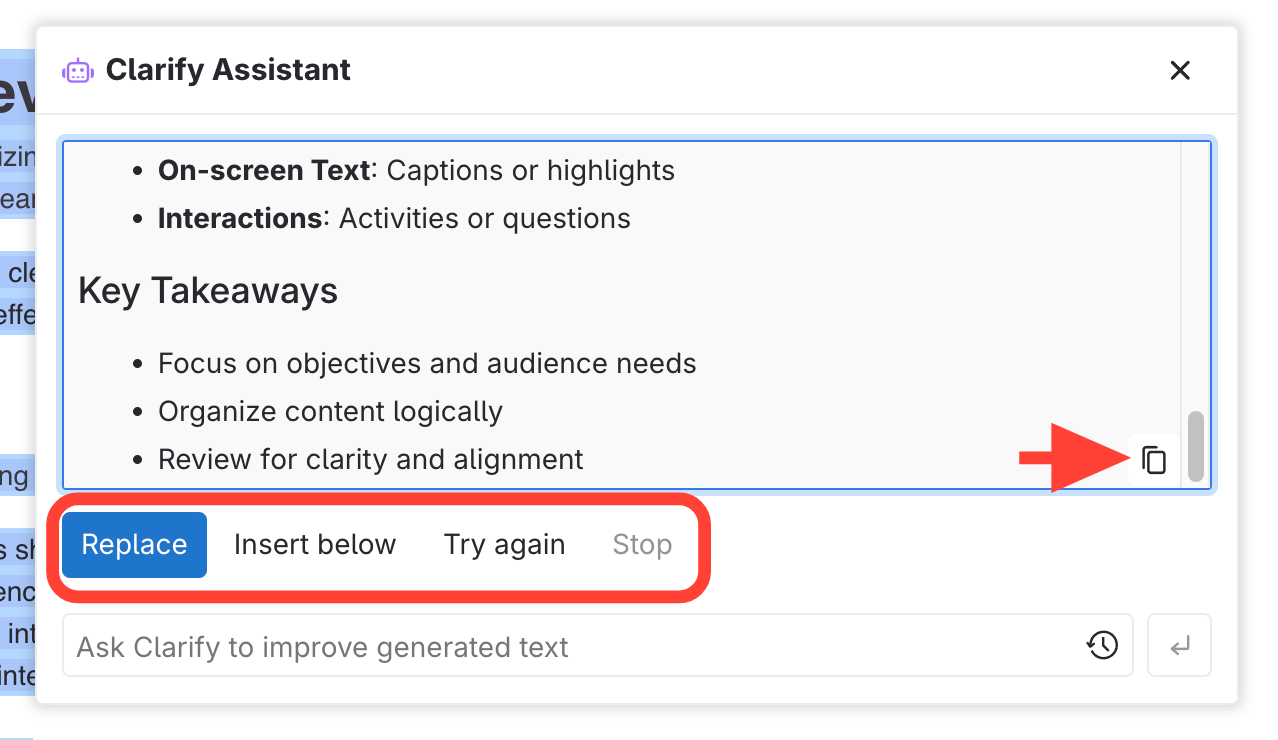
Click Replace, Insert below, Try again, or you can copy to clipboard.
Updated on
Click Replace, Insert below, Try again, or you can copy to clipboard.