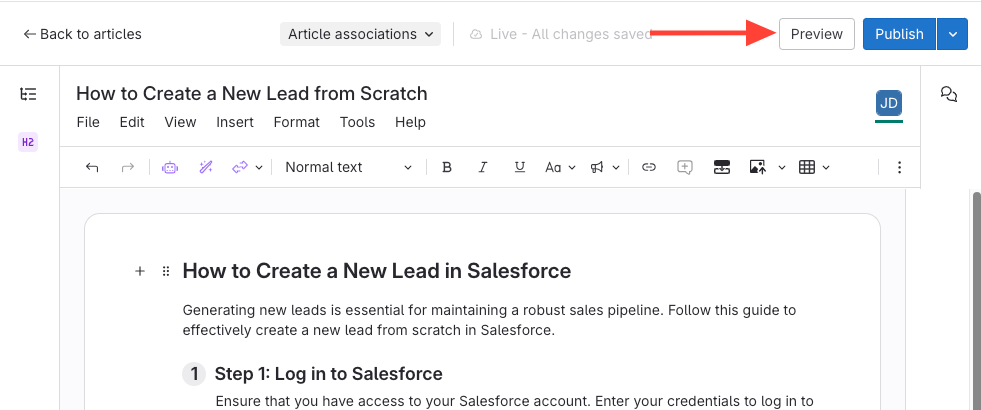
- Click the Preview Button
This will generate a preview of the article.
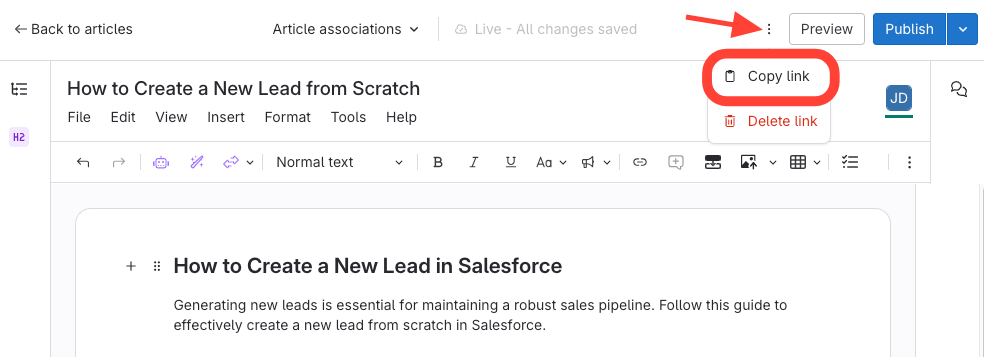
- Click Action Menu to Copy and Share the Preview Link
- Click the action menu.
- Select Copy link.
- Paste the link into your browser to view the preview.
Updated on
This will generate a preview of the article.