Editing Options in Articles
Editing options are tools to modify and enhance article content, including text formatting and visual enhancements.
Key Concepts
Main editing types are text and image editing.
Text Editing
Text editing changes content appearance. It involves applying paragraph styles like headings, lists, or body text for better organization.
Text options
- Change Text Color
- Change background text color
- Bold
- Italics
- Underline
- Subscript
- Superscript
Paragraph styles
Image Editing
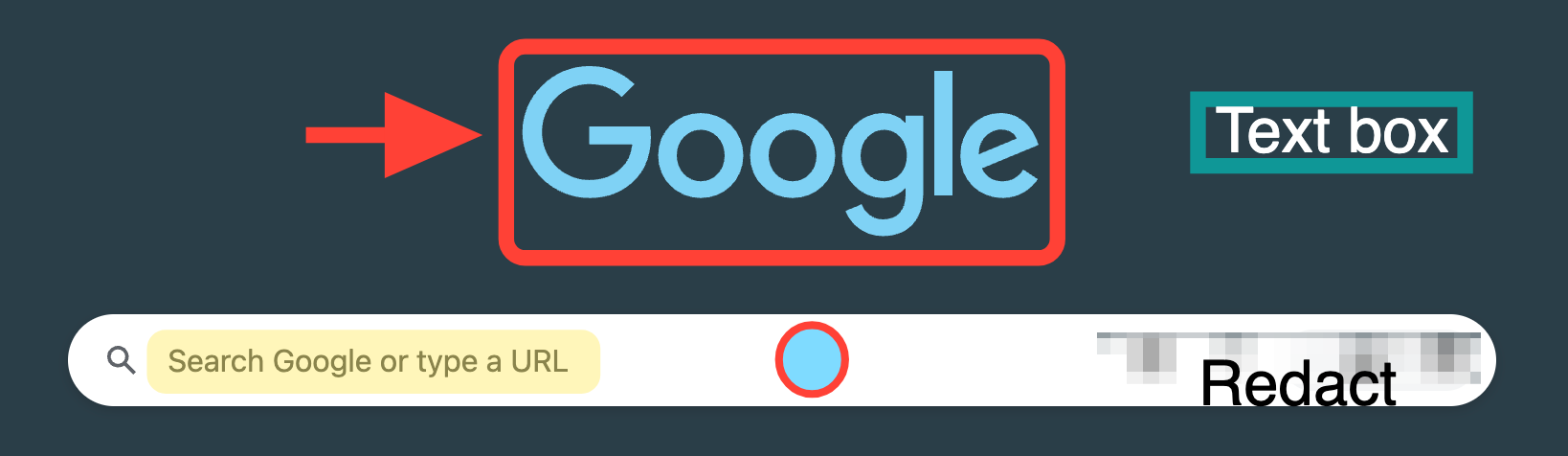
Image editing enhances visuals with annotations like arrows, boxes, and textboxes to highlight image parts.
- Crop
- Resize
- Redact
- Arrows
- Highlight
- Rectangle with no border line/Fill rectangle with adjusted opacity
- Rectangle
- Fill rectangle
- Alter border line
- Circle
- Fill circle
- Alter border line
- Text box
- Fill text box
- Alter border line
Importance
Effective editing improves article clarity and impact, aiding understanding and engagement.
- Supports clear communication.
- Enhancements and structure engage readers.