- Navigate to the manual and chapter where you want to import the document
- Click the Manual Title
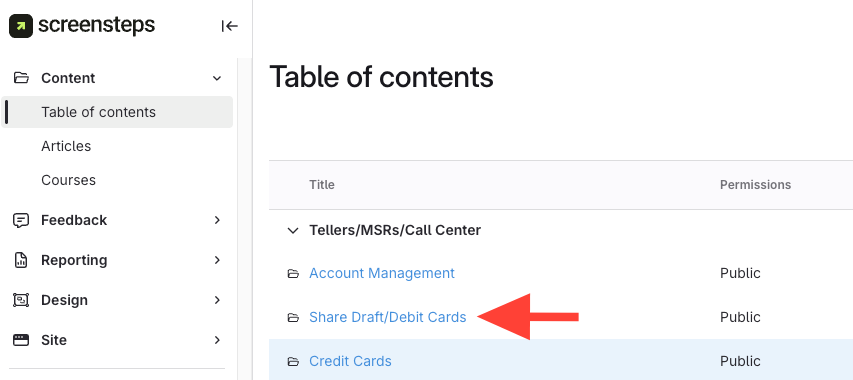
- Click the Chapter Title
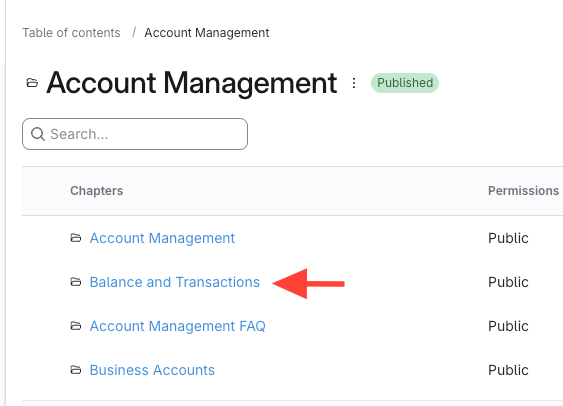
- Click the Manual Title
- Click Actions

- Select Import .docx
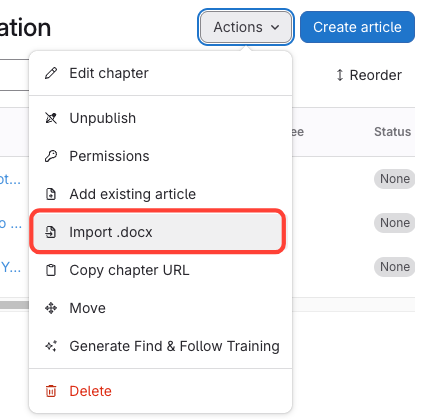
- Select Document > it will Generate an Article
- Choose your Word (.docx) file(s) from the menu.
- Wait for the tab to refresh on it's own and the success pop-up indicator displays in the bottom right corner.

- Edit Articles as needed
- The file name becomes the article title.
- After import, edit the article as needed.
How to Import Docx Files (i.e. Word) and Convert Them into ScreenSteps Articles
Updated on