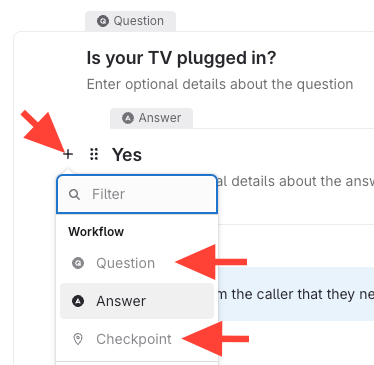
- Common mistake – clicking the + icon to the left of the answer
If you click the + icon to the left of the answer block, you will not be able to add a question or a checkpoint. You can only add a sibling answer.
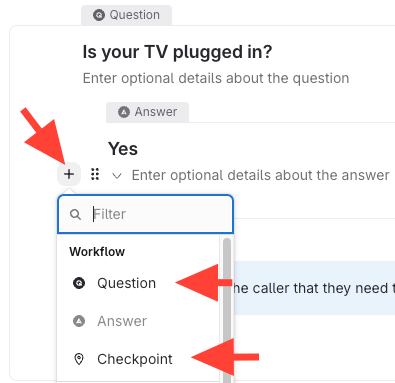
- Add the question below the answer
- Hover over the plus icon below the answer (where you can enter optional details)
- Click the plus icon that appears.
- Select Question or Checkpoint from the menu.
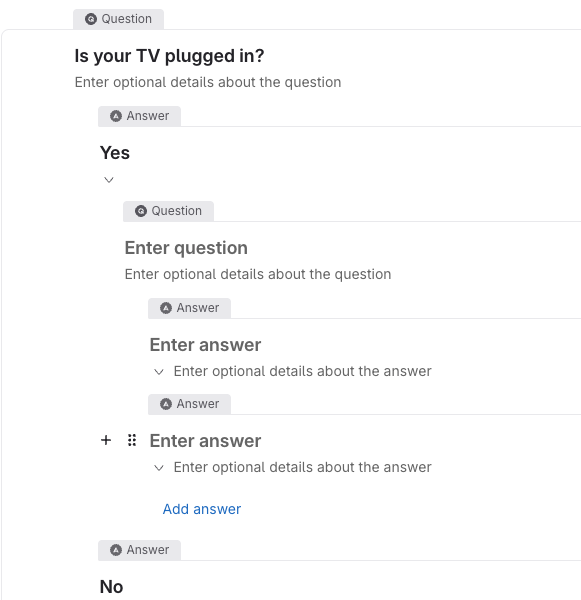
- The new question will be nested under the selected answer.
This will create a child question/answer block.
How to Add a Question Under an Answer in a Workflow Article
Updated on