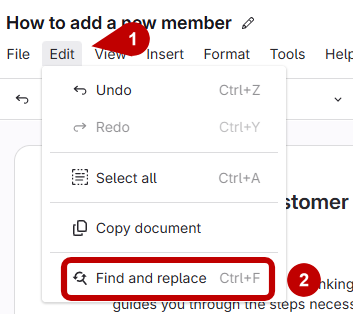
- Open Find and Replace
- Click Edit in the top bar, then select Find and Replace from the dropdown.
- Or, use the hotkey:
- Control + F (Windows)
Command + F (Mac)
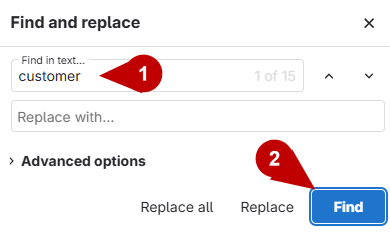
- Enter text to find and replace
- Type the text you want to find.
Click Find
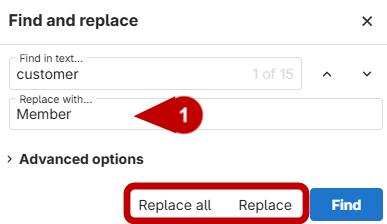
- Replace text in the article
- Type the text you want to replace it with
- Click Replace to update one instance, or Replace All to update every instance.