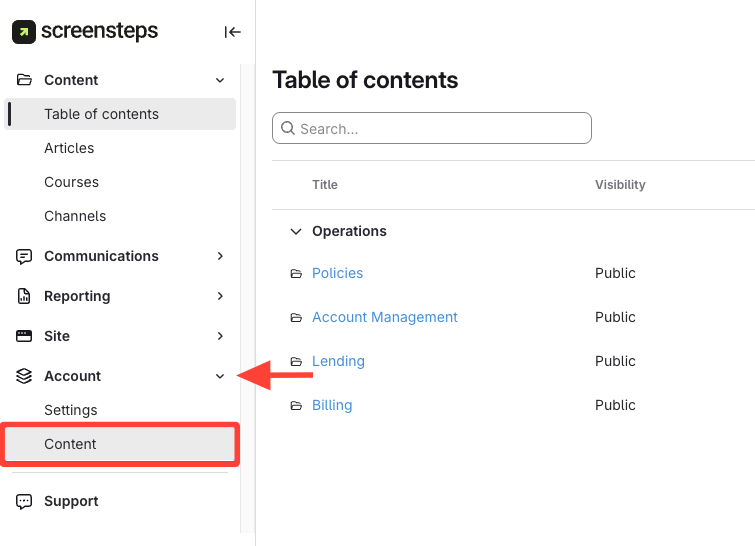
- Navigate to Account Content
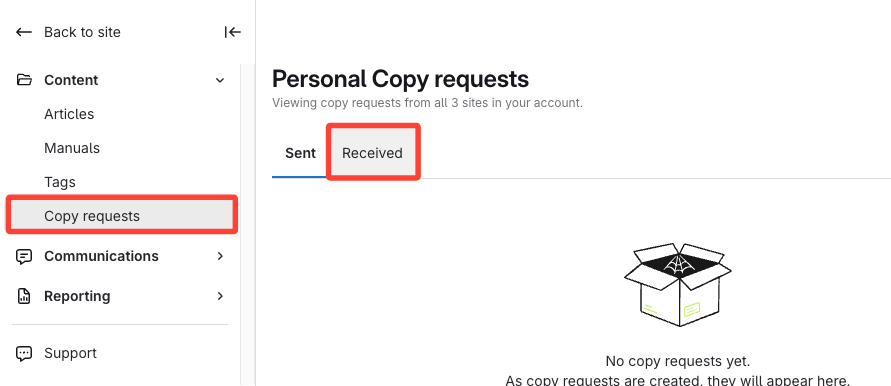
- Go to the Received Tab
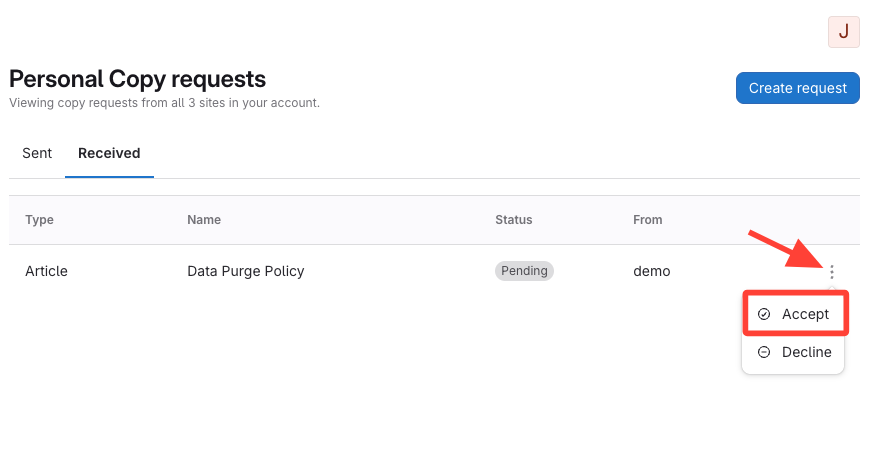
- Accept or Decline the Request
Click the action menu for the pending request, then Click Accept or Decline.
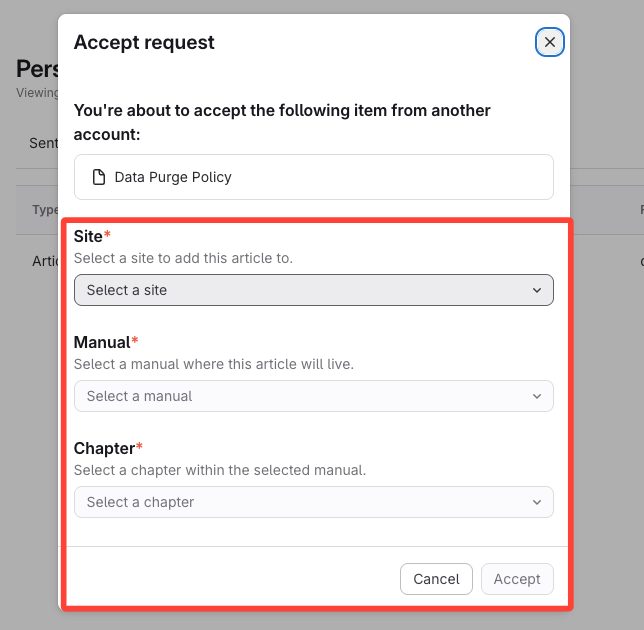
- Select Destination for Accepted Content
If accepting, Select the site, manual, and chapter as required for the content type.
- Click Accept
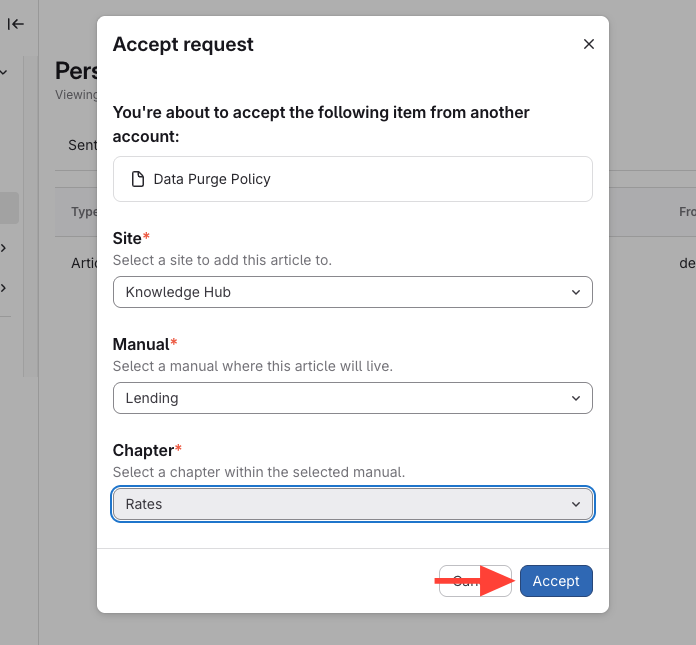
How to Accept/Receive a Copy Request
Updated on