- Open the Workflow Article
- Navigate to the workflow article.
- Click Edit: How to Edit an Article
- Convert to Article
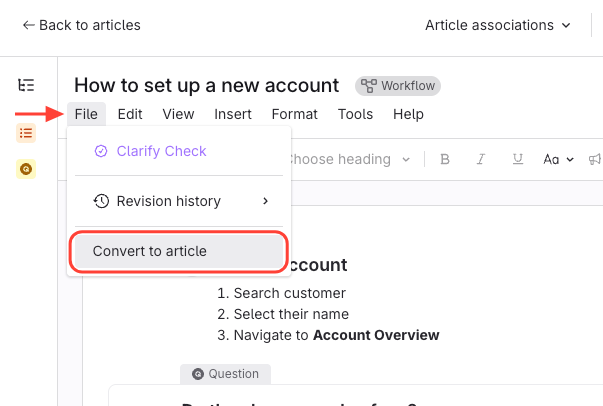
- Click File in the editor.
- Select Convert to Article.
- Review and Confirm
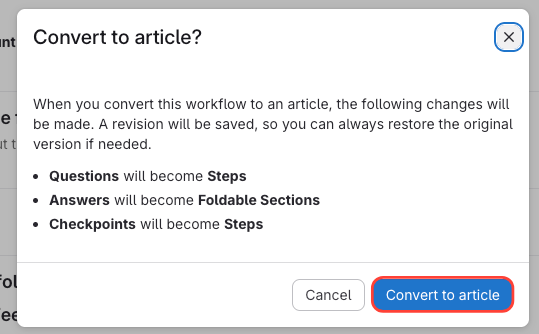
- Read the prompt:
- Questions become steps.
- Answers become foldable sections.
- Checkpoints become steps.
- Click Convert to Article to confirm.
- Read the prompt:
- Verify Conversion
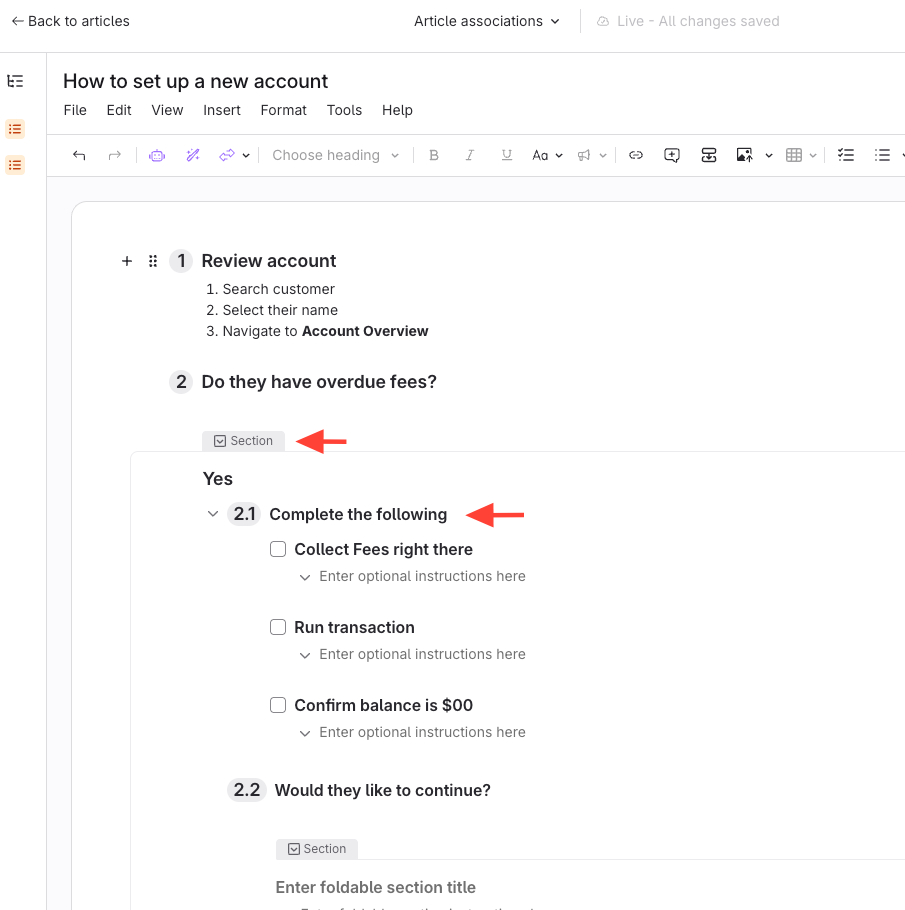
- Note that workflow features are removed.
- Your article is now a standard article.
- Questions were converted to Steps
- Answers were converted to Foldable Sections
- Checkpoints were converted to Steps
How to Convert a Workflow Article to an Article
Updated on