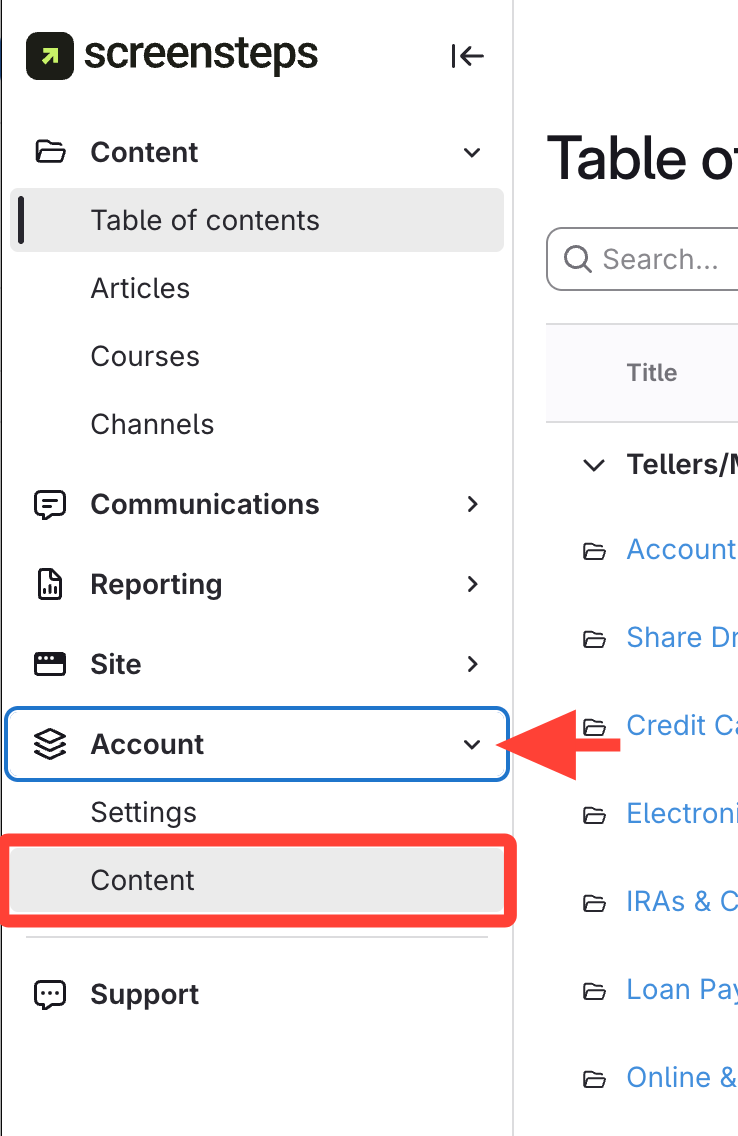
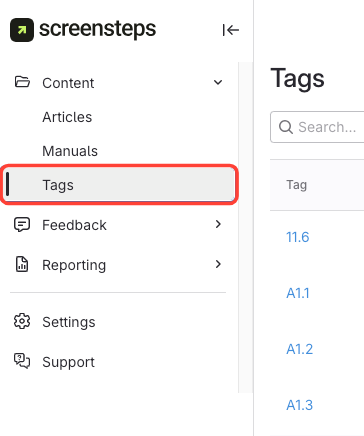
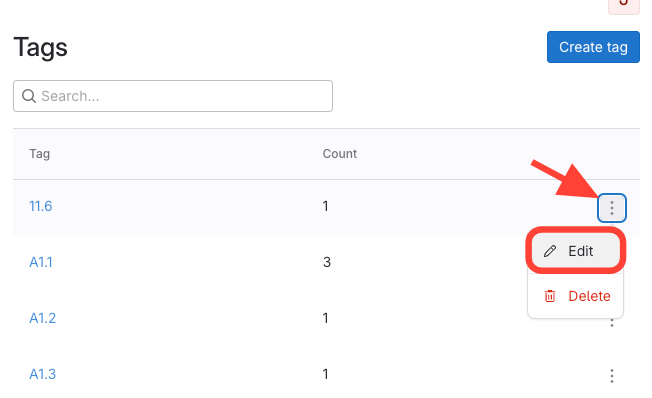
What you will accomplish: In ScreenSteps, you must edit a tag's name in the Tag Library. This is an account-wide library and requires Account Admin level access. This article will show you how to Edit a tag's name in the Tag Library.
Note: This updated name will be reflected on all the articles where this tag is used.