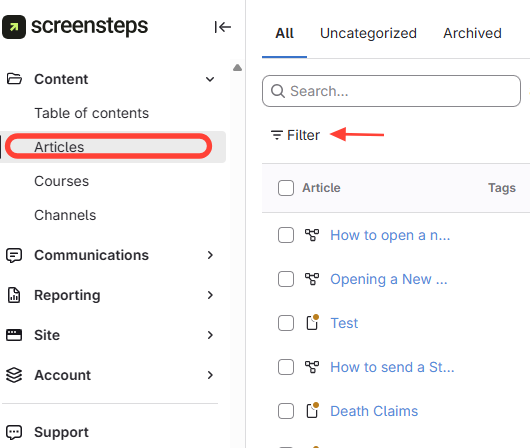
- Navigate to All Articles > Click Filter
- Apply Filter Options
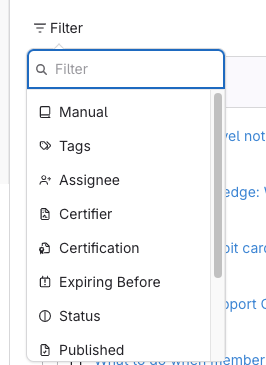
Filter Options Description Manual Use this filter to view all articles within a particular manual. Tags Use this filter to view all articles that have a specific tag assigned to it. Assignee Use this filter to view all articles assigned to a specific individual. Certifier Use this filter to view all articles that have a specific individual assigned as the certifier. Certification Use this filter to view all articles that have been marked as requiring certification. Expiring Before Use this filter to view all articles that require certification and view when they expire. Status Use this filter to view all articles that have a specific status. Published Use this filter to view all articles that have been published. Posted Use this filter to view all articles that have been posted between specific dates. Rating Use this filter to view articles that have been liked/disliked. Template Use this filter to view articles that are templates or not templates.
How to Apply Filters to View Specific Articles in All Articles
Updated on