- Open the Article Preview
- Navigate to the article via:
- Table of contents (manual > chapter > article)
- Or, Click the article section on the left to see all articles
- Click the article title
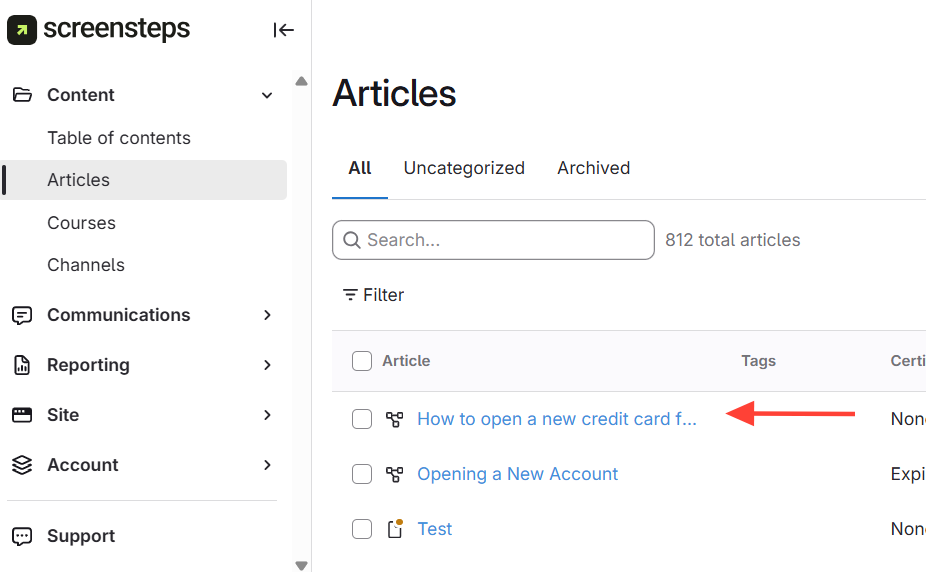
- Navigate to the article via:
- Access Certification Settings
- ClickCertifications in the article preview
- Ensure "Track content certification" is enabled
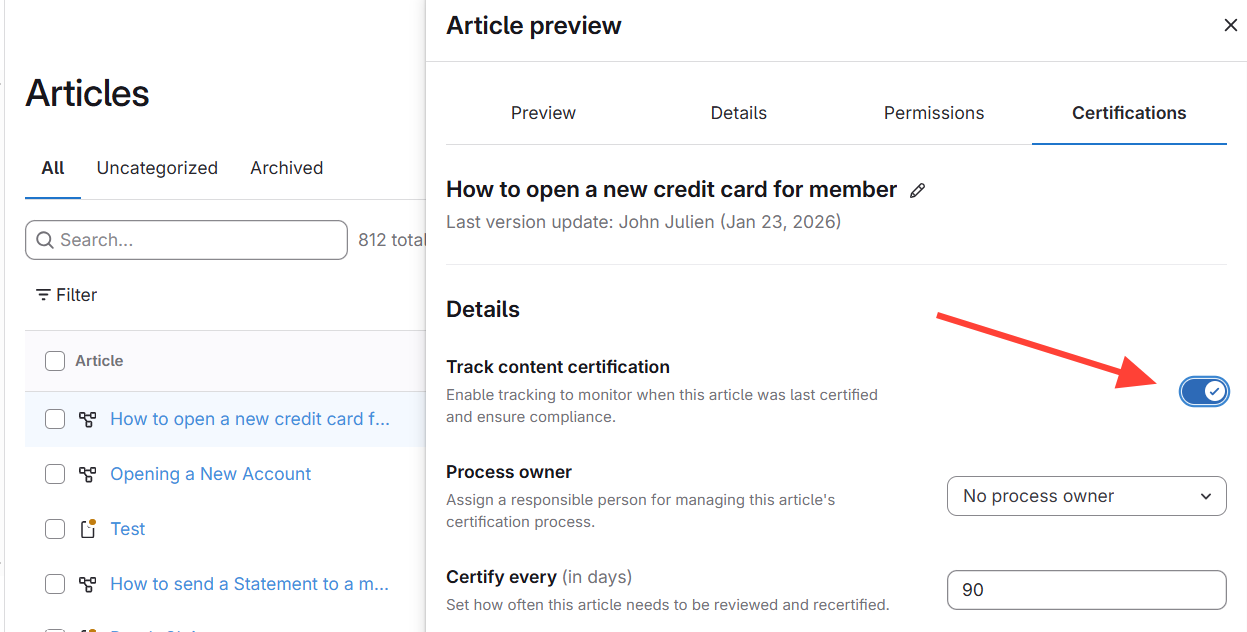
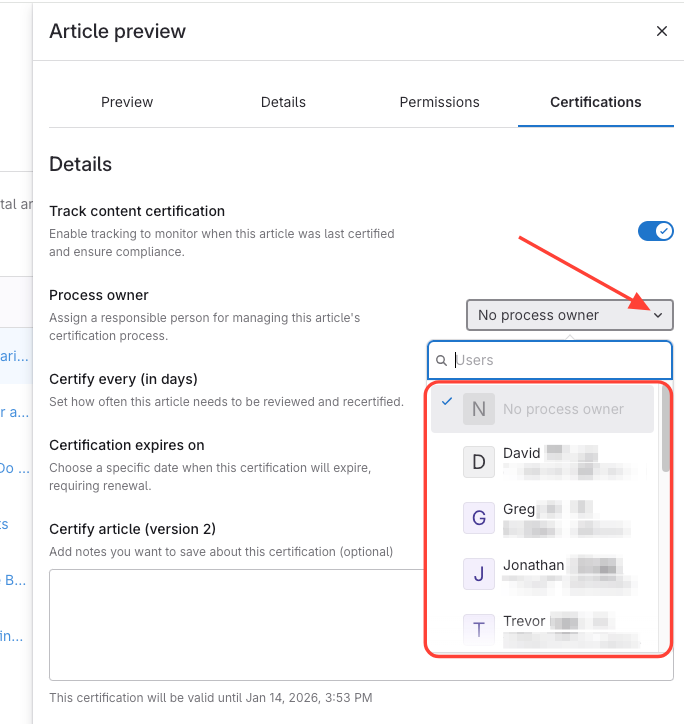
- Assign Process Owner (Optional)
- Assign a process owner (only they can certify)
- Or, set to no process owner (anyone can certify)
Note: If you are unable to select No process owner as an option, it could be that your default settings require a process owner. You can modify that by following these steps: How to Set up a Default Certification Cadence that Applies to All Articles
How to Assign a Process Owner OR Not Require a Process Owners for Article Certification
Updated on