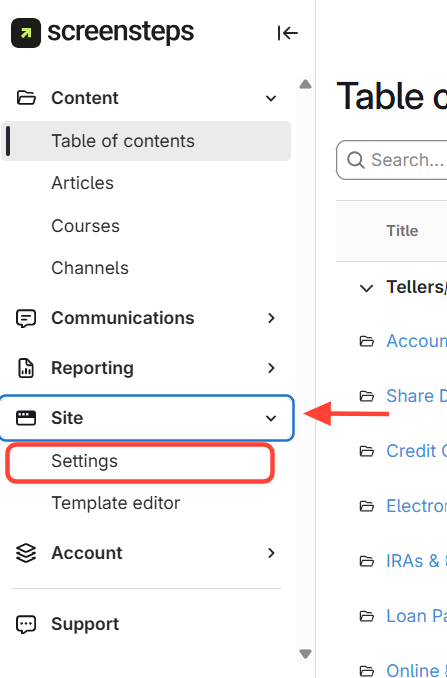
- Go to Settings
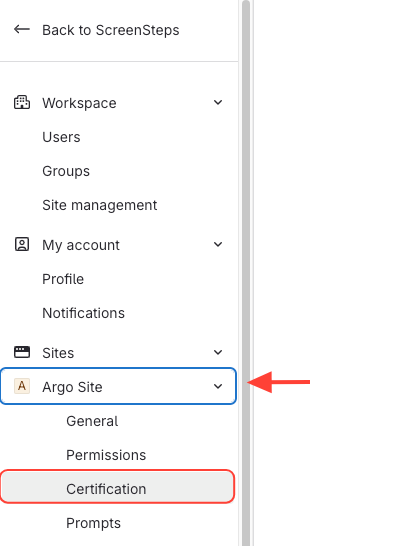
- Select Certification under the site
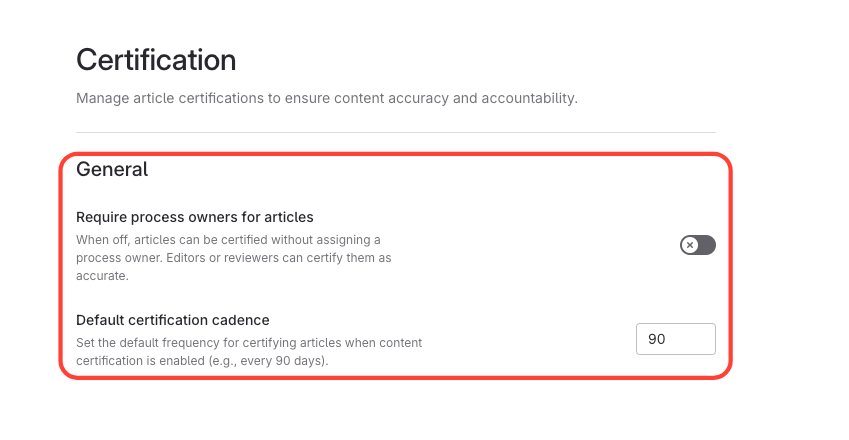
- Update Default Settings
- Update the default recertification interval (choose 60, 90, 120, or 365 days).
- Require a process owner for every article.
How to Update Default Settings for Certification: Renewal Cadance or Requiring a Process Owner
Updated on