- Open the Article Preview
- Navigate to the article via:
- Table of contents (manual > chapter > article)
- Or, Click the article section on the left to see all articles
- Click the article title
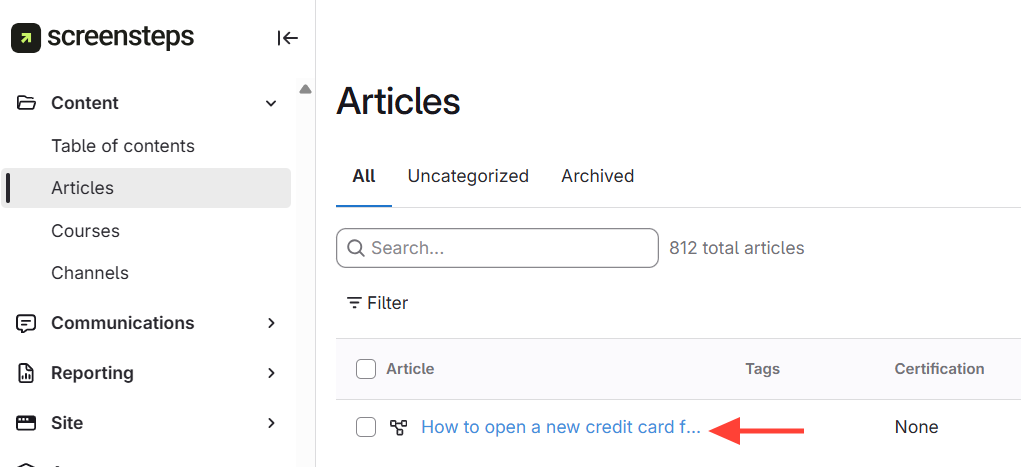
- Navigate to the article via:
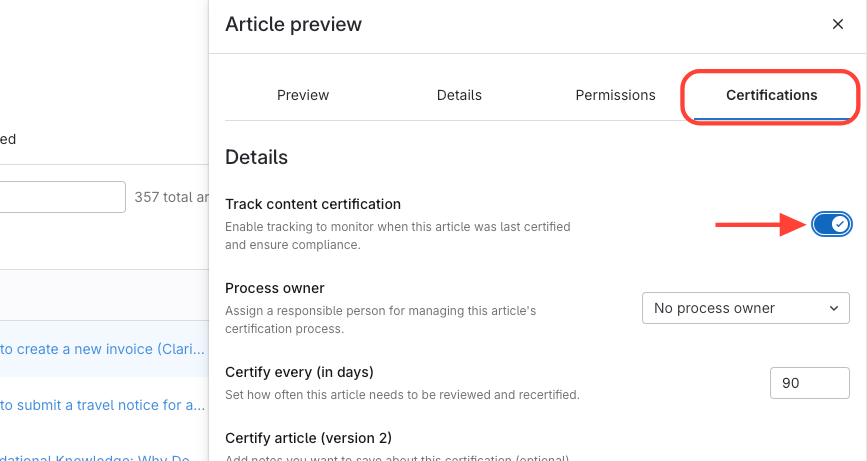
- Access Certification Settings
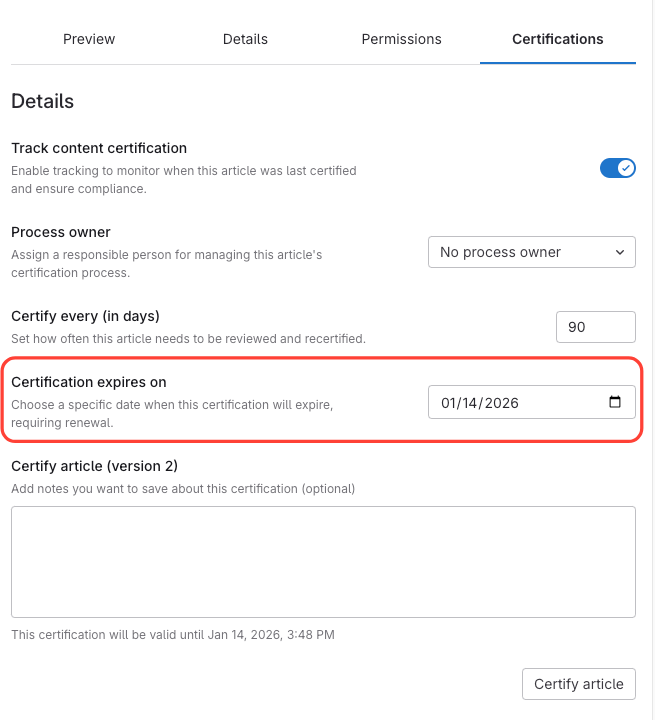
- ClickCertifications in the article preview
- Ensure "Track content certification" is enabled
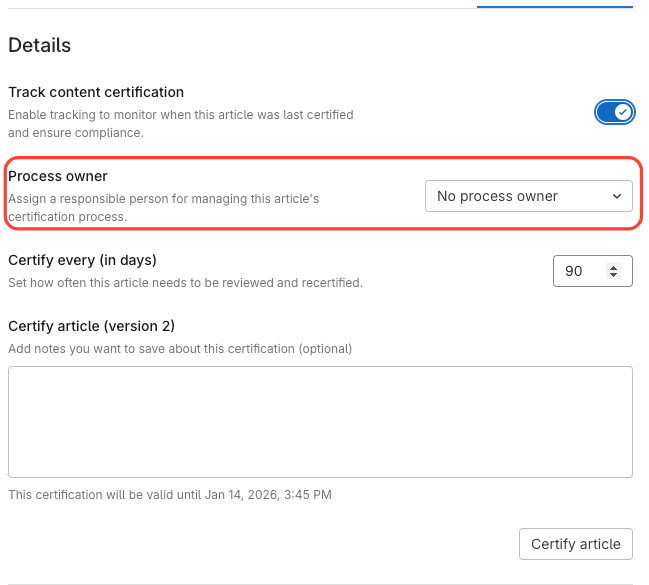
- Assign Process Owner (Optional)
- Assign a process owner (only they can certify)
Or, set to no process owner (anyone can certify)
- Certify or Recertify Article
- Click the Certify Article button
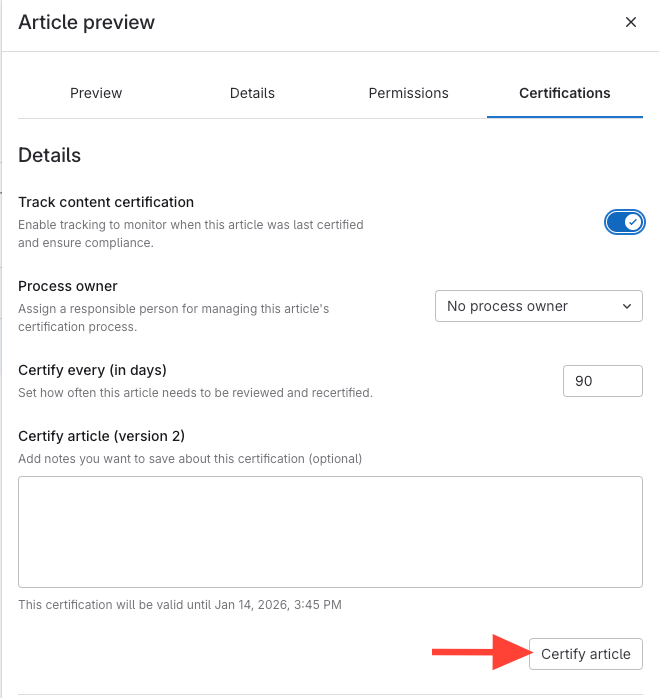
- Confirm Expiration Date is Accurate
- Review the expiration date
- Change the expiration date or certification interval if needed
How to Certify or Recertify the Contents of an Article
Updated on