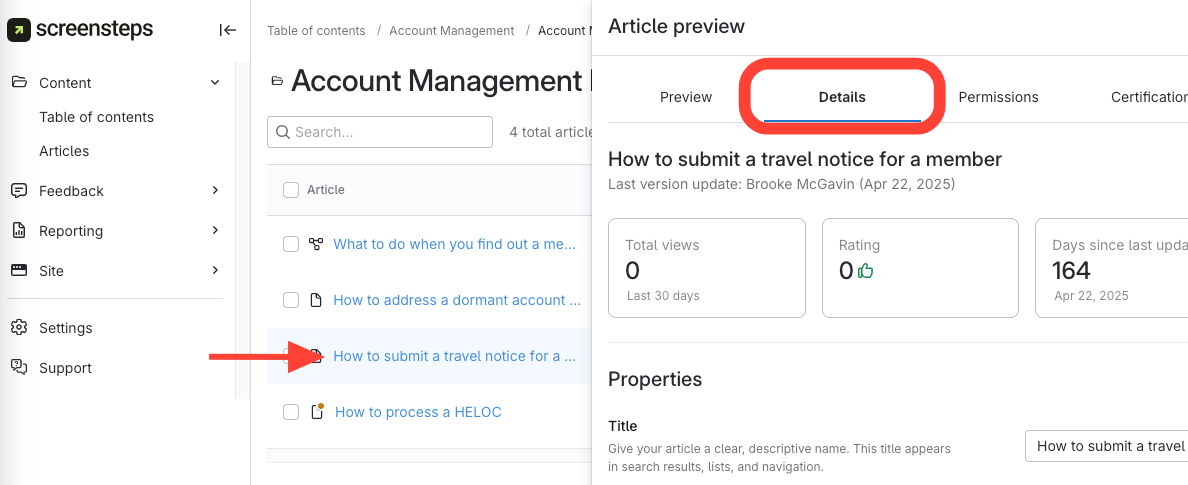
- Navigate to Details Tab in Article Preview
- Click the article title.
Select the Details tab.
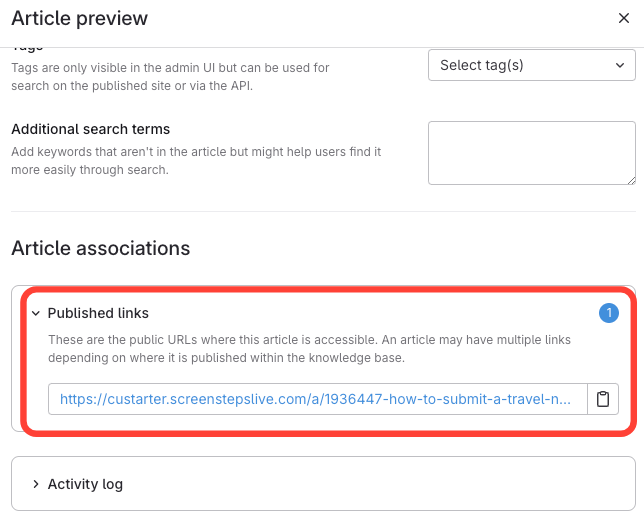
- View Published Links
- Scroll to Article Associations.
- Find the Published Links section.
- Click the number to expand and view URLs.
How to View the Published URLs of an Article
Updated on