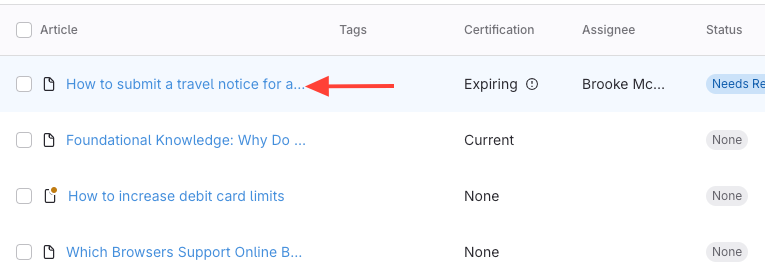
- Click the Article Title
You can click the article title either from the Articles view or from within a Chapter.
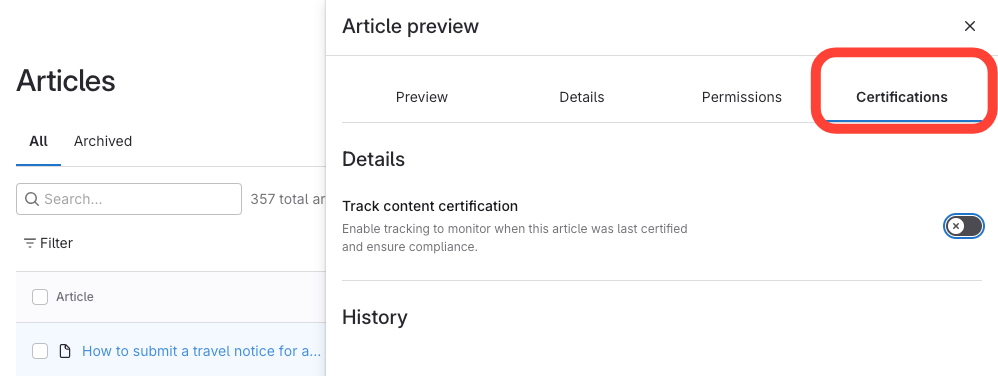
- Click Certifications
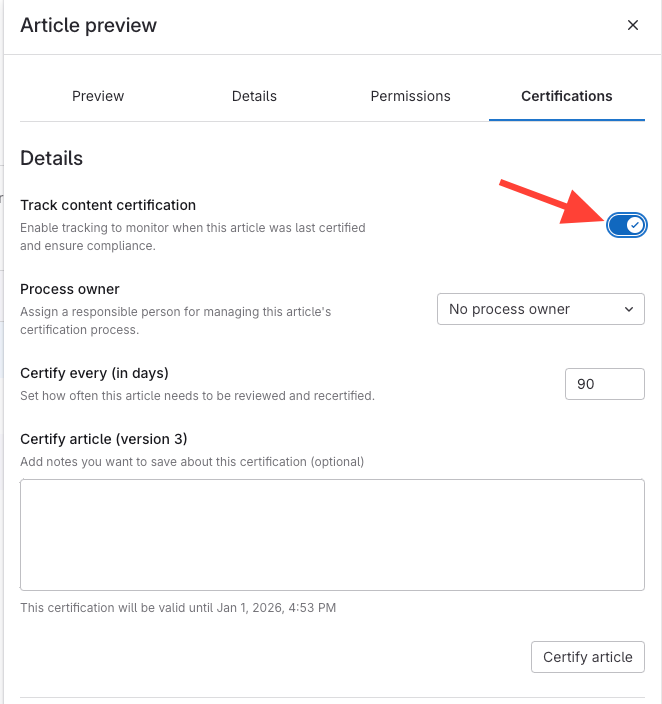
- Toggle the "Track content certification" button
How to Track Certification for an Article
Updated on
Updated on
You can click the article title either from the Articles view or from within a Chapter.