How to Archive in Bulk
- Navigate to the chapter containing your articles
- Click the Manual title
- Click the Chapter title
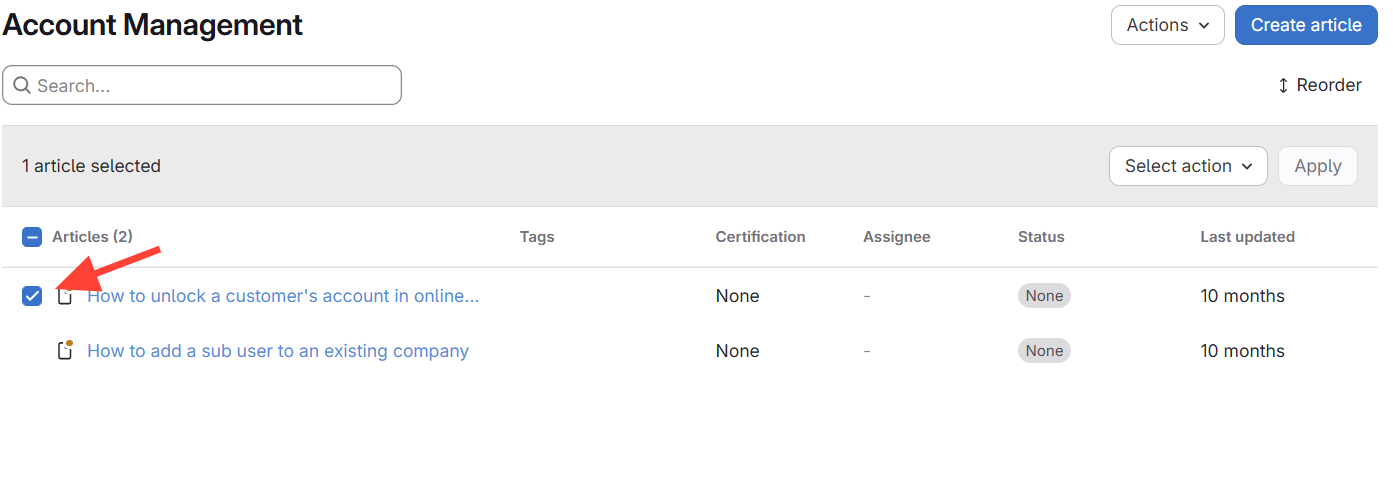
- Check the box next to the article title
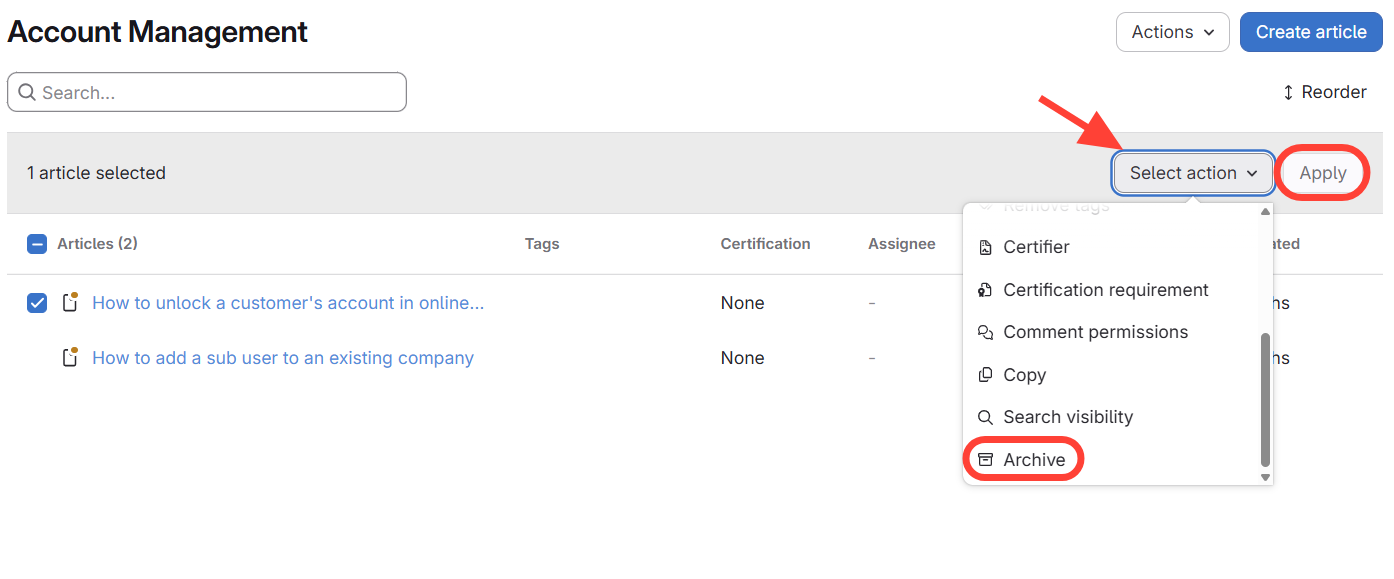
- Click Select Action > Archive > Apply
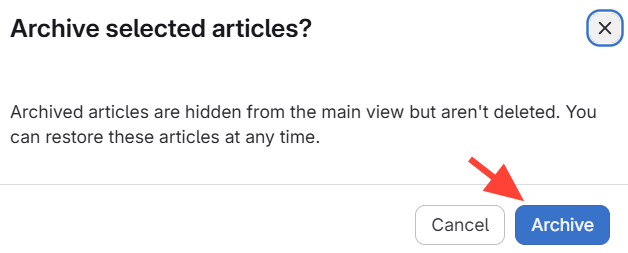
- Click Archive
How to Delete in Bulk
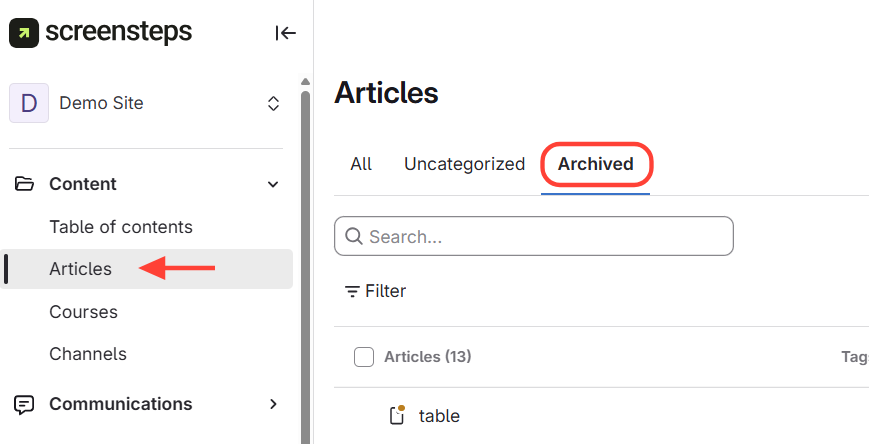
- Navigate to Archive Articles
- Click Articles
- ClickArchived
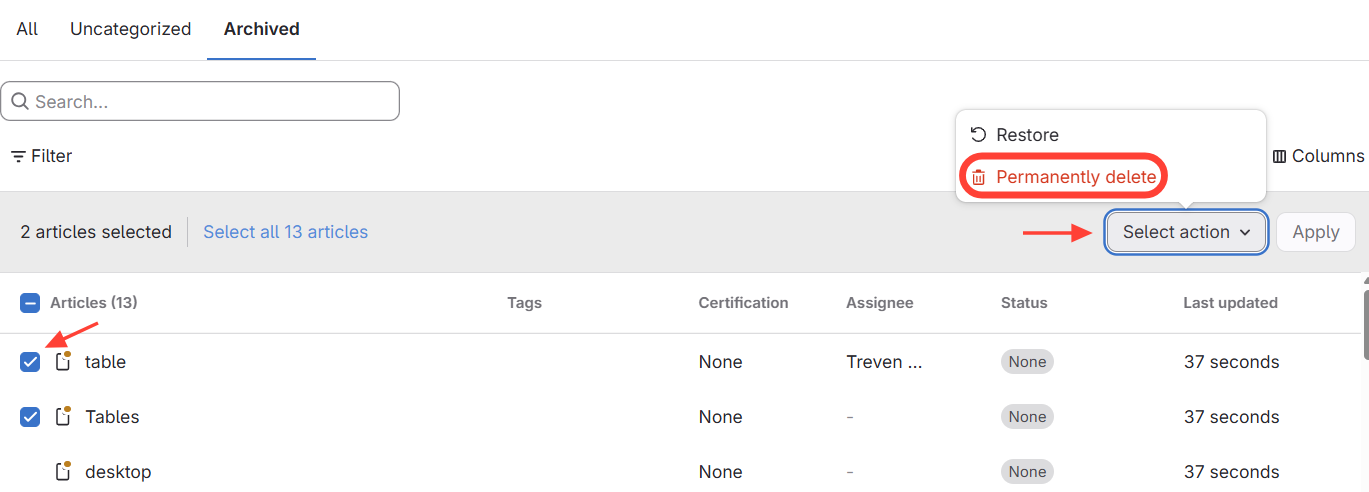
- Select Articles > Select Action
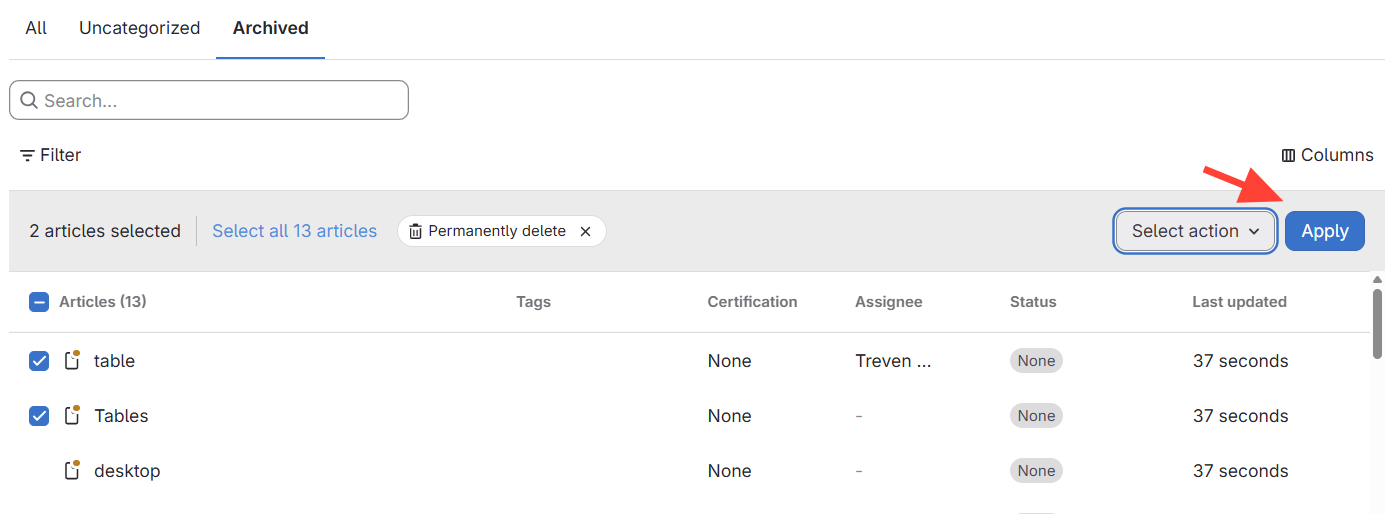
- Select Apply
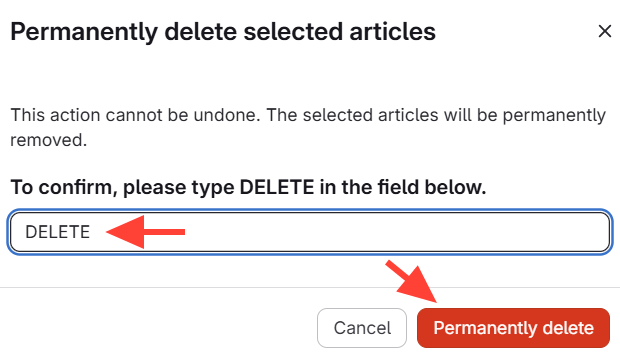
- Permanently Delete