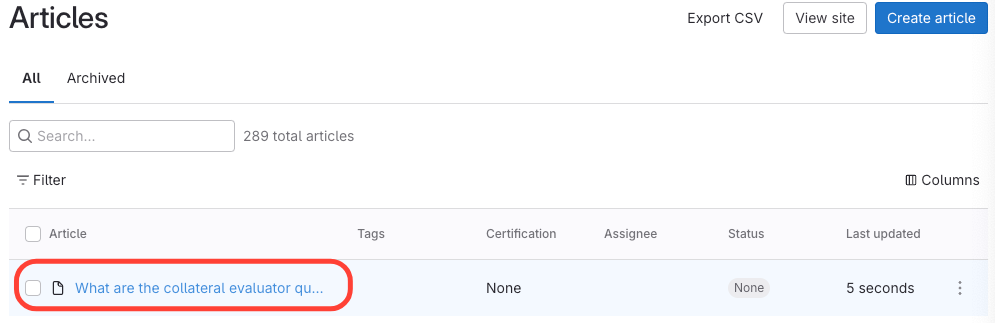
- Identify Article
In the example below, the first article isn't associated with any manual or chapter.
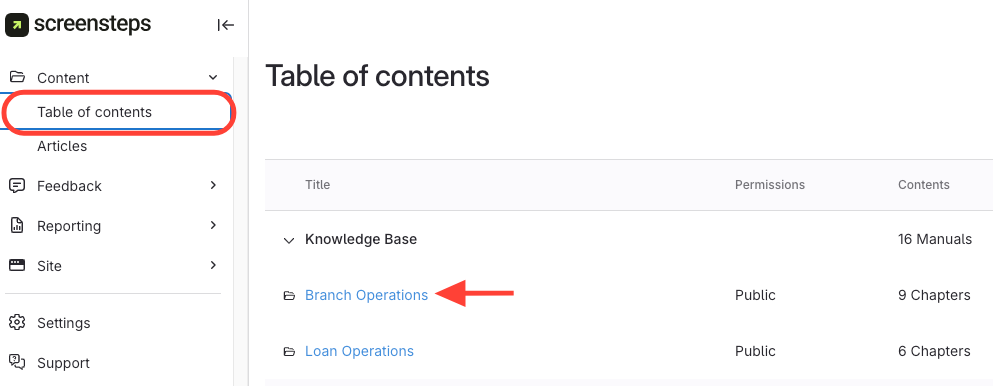
- Navigate to the chapter you want to add it to
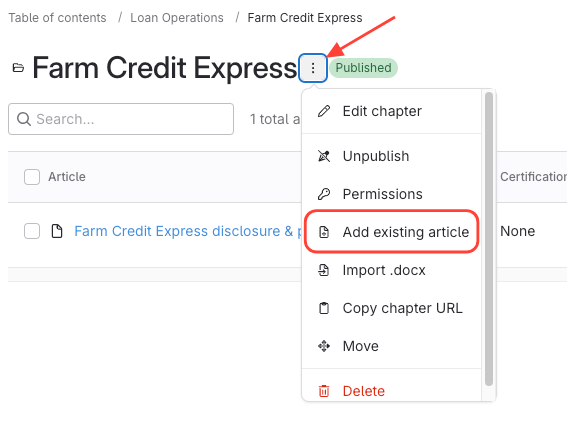
- Click Action Menu next to Chapter Name > Add existing article
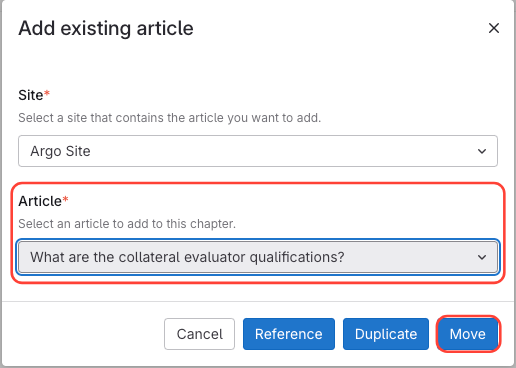
- Locate Article > Click Move
How to add an article to a manual from the All Articles list
Updated on