- Open the article preview
- You can open the article preview in one of two ways:
- Click the Table of contents on the left and select the manual > chapter > article title, or
- Click Articles on the left and click the article title
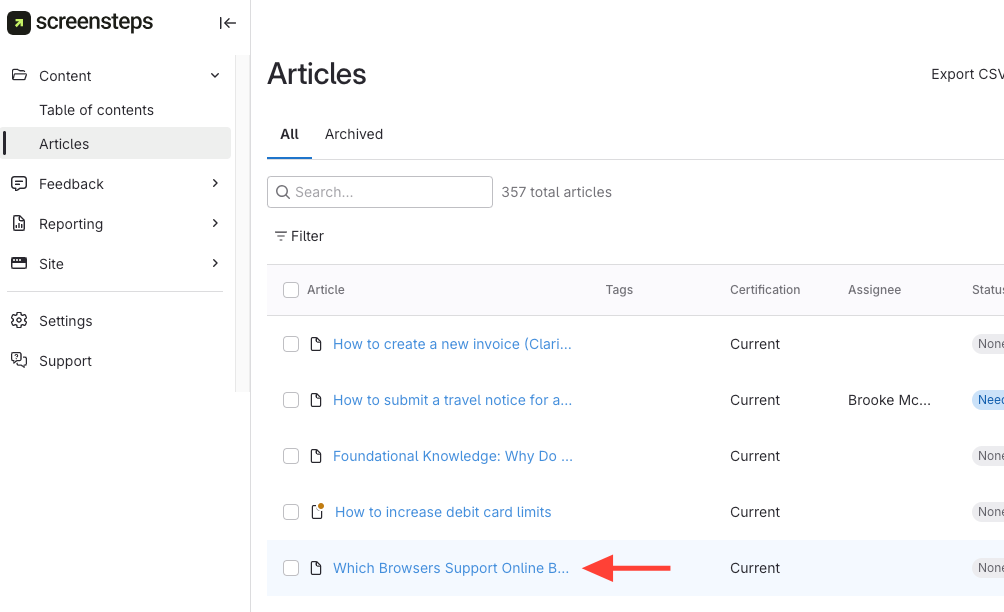
- You can open the article preview in one of two ways:
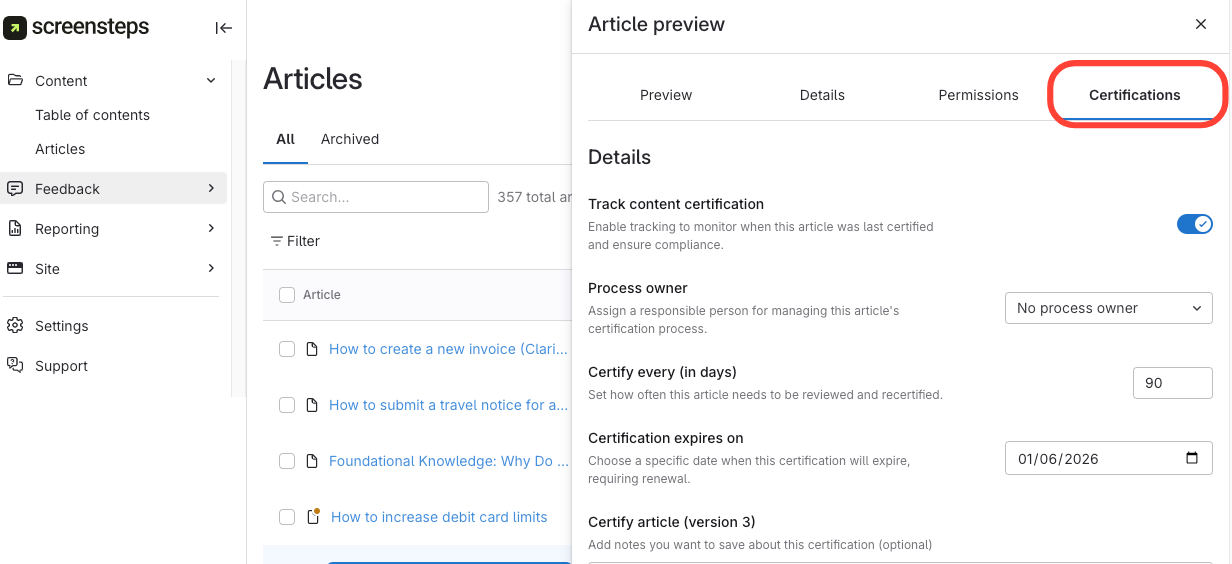
- Select the Certifications tab
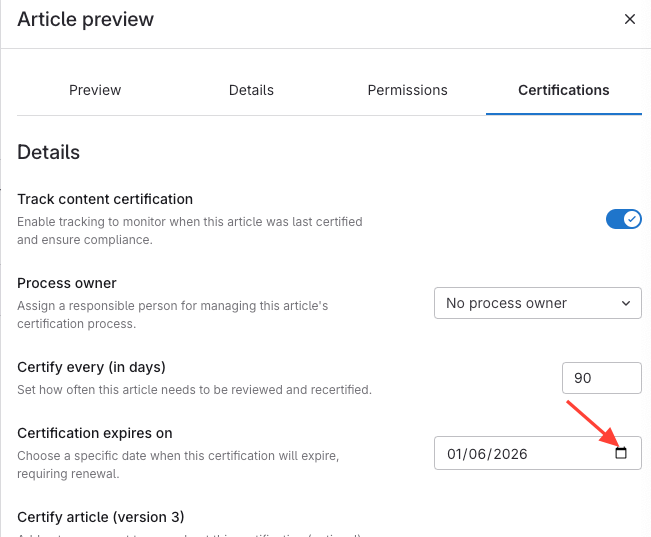
- Click the calendar icon to change the next date > Choose Date
How to set the certification expiration of an article to a specific date
Updated on