- Create a New Chapter in the Target Manual
- Navigate to 'Add Existing Article'
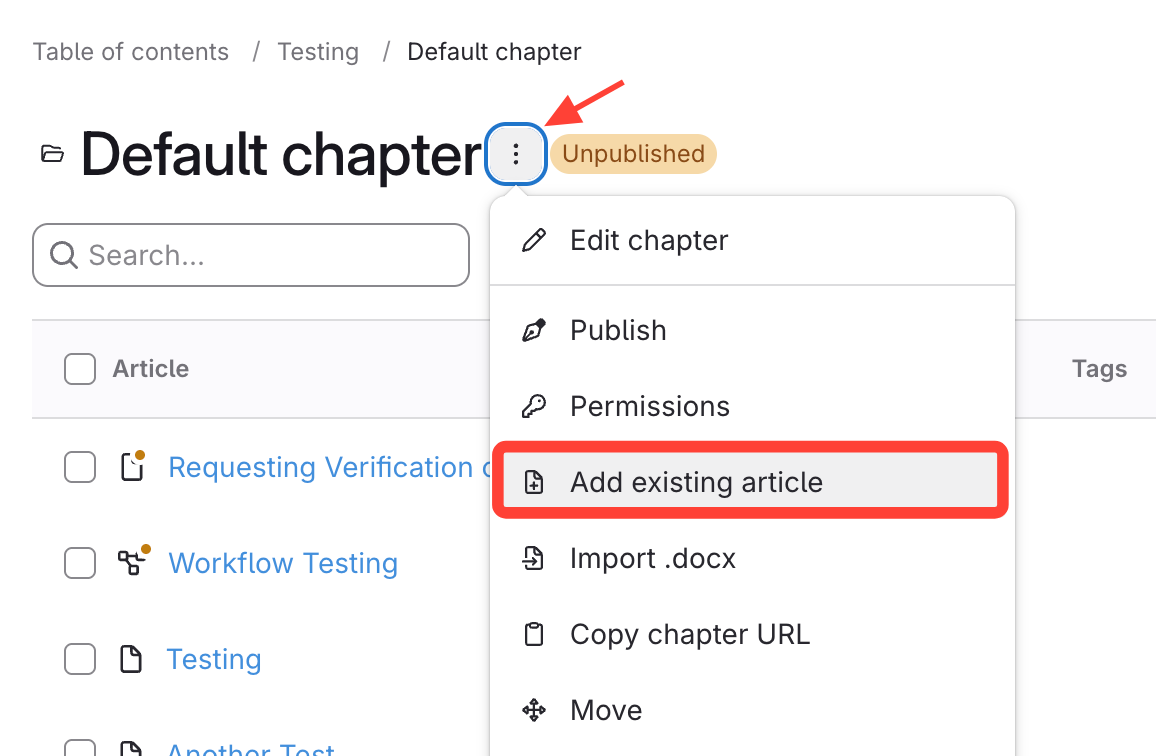
- Open the chapter action menu next to the new chapter.
- Select Add Existing Article.
- Duplicate the Articles
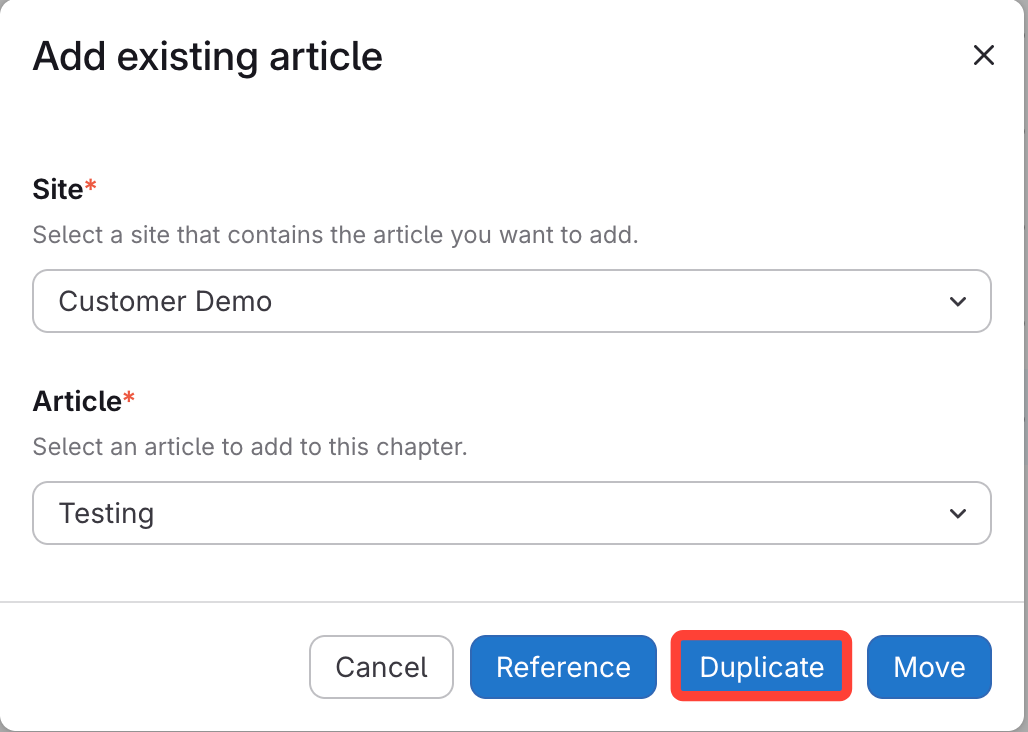
- Choose the Site and Article to copy.
- Click Duplicate to add the article.
- Publish the Article as Needed
How to Copy a Chapter to Another Manual
Updated on