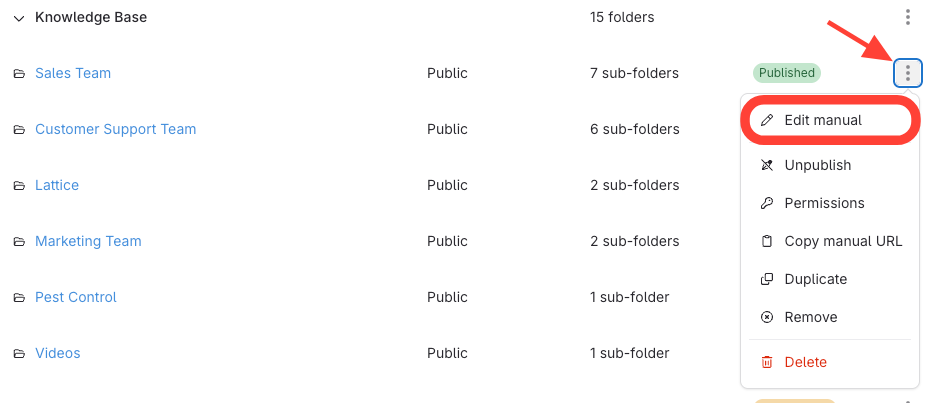
- Click Edit Manual
- Click the three dots next to the manual's name.
- SelectEdit manual.
- Update Title
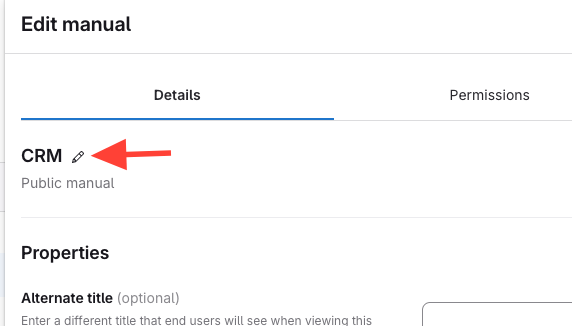
- Go to the Details tab.
- Click the Pencil icon
- Enter the new manual name
- Changes are automatically saved – just click out and changes are applied
Updated on