What is a Category?
A category is a way to organize and separate manuals within the knowledge hub. Categories help group related manuals together, making it easier to manage and locate content.
- Categories act as organizational headings for manuals.
- They are visible in both the content management area and the published site.
Key Concepts
Categories are not strictly hierarchical, but they can be used to mimic a hierarchy. For example, you might create a category for each department, with all of that department's manuals grouped under its category.
- Categories help visually organize manuals for both editors and readers.
- Categories can represent departments or other logical groupings.
- Manuals are placed under categories for easier navigation.
- Every site must have at least one category.
How Categories Appear
Content Management Area
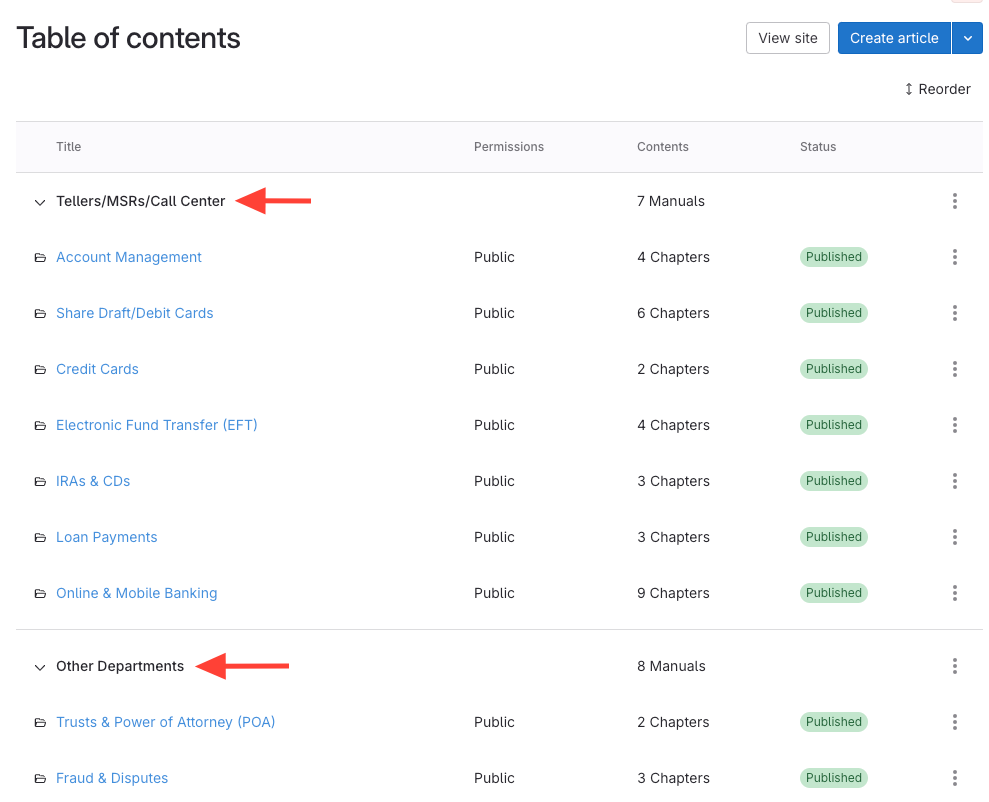
In the content management area, categories can be collapsed or expanded to show or hide the manuals they contain.
Published Site
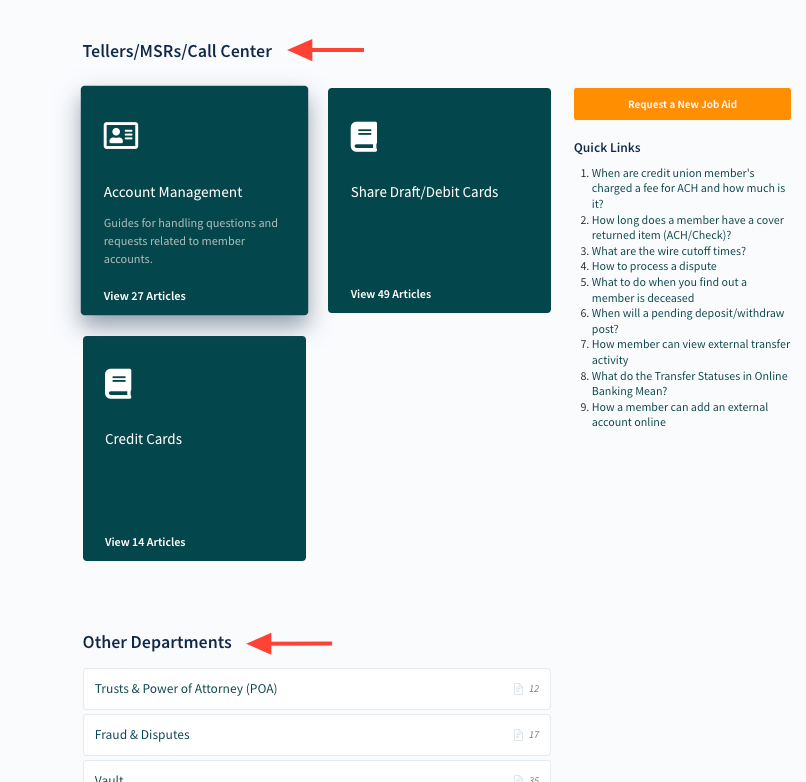
On the published site, categories appear as headings that divide the manuals for readers.
Permissions and Categories
Categories do not have permissions associated with them. Permissions are managed at the manual, chapter, and article levels, not at the category level.
- Categories are for organization only, not for access control.
- Permission settings apply to manuals, chapters, and articles.