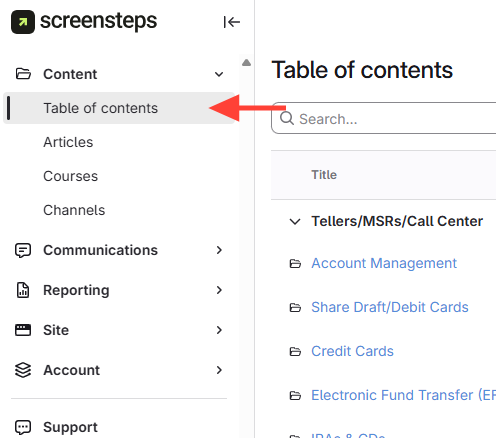
- Navigate to Table of Contents
- Go to the admin view.
- Open the table of contents.
- Create Manual
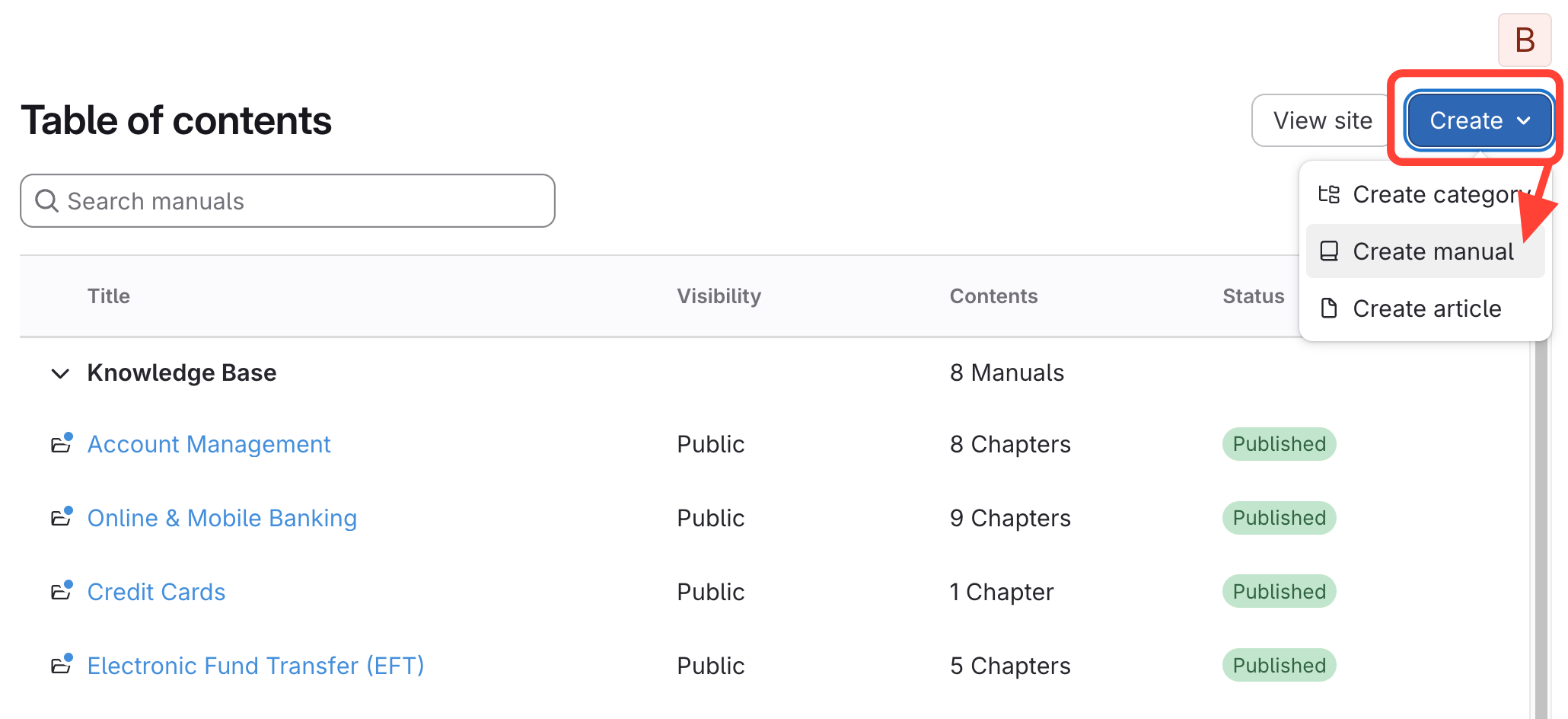
- Click Create drop-down.
- Select Create manual.
- Complete Manual Details
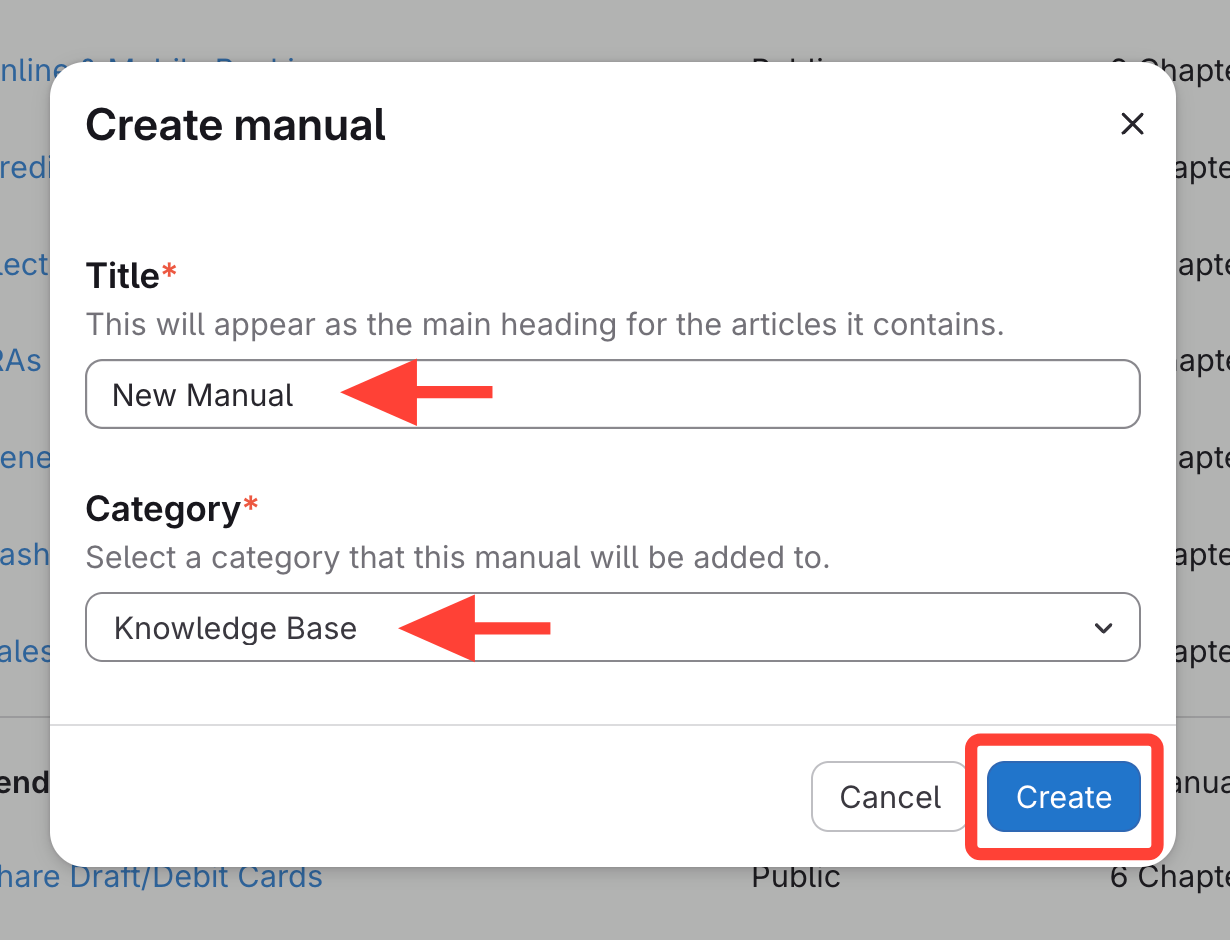
- Type Manual Title.
- Select the Category.
- Click Create.
How to Create a Manual
Updated on