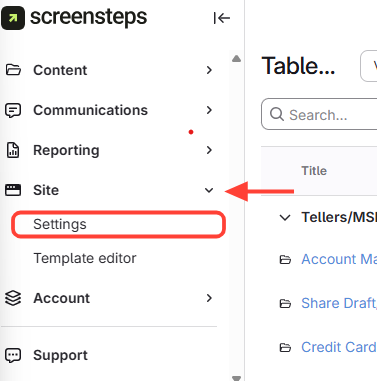
- Navigate to Site Settings
- Navigate to your site.
- Click Site on the left menu.
Select Settings.
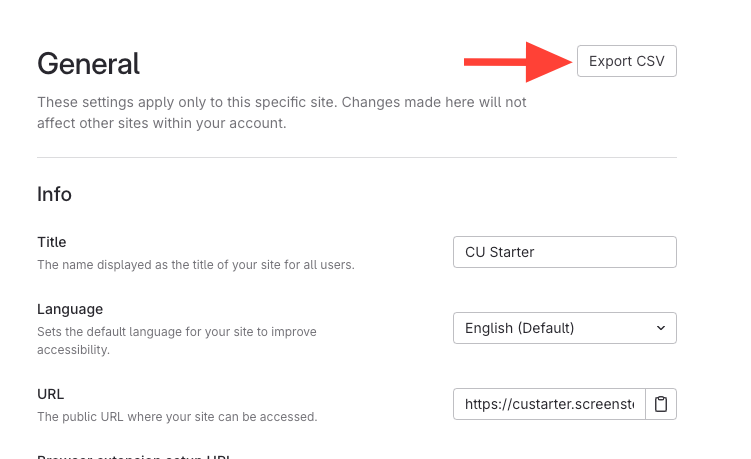
- Click Export CSV
- Review CSV
The CSV output will include the following information:
- Article ID
- Article Title
- Article Status
- Article Owner
- Article Created At
- Article Posted At (last update)
- Article Published
- Chapter Title
- Chapter Published
- Manual Title
- Manual Published
- Source Article ID
- Published URL
- Restricted
- Viewing Groups
- Tags
- Excluded from Search
- Last Certified At
- Last Certified By
How to Export an Article Report (CSV of site article titles/status/owners)
Updated on