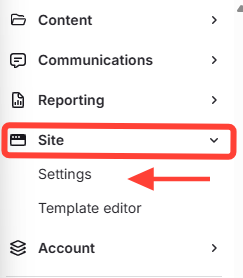
- Navigate to Site Settings
- Go to the content management area.
- Click Site on the left menu.
Click Settings.
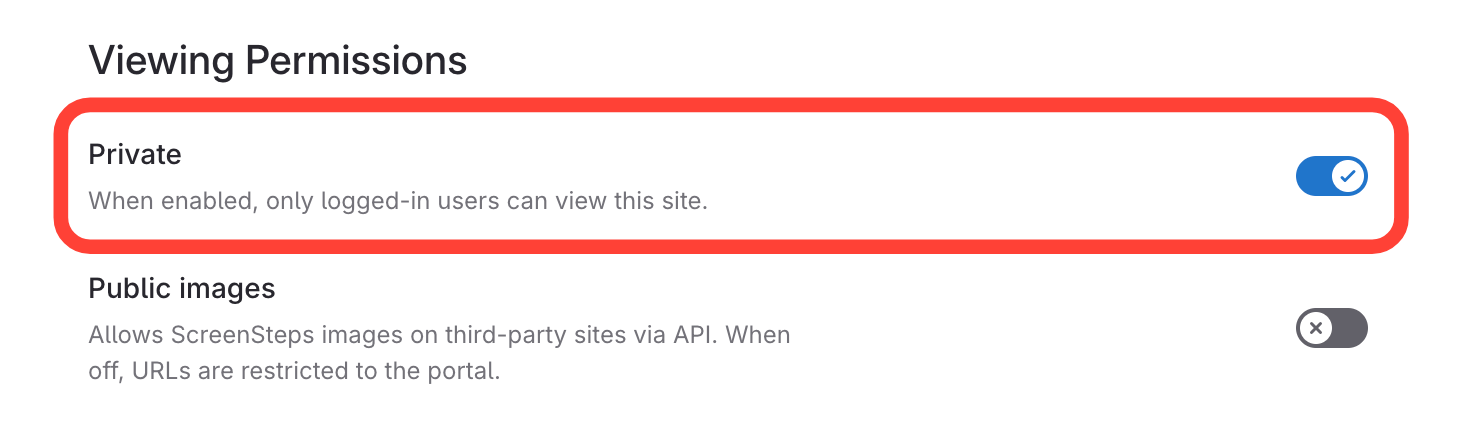
- Toggle Private Option
- Scroll to Viewing Permissions.
Toggle the Private option.
How do I make a site private?
Updated on
Click Settings.
Toggle the Private option.