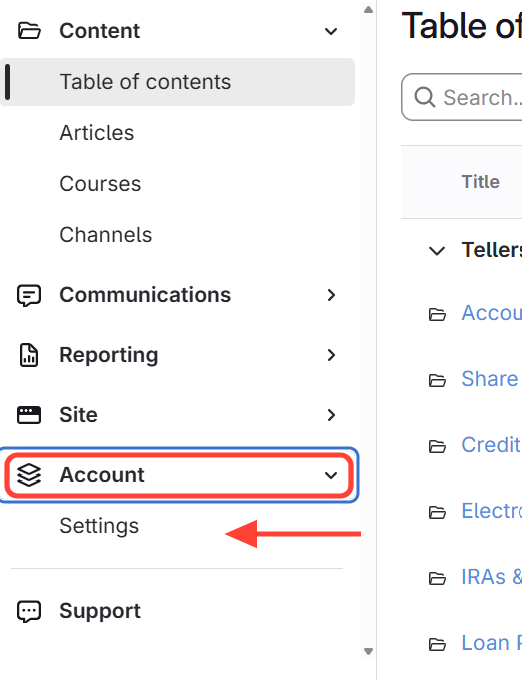
- Navigate to Account Settings
Click Account > Settings in the main navigation.
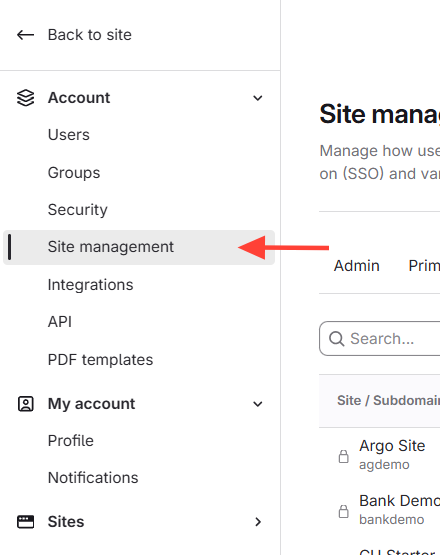
- Click Site Management
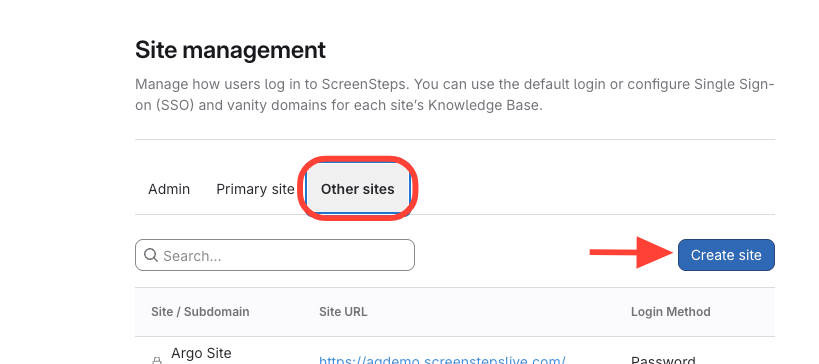
- Create site
- Click Other Sites
- Click Create Site
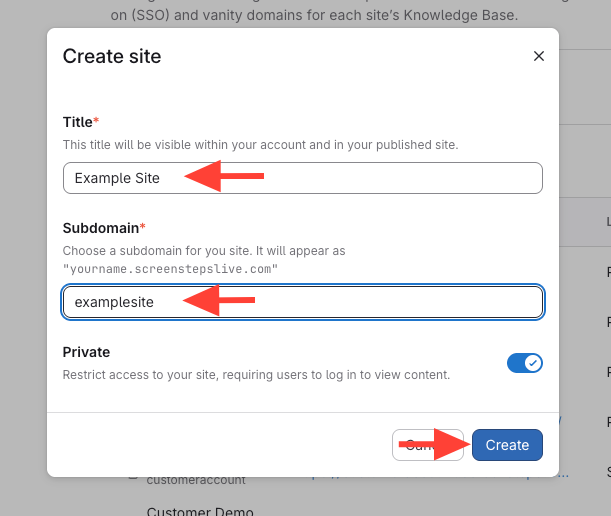
- Enter site details > Save the new site
- Enter a title for the site.
- Enter the subdomain (this will be the URL people go to in order to view the published site).
- Click Create to save the new site.
How to Create a Site
Updated on