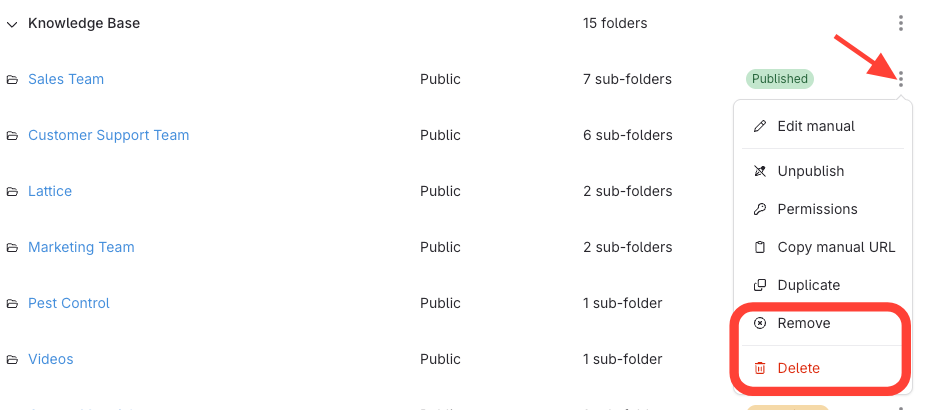
Remove: This will remove the manual from this category. It will still be available in Workspace content > Manuals, where you can access or reassign it later.
Delete: This will permanently delete the manual and all of its contents. This action cannot be undone.