Skip to content
ScreenSteps Help
Search guides and tutorials...
Search guides and tutorials...
ScreenSteps Help
/
User and Group Permissions
/
Users
Ho to Change User Role
Updated on
Jun 23, 2026
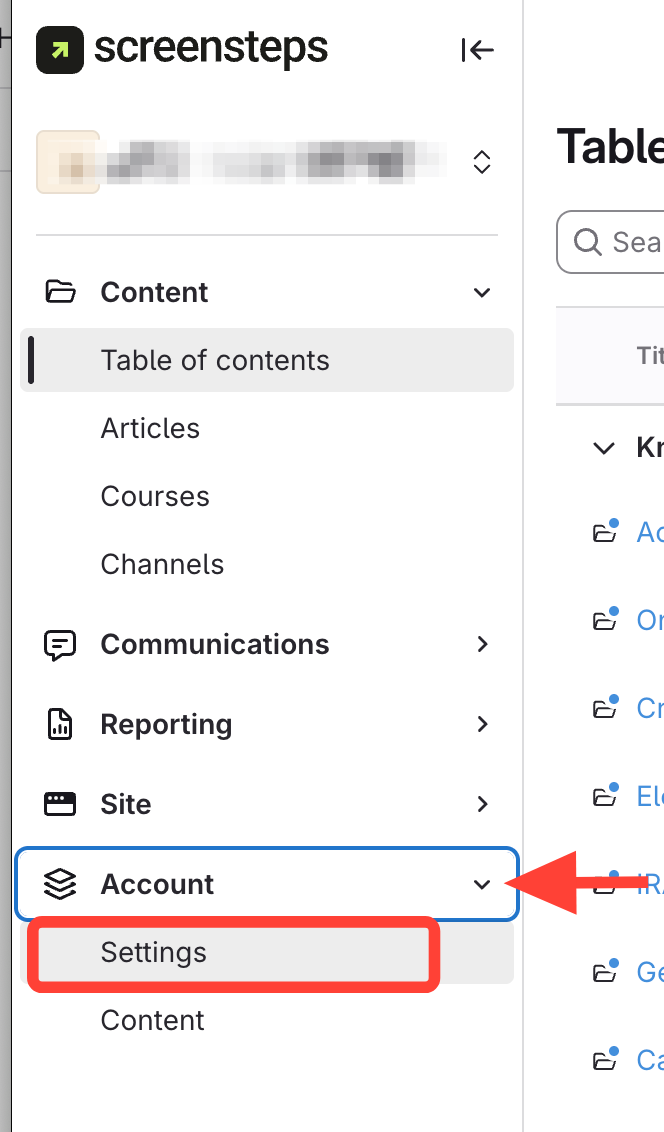
Navigate to Account Settings
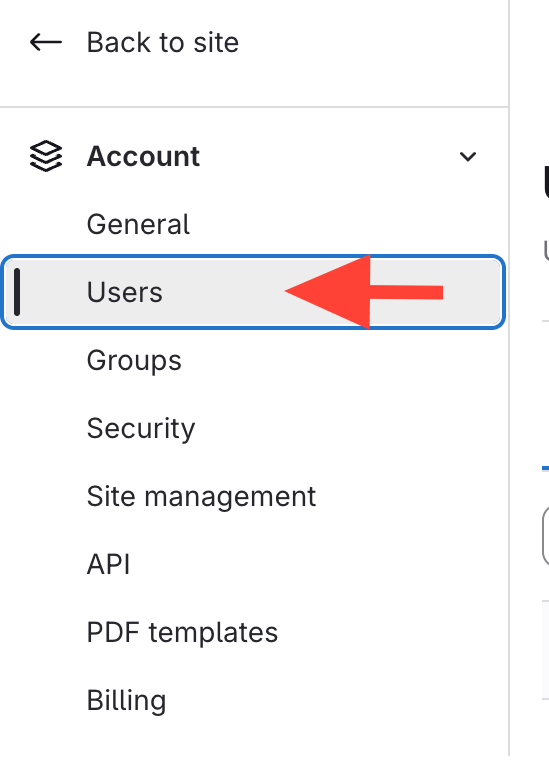
Open Users
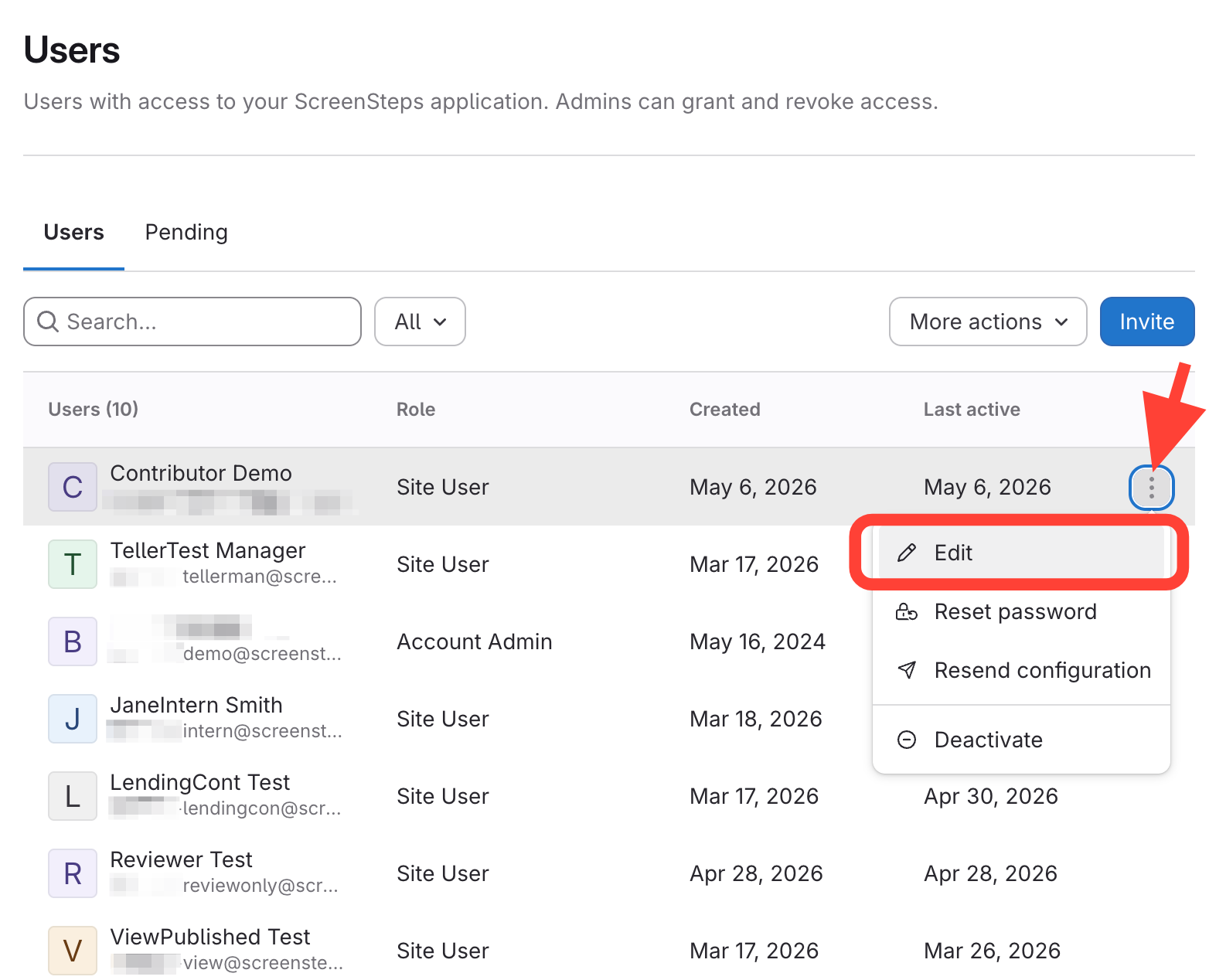
Find and Open Edit options
Find
the user.
Click
the action menu.
Click
Edit.
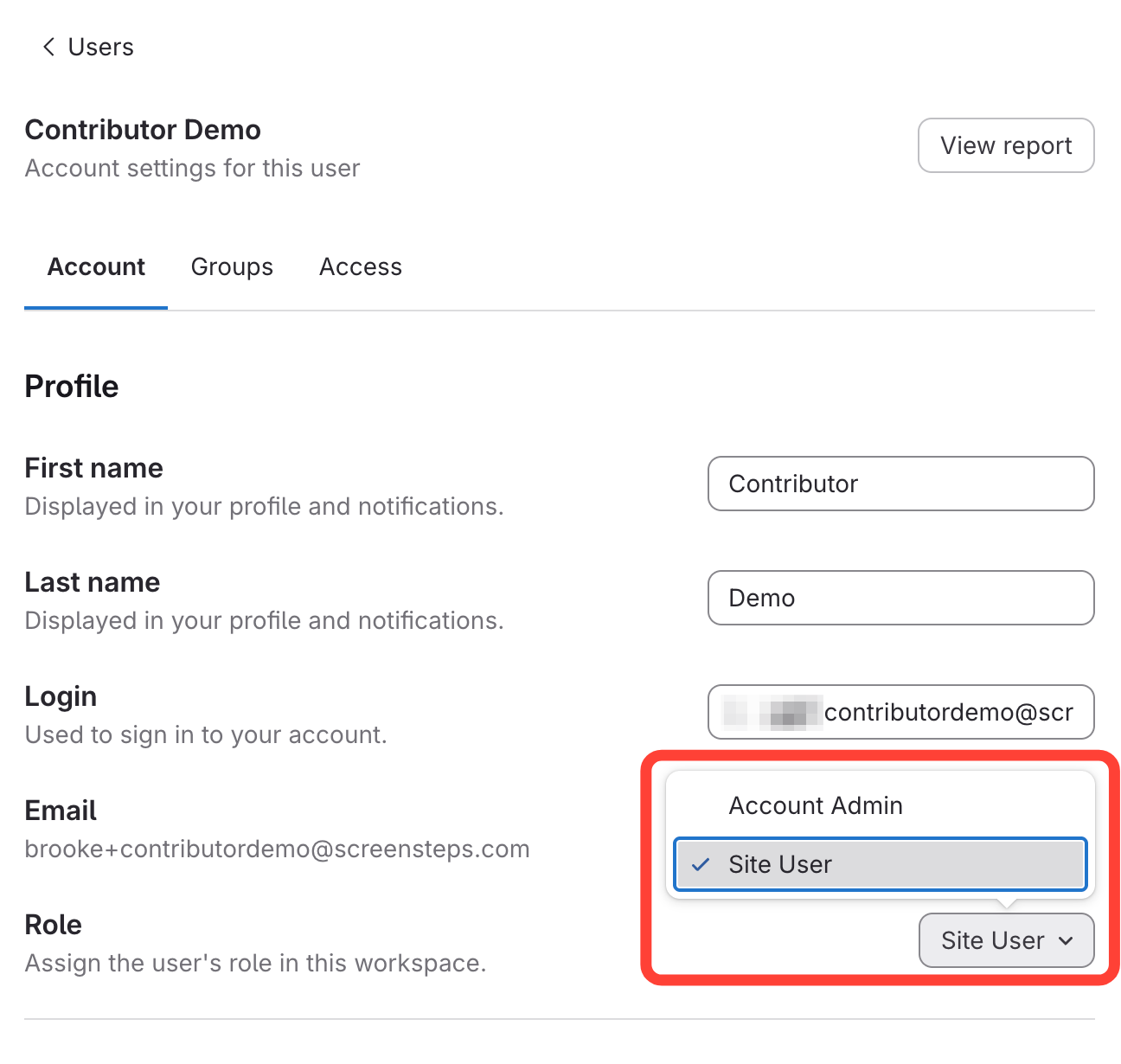
Change the user role
Find
the Role field.
Select
the new role from the drop-down.
Checklist item
Previous Article
How to view permissions of an existing User
Next Article
Checklist item
How to Create a Group
User and Group Permissions
Overview
5
Overview of Permissions
Permission Level Descriptions
Permission Module Descriptions
What are the different ways you can authenticate users to view your ScreenSteps site?
Review Permissions for Migration
Users
16
What are the Two User Types in ScreenSteps?
How to Create a New User
How to Export a CSV of Your Users
How to Search or Filter Your List of Users to View Specific Individuals OR Roles
What is a Pending User?
How to View Which User Accounts are Still Pending
How to Resend a Pending User's Invitation to Set up their Account (Or Copy the URL to Send Them)
How to Delete a User's Pending Invitation
What Does it Mean to Deactivate, Reactivate, or Delete a User?
How to Deactivate a User
How to Reactivate a Deactivated User's Account
How to Add Permissions to a Member (i.e. User)
How to Add Additional Permissions to a User Who Belongs to a Group
Can you Add Additional Permissions to a User in a Group?
How to view permissions of an existing User
Ho to Change User Role
Groups
4
How to Create a Group
Adding Permissions to a Group
How to Add Users (i.e. Admin or Site Users) to a Group
Can a User Belong to More than One Group?
Content-Level Permissions
4
What are Content-Level Permissions and How Are They Used?
How to Restrict Articles so Only Specific People/Groups can View or Edit it
How to Add Users or Groups to Only Be Able to View or Edit Specific Pieces of Content
How to turn off article restrictions
Importing Users
3
Overview of Importing Users into ScreenSteps with CSV
How to Format Your CSV File for Bulk User Import
Download a Sample CSV File for Importing Users in Bulk
Viewer Permissions
6
What are Site Permissions and When Would I Use Them?
How to Add Viewing Permissions for Users or Groups to a Site
How to Add a User to a Site Who can Only View a Manual / Chapter / Article
How to Add a Group to Only be Able to View a Manual / Chapter / Article in a site
Removing viewing restrictions for a Manual/Chapter/Article
Creating your ScreenSteps Account from Email Invitation
Editor Permissions
6
How to Add Editing Permissions for a User to a Manual / Chapter / Article
How Can I Tell What's a Manual / Chapter / Article When Adding Editing Permissions at the Content Level?
Setting up a User to Only Review Articles and Leave Revision Notes
Setting up a User to Edit But Not Publish All Articles on the Site
Setting up a User to Manage and Publish All Content in a Site
Setting up a User/Group to Only Edit Specific Manuals / Chapters / Articles
Other Resources
Getting Started
Organizing ScreenSteps
Managing Articles
Authoring Content
Working with a Team of Authors
Customize Your Site
PDFs
Admin Tasks
Authentication (SSO, SCIM, SAML, Usernames, Passwords)
Accessibility
Migrating from Legacy to New ScreenSteps
Integrations
Notifications
Browser Extension (Contextual Help)
FAQs
Courses
Print Article