- Go to Settings
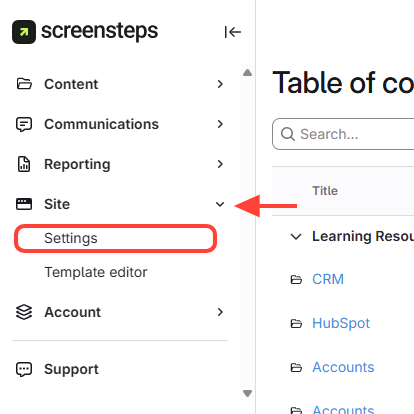
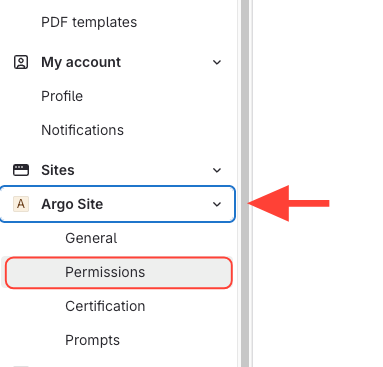
- Navigate to Site Permissions
- Navigate to the desired site.
- ClickPermissions under the site.
- Add User or Group
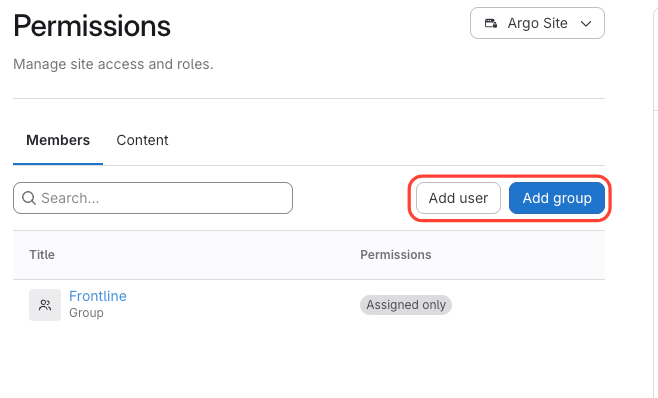
Note on Adding Users or Groups
- Add User:
- If user exists, select them.
- If not, invite by entering their email – they will be added as a Site User.
- Note: It is encouraged can assign them to an existing group that has the correct permissions set up.
- Add Group:
- Group must already exist.
- If not, create the group first.
- Add User:
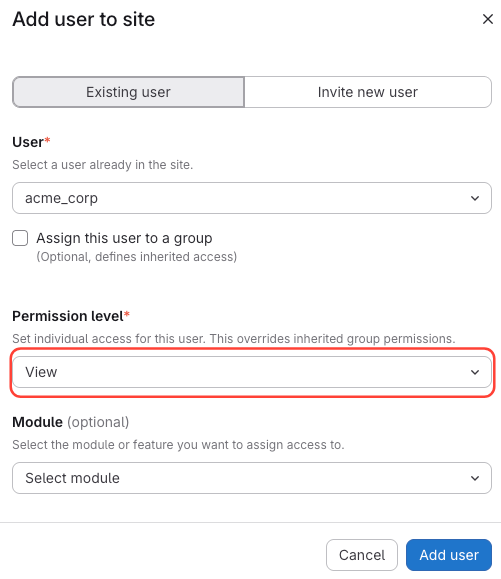
- Set Viewing Permissions
- SelectView as the permission level.
- Optionally, add additional modules.
- Invite the user or group to the site.
How to Add Viewing Permissions for Users or Groups to a Site
Updated on