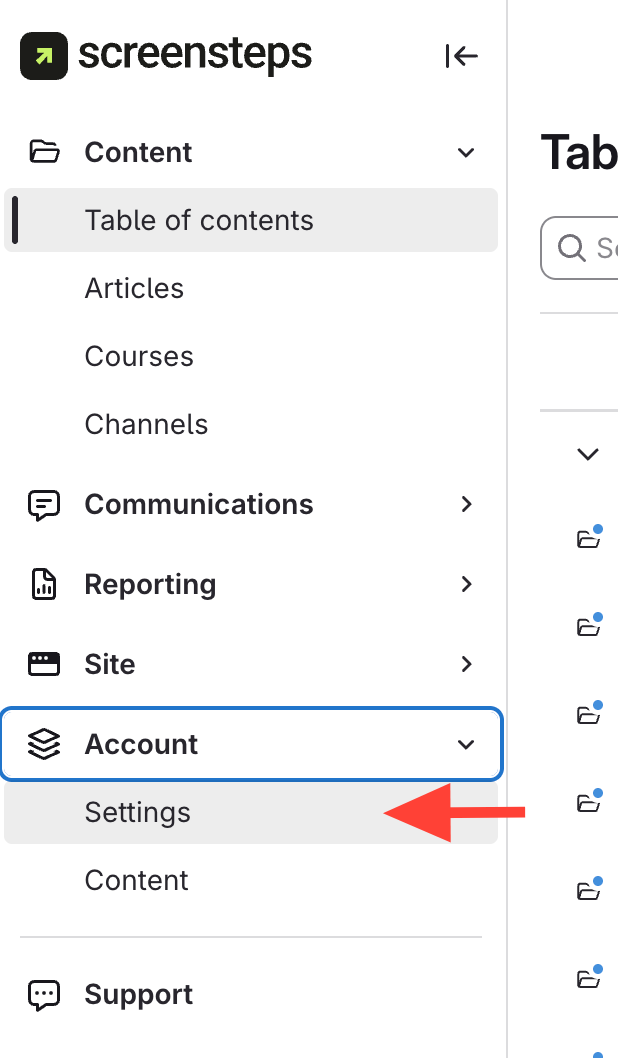
- Open Account Settings
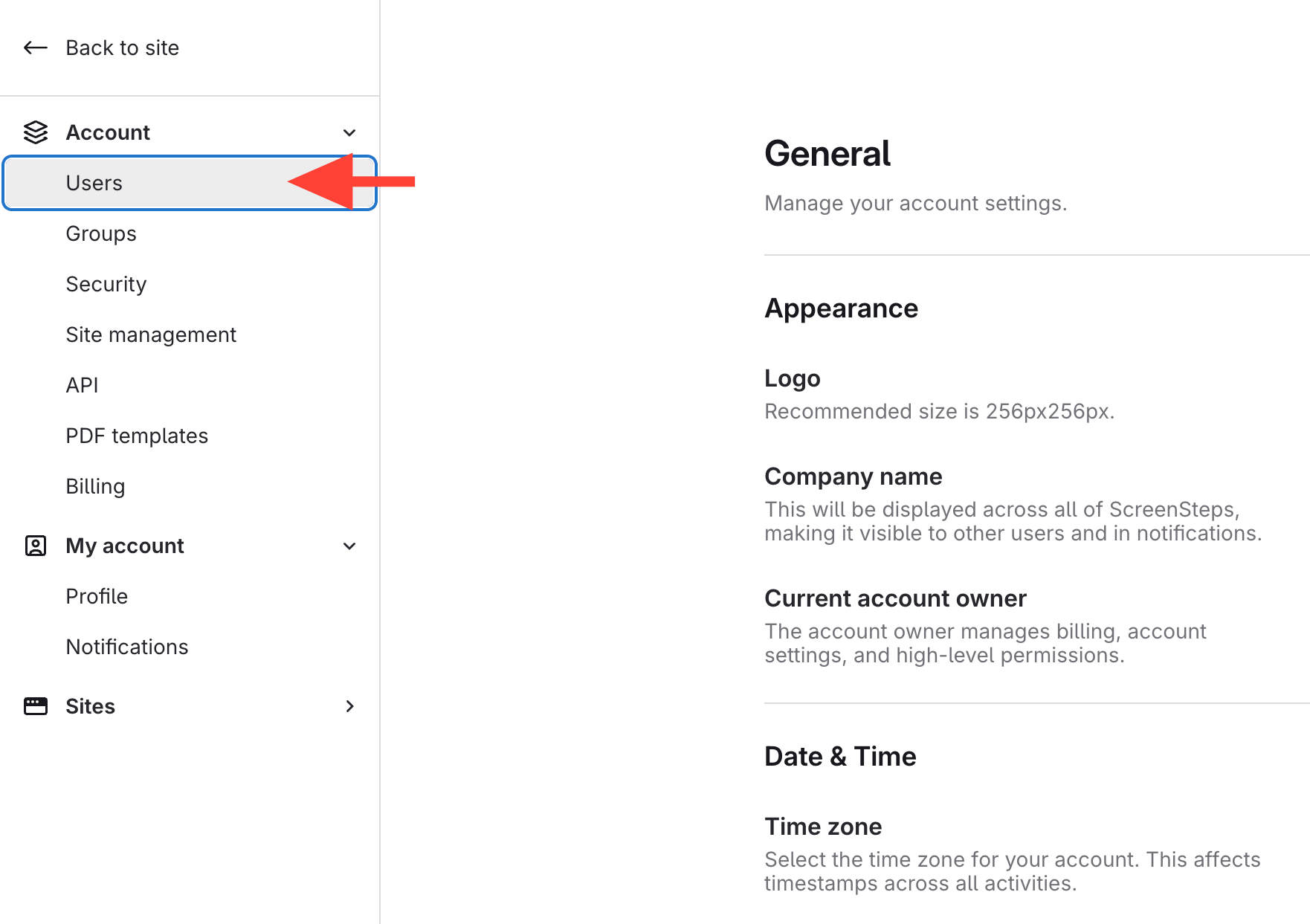
- Open Users
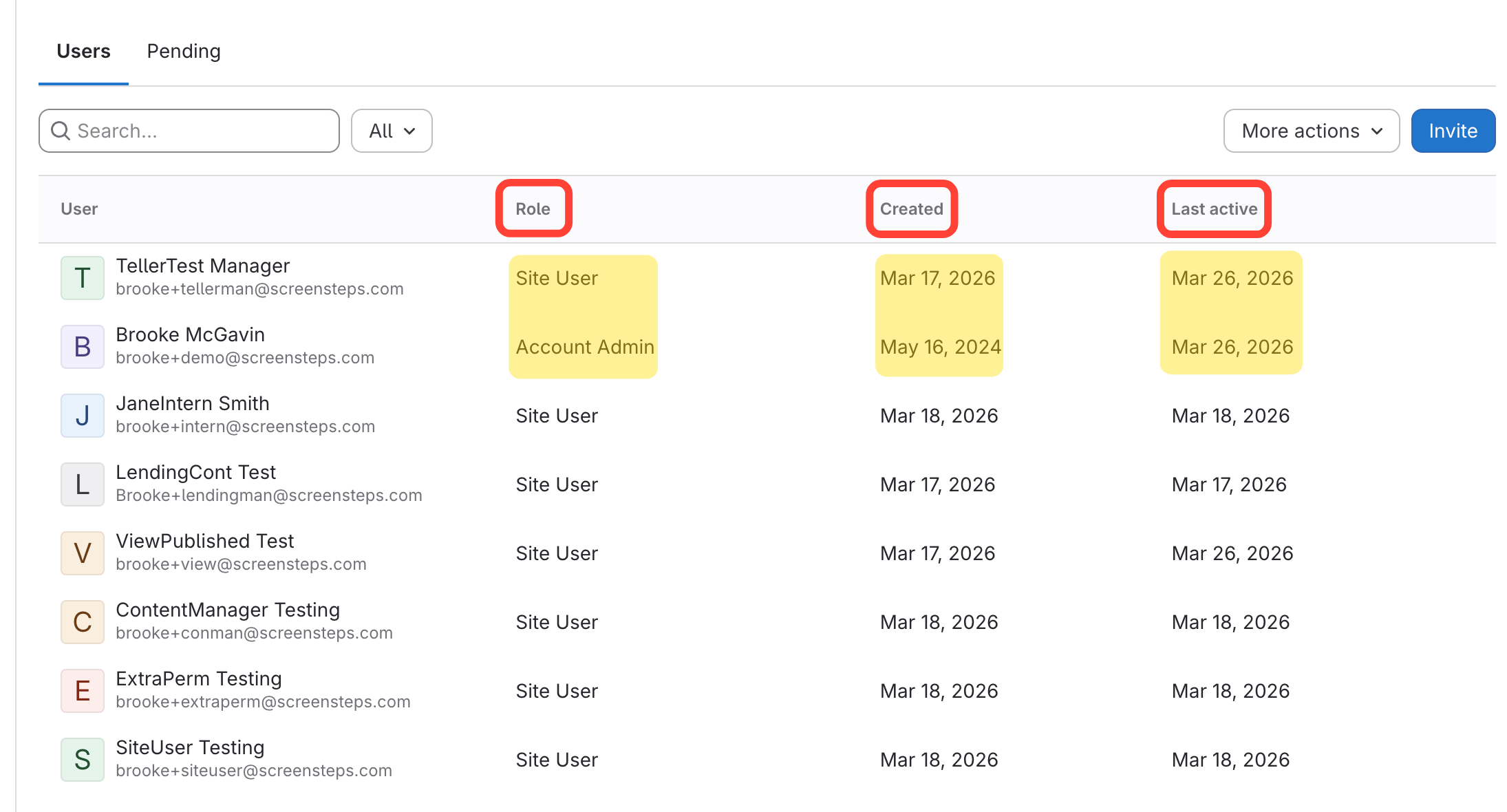
- Find target User for general info
- Search for or locate User
- See User Role, date Created, date Last active
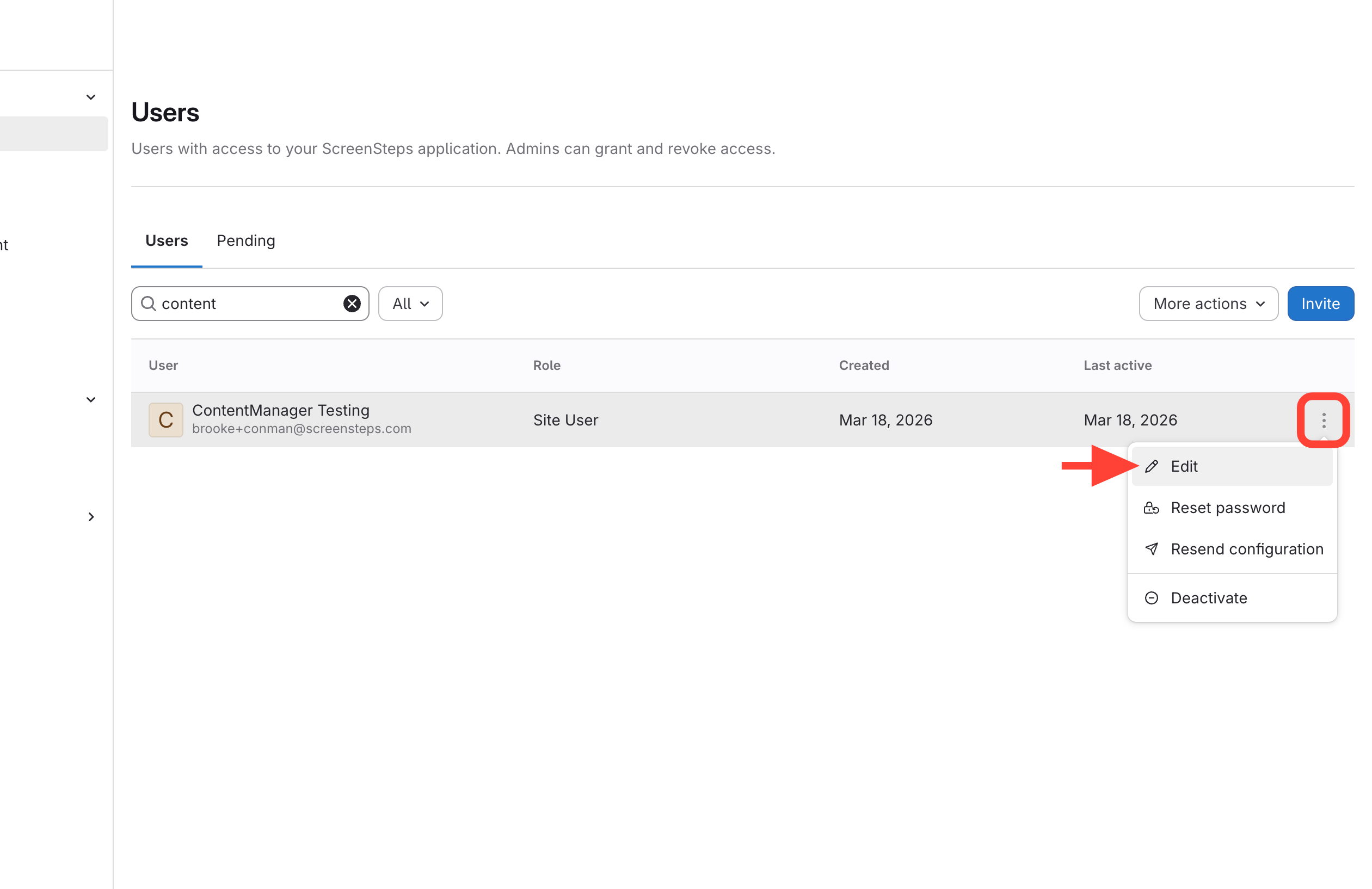
- Open the Edit screen of target User
Click the Action menu of User line > Edit
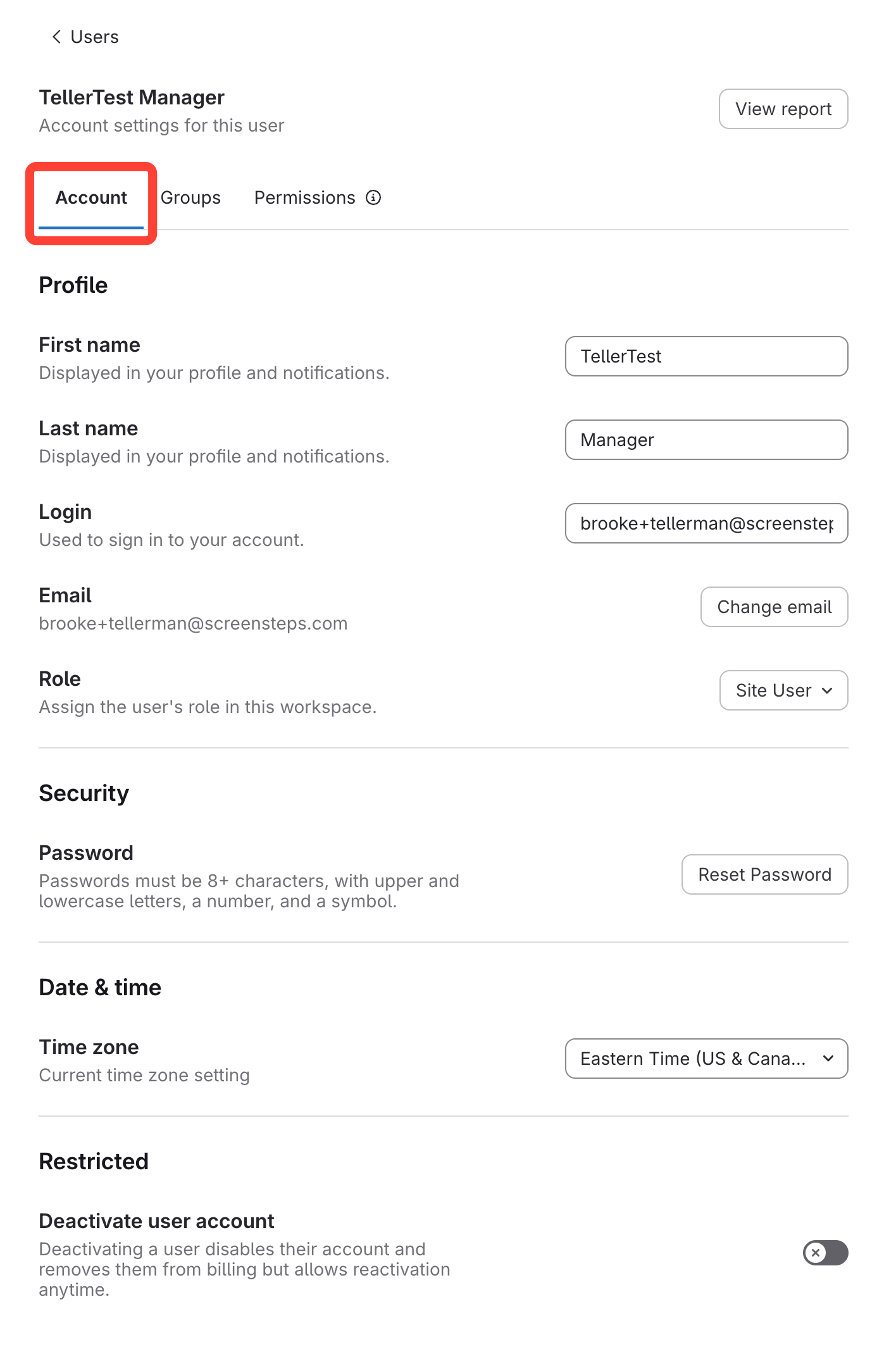
- View the User Details
View Profile Settings
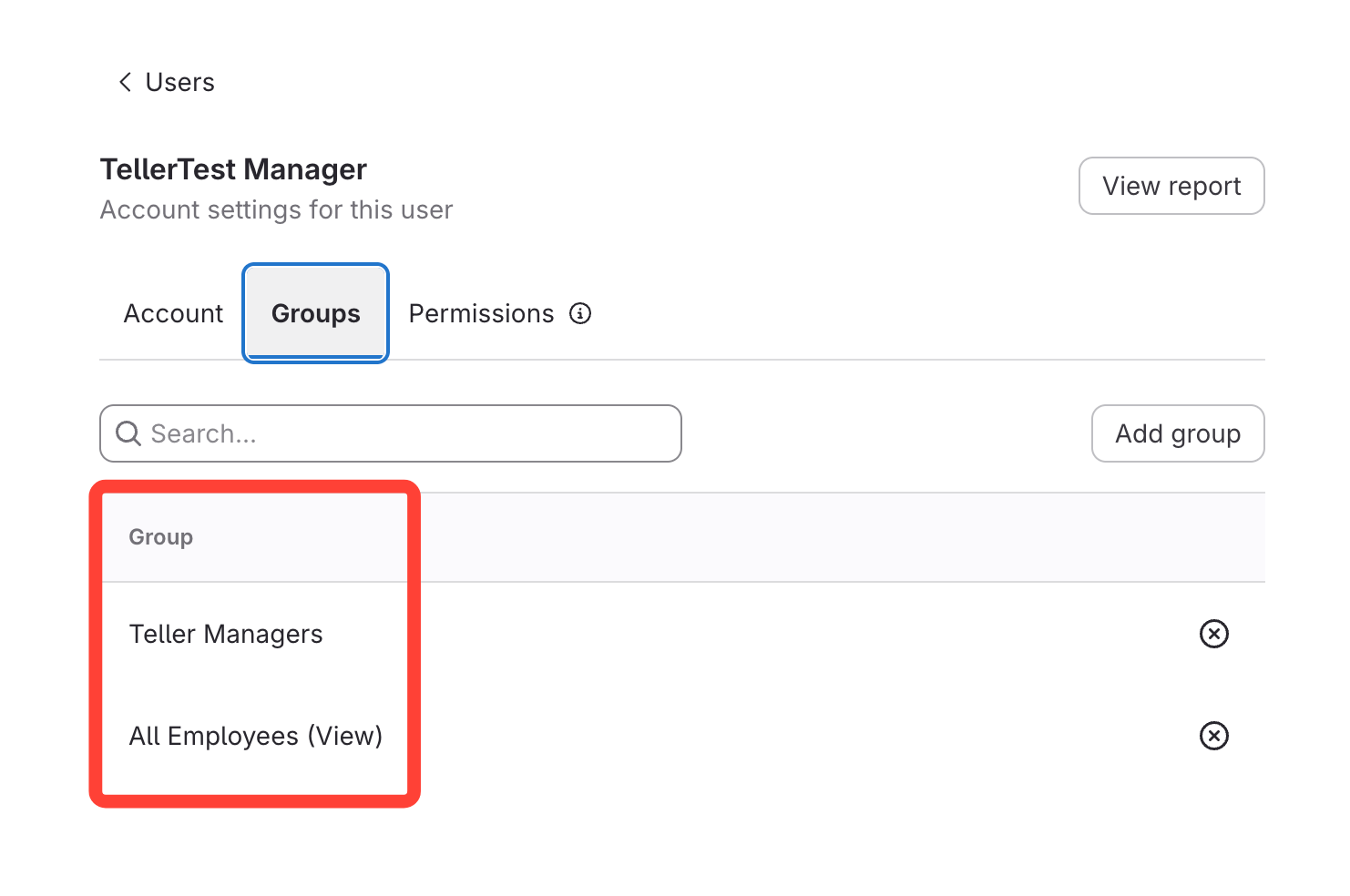
View Groups the User has been assigned
You can also Add or Remove a Group here.
View Site Permissions granted
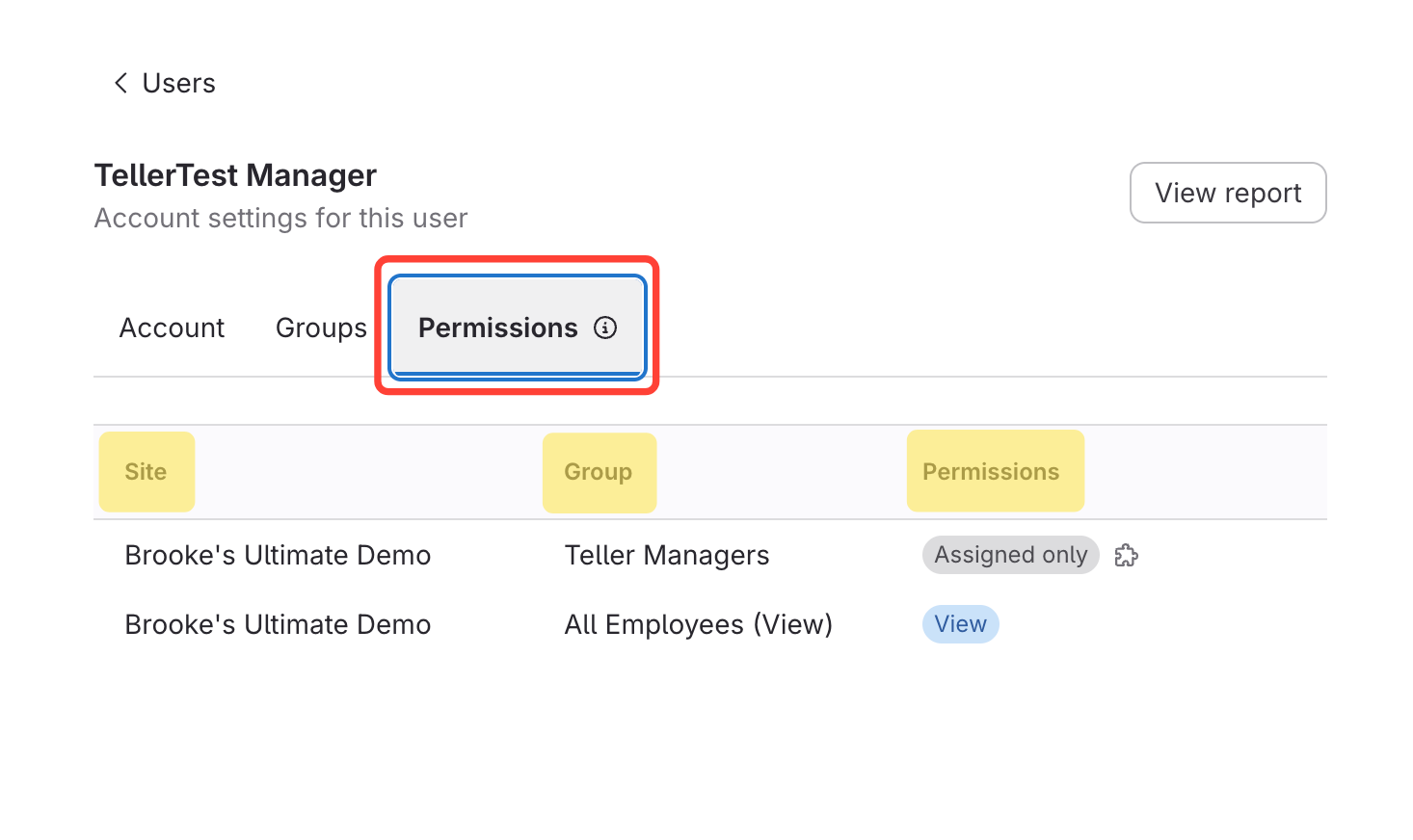
How to view permissions of an existing User
Updated on