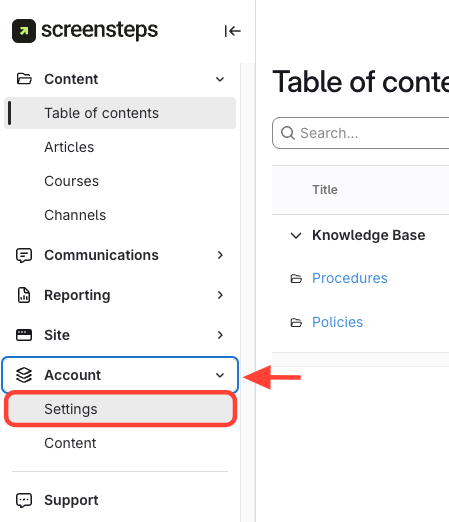
- Navigate to Account Settings
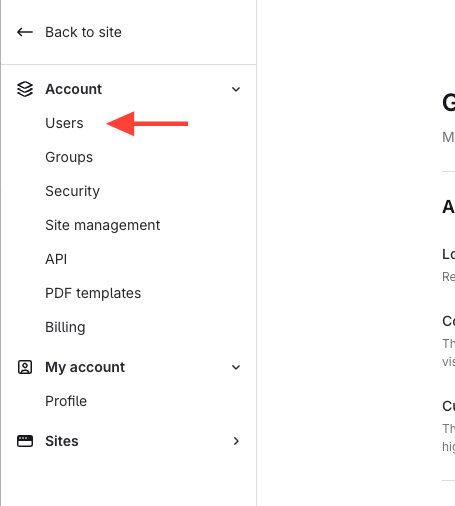
- Click Users
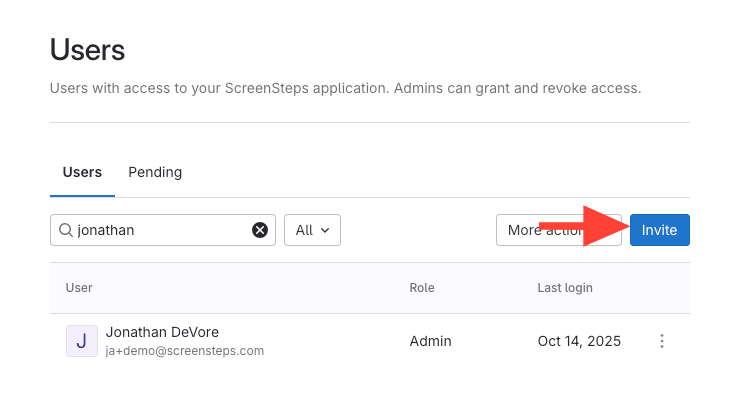
- Click Invite
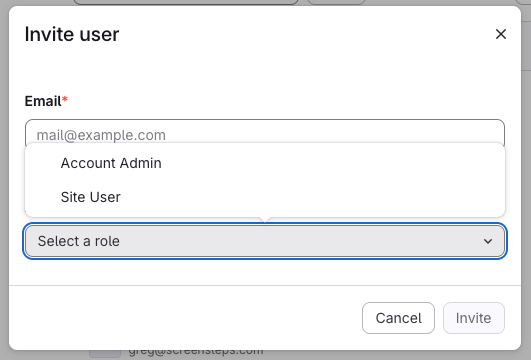
- Add Email > Select Role
- Assign a Site User to a Group or Add Permissions
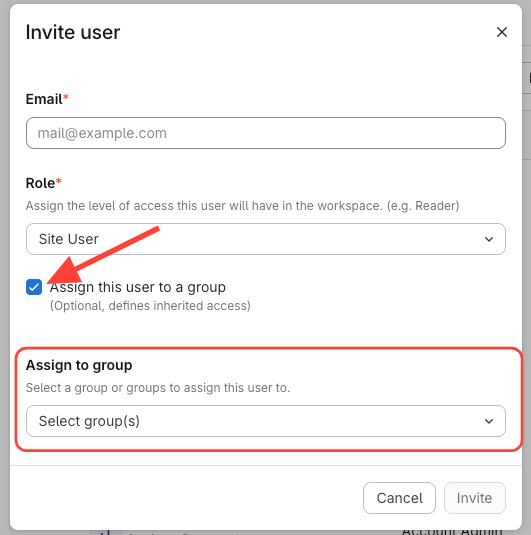
- Check box > Assign to Group > Invite
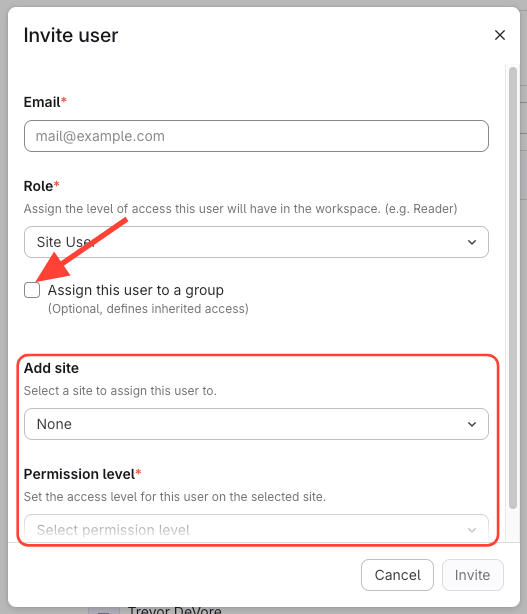
- Uncheck Box > Select Site > Select Permission Level > Invite
- Check box > Assign to Group > Invite
How to Create a New User
Updated on