- Click Settings
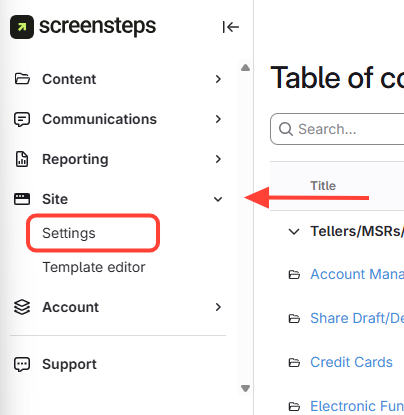
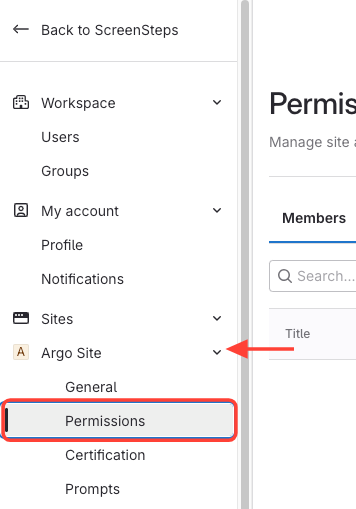
- Select Site > Click Permissions
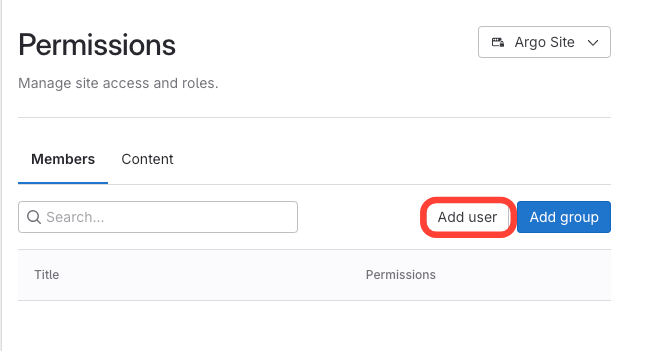
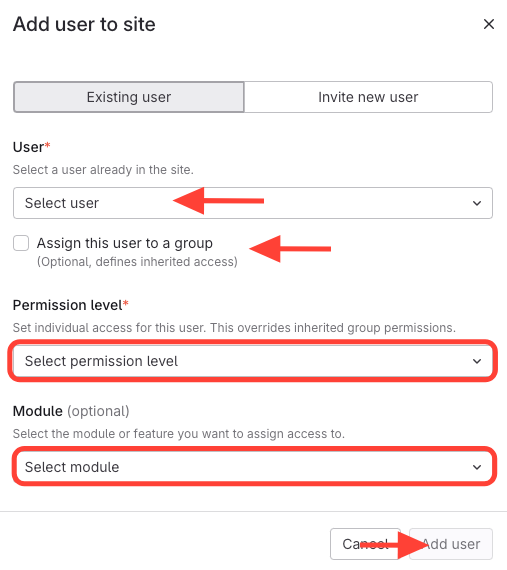
- Click Add user
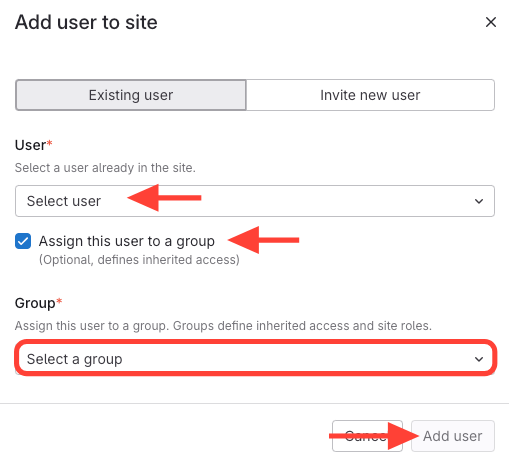
- Add Permissions by adding to a group OR selecting permission level
- Add to a group
- Select the user
- Check the box for Assign this user to a group
- Select a group
- Add user
- Add an individual permission level
- Select user
- Uncheck the box for Assign this user to a group
- Select Permission level: Permission Level Descriptions
- Add Modules (optional): Permission Module Descriptions
- Click Add user
- Add to a group
How to Add Permissions to a Member (i.e. User)
Updated on