- Create the user group
- Go to Site Permissions
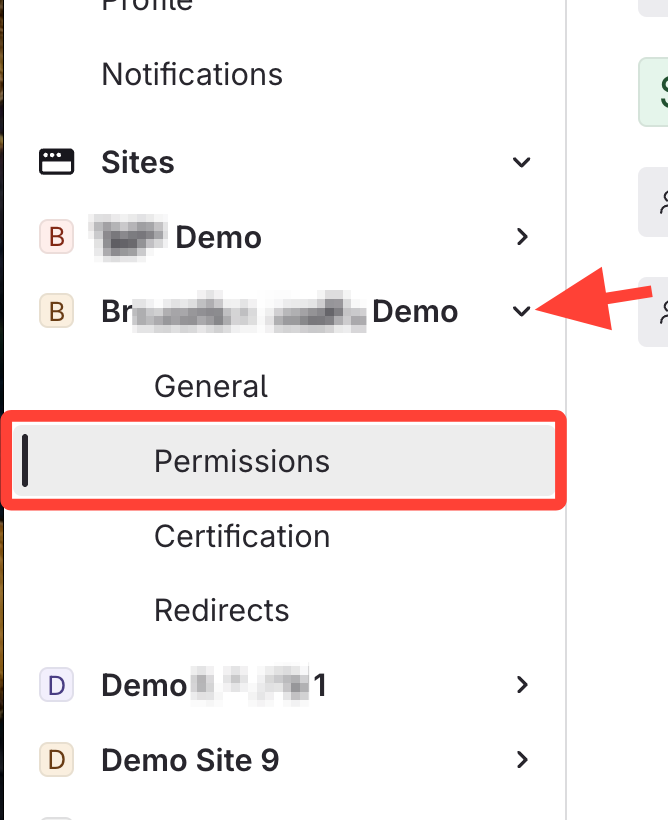
- Add the group to the site
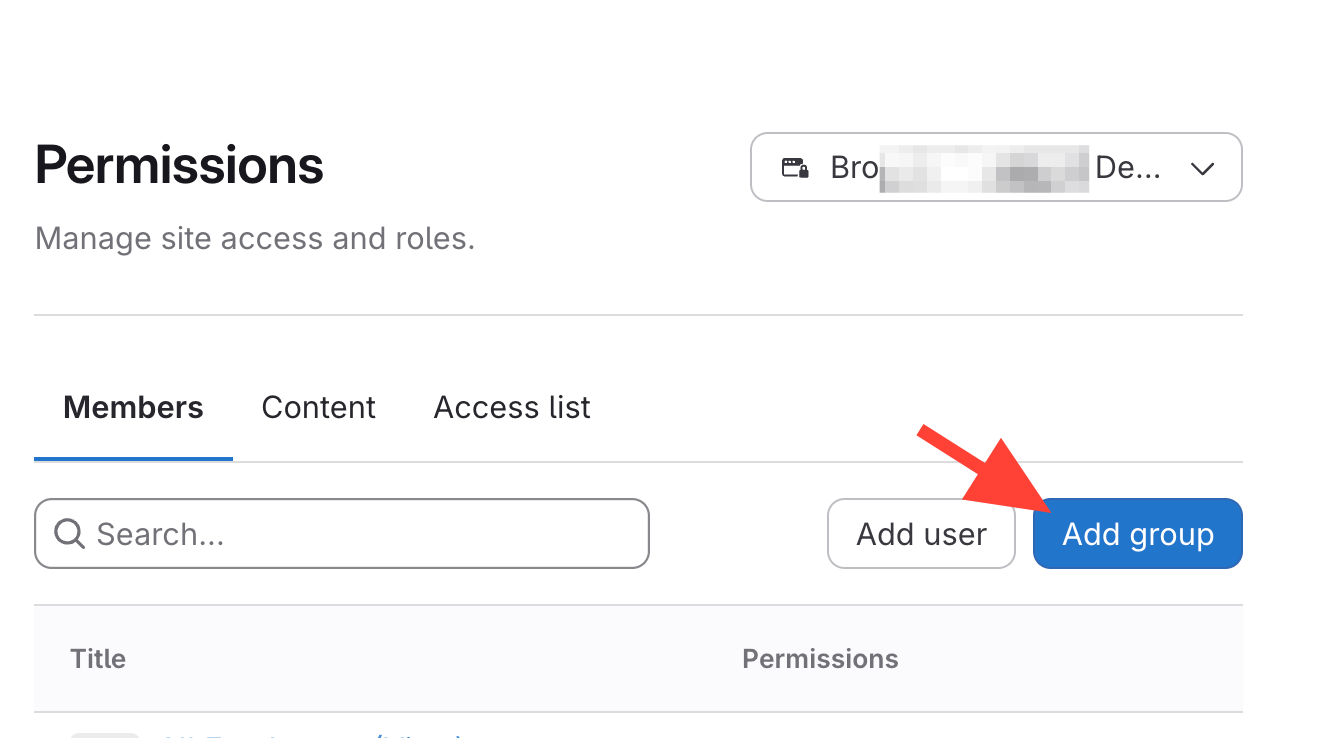
- ClickAdd Group
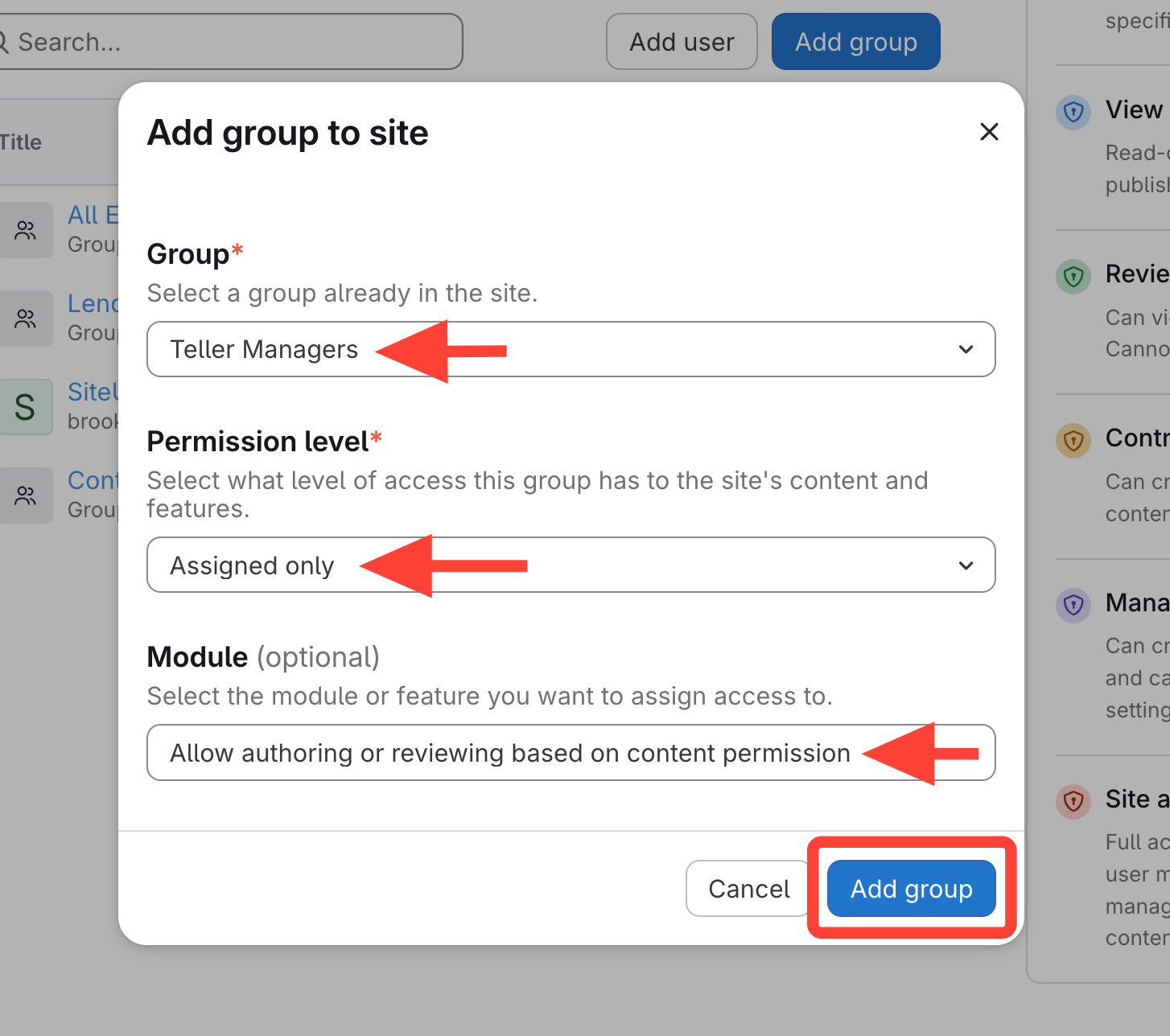
- Select the Group
- SelectAssigned Only OR View under Permissions level
- If you select Review, Contribute, or Manage here, the group will have that access to all manuals
- Add "Allow Authoring or reviewing..." Module
- This will display the "Admin" option for the editor on the published page
- Add other applicable modules
- View Permission Module Descriptions for more details on Modules
- Go to Content
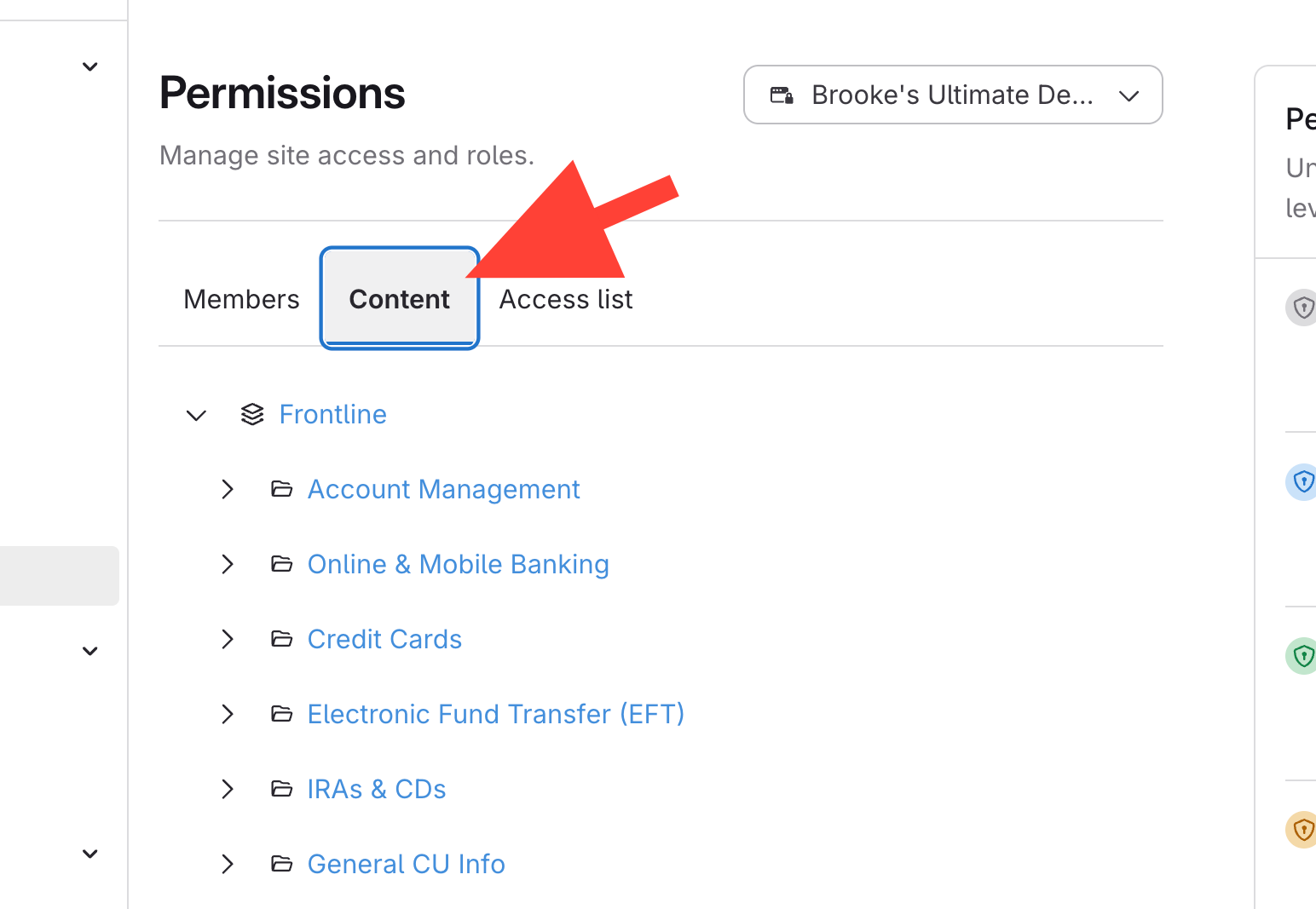
- Add User Groups to Review / Contribute / Manage specified Content
- Select the manual, chapter, or article title you want the group to manage
- Change Group from None > Review / Contribute / Manage
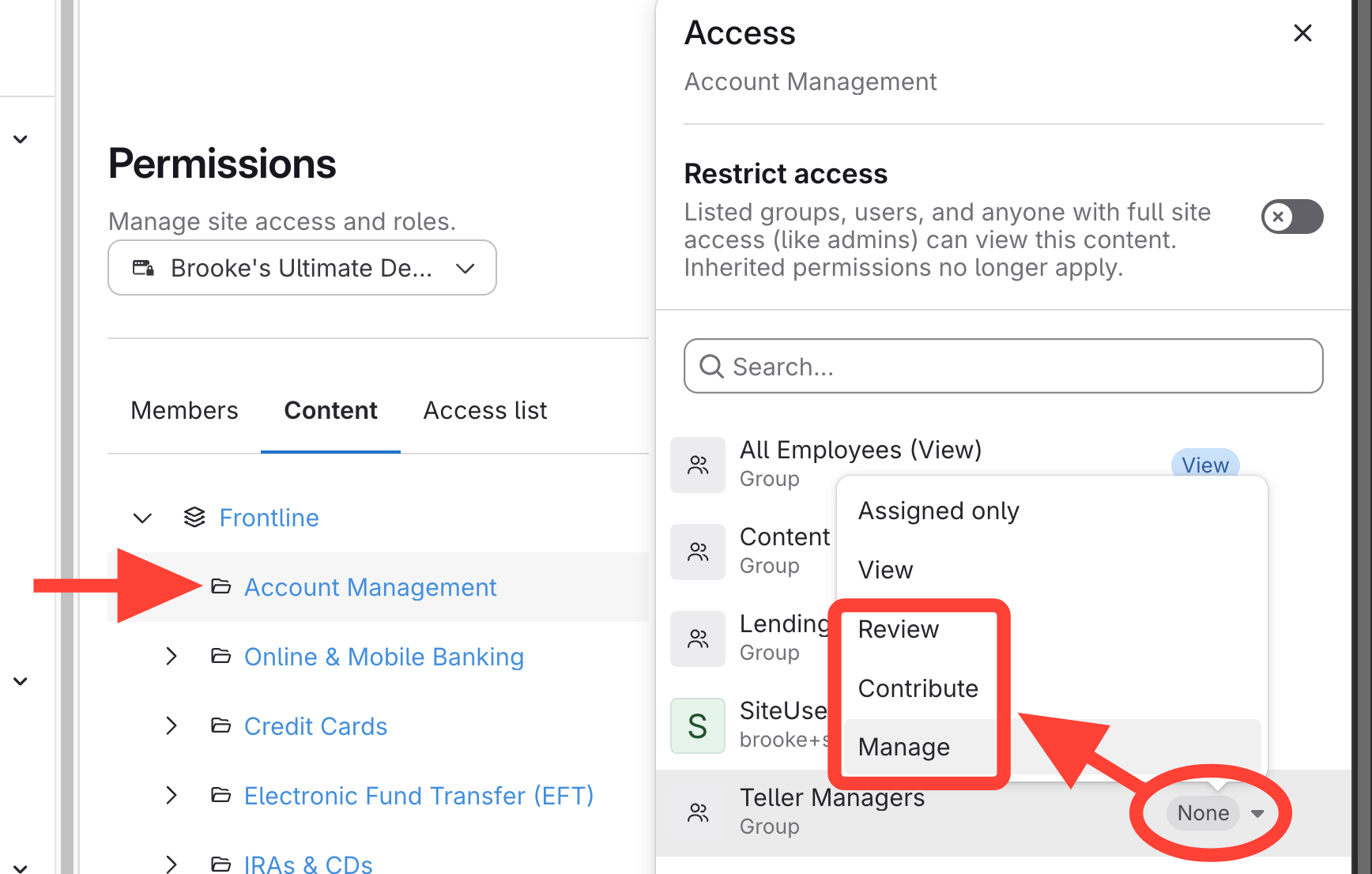
- Repeat for each manual/chapter/article the group should be added to
Video Showing Group's permissions