Navigate to the desired article
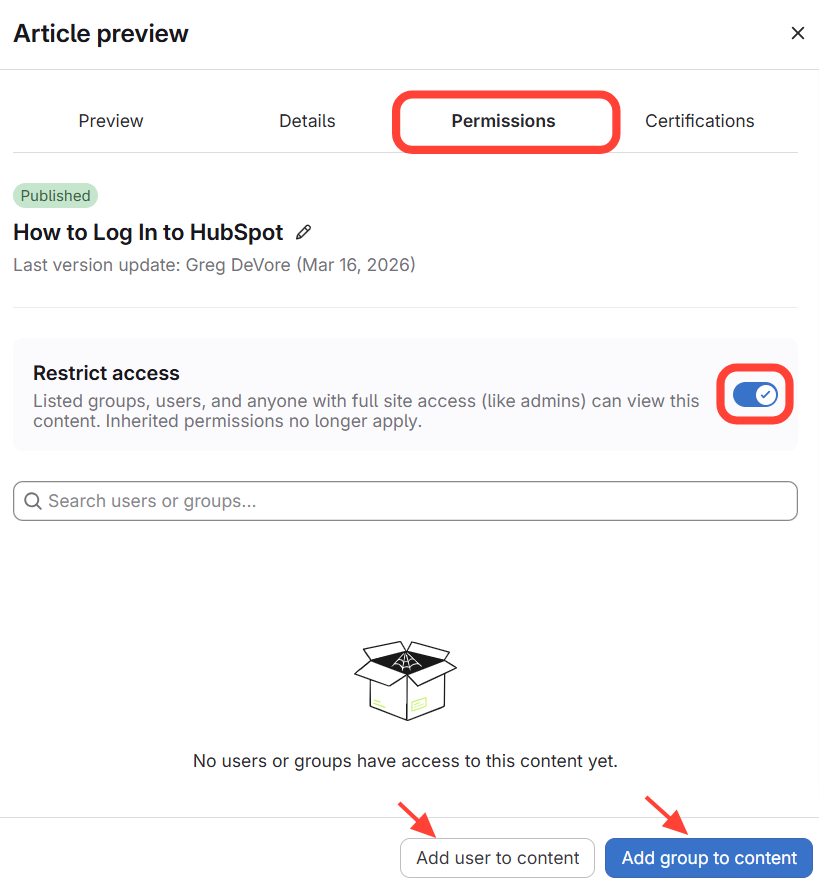
- Open the article preview by clicking on the article title

- Click Permissions
- Click Restrict Access
Add users or groups for editing permission
Updated on
Navigate to the desired article
Add users or groups for editing permission