- Create a user group for reviewers
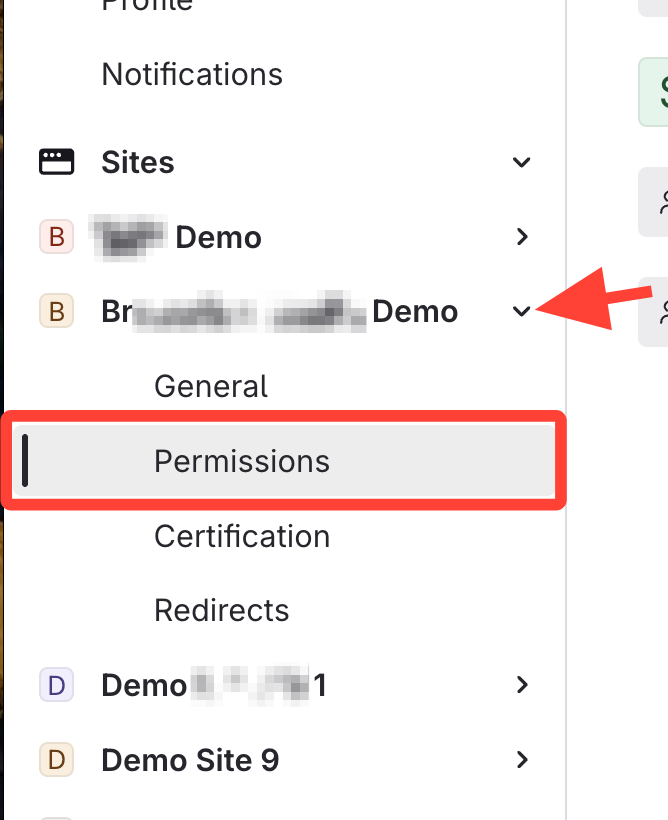
- Open Site Permissions
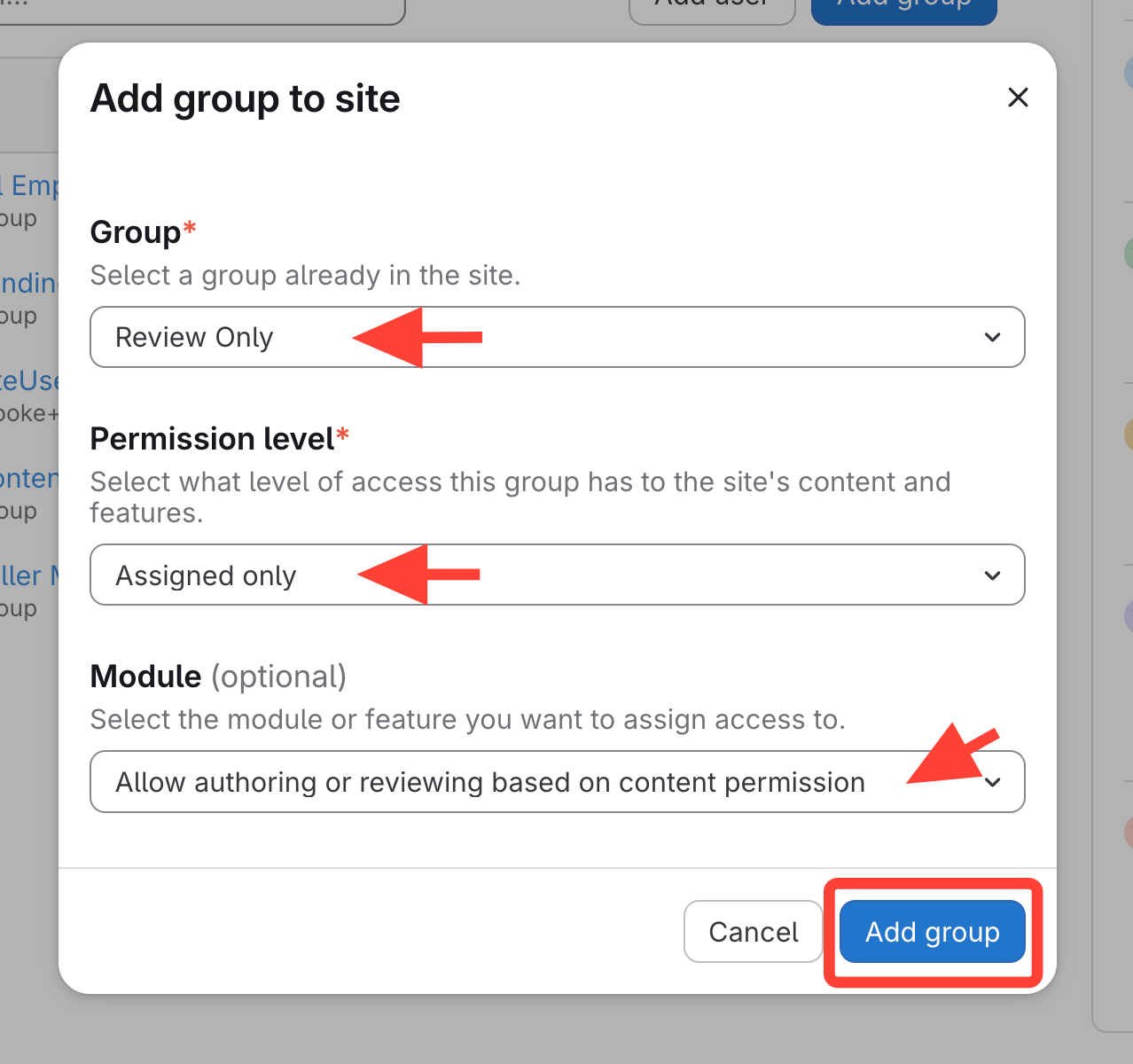
- Add Group to Site
- Click Add group
- Select the Group
- Set the permission level to Assigned Only
- Add module: Allow Authoring or Reviewing Based on Content Permission
- For more info on Modules, go to Permission Module Descriptions
- Click Add group
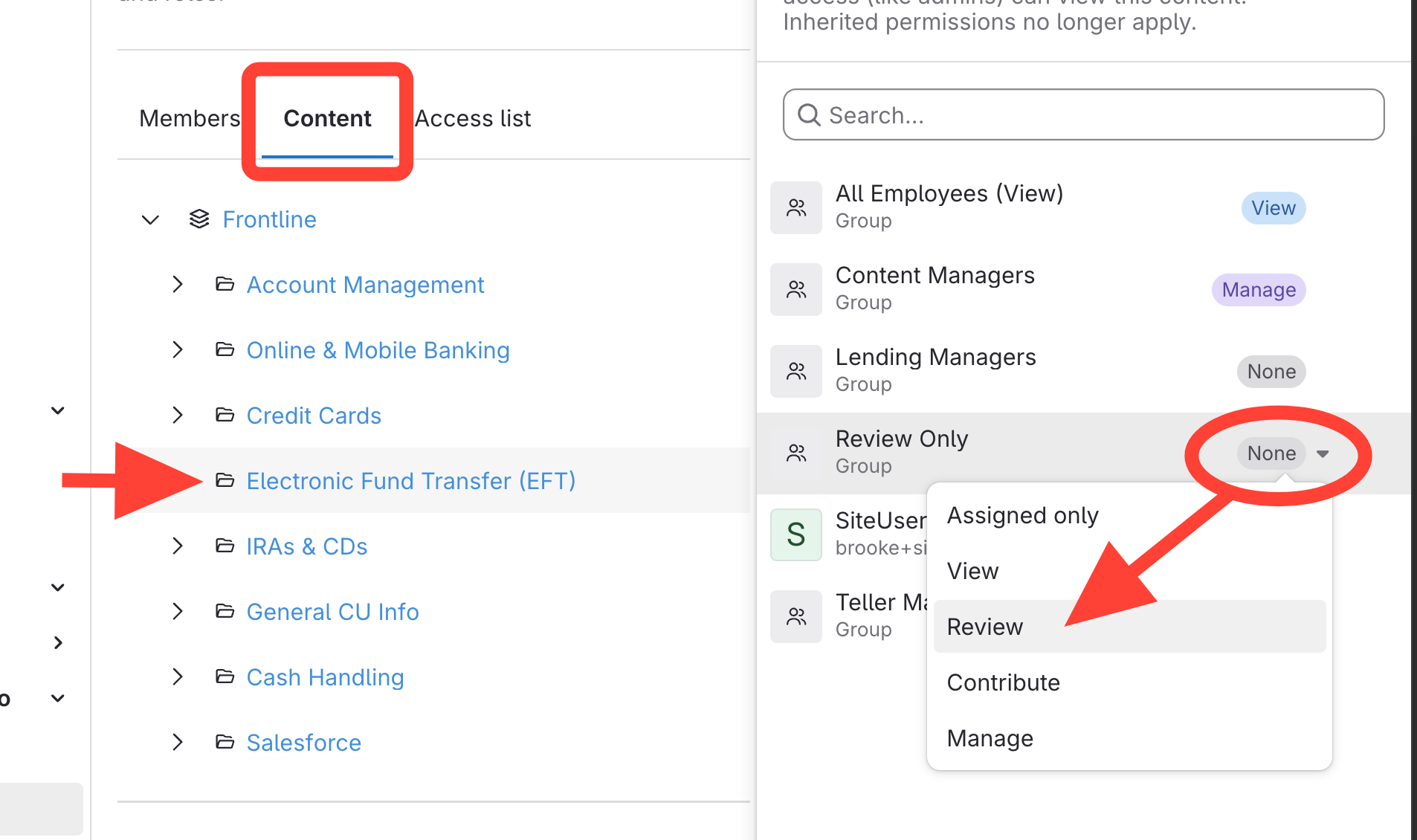
- Add Group to specified content
- Go to Content
- Select the manuals for group to review
- Change access: None > Review
Setting up a User to Only Review Articles and Leave Revision Notes
Updated on