- Create the user group
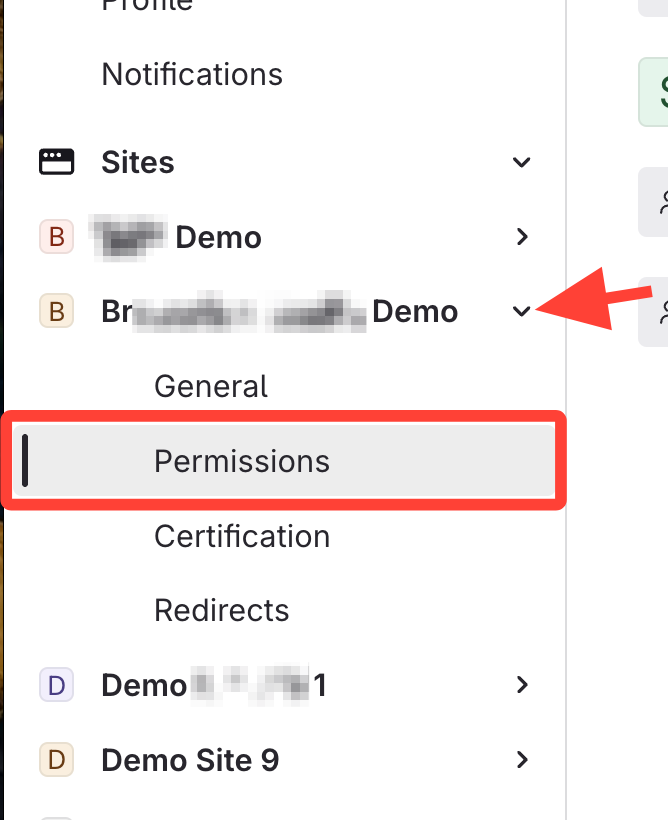
- Go to Site Permissions
- Add the group to the site
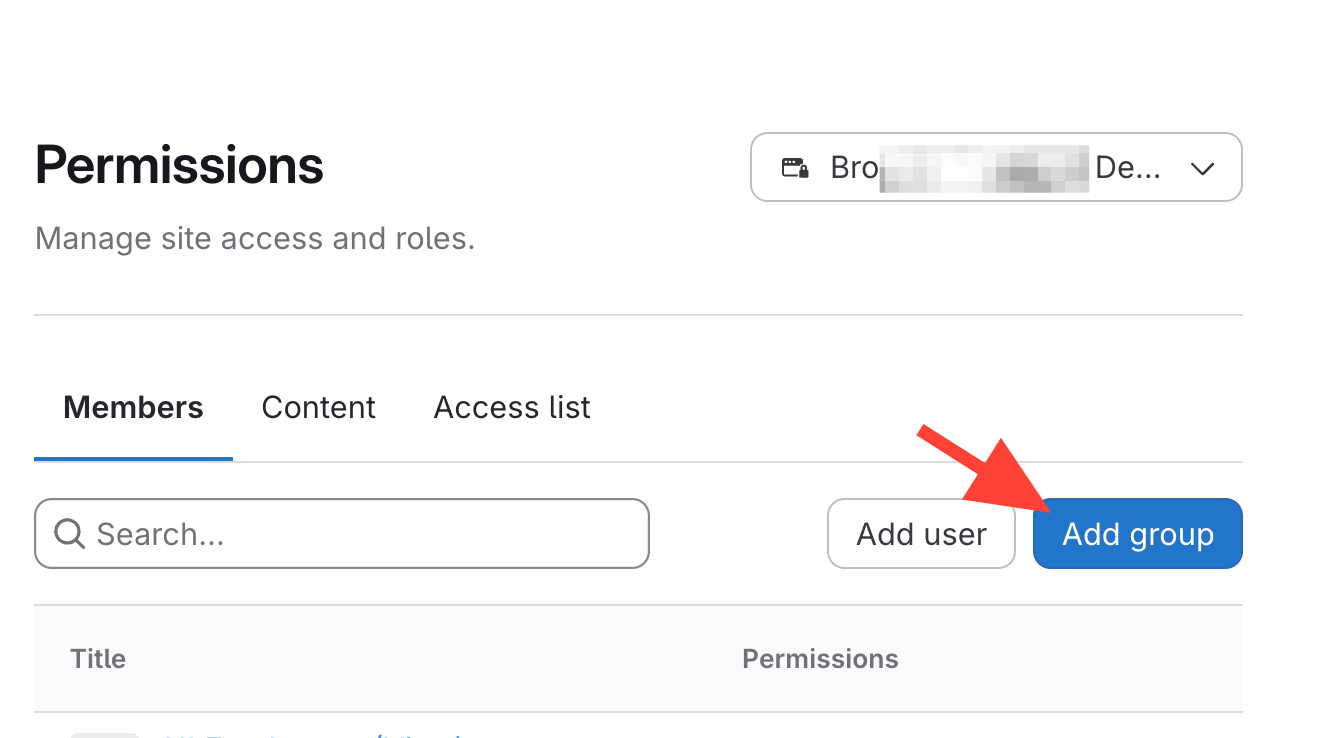
- Click Add Group
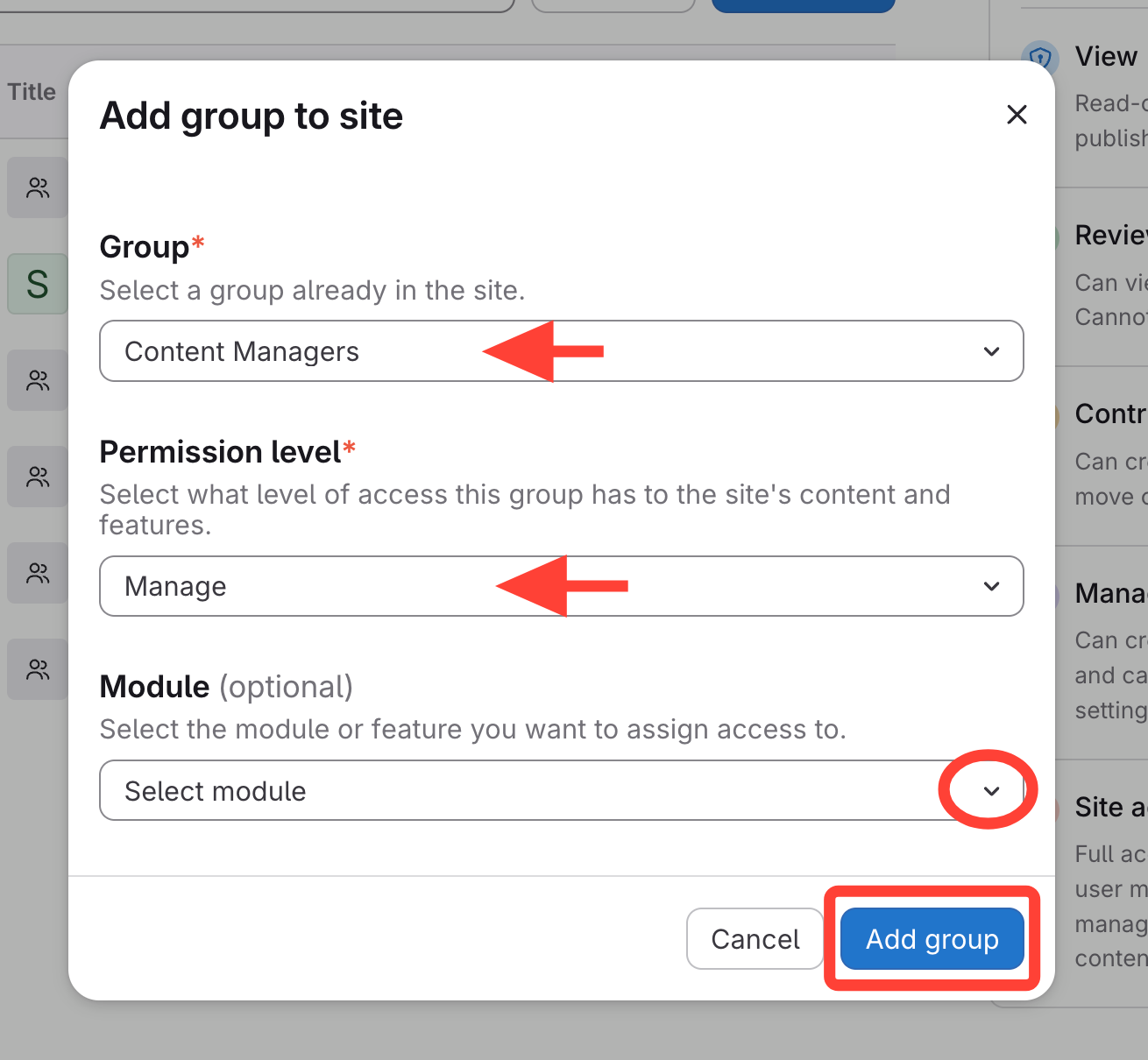
- Select the Group
- Select Manage under Permission level
- Add applicable modules
- View Permission Module Descriptions for more details on Modules
Setting up a User to Manage and Publish All Content in a Site
Updated on