ScreenSteps Help

How to Customize the Template Editor

Updated on

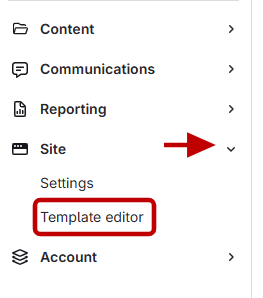
  1. Open the Template Editor
    1. Click Site on the right-hand side.
    2. Select Template Editor under Site.
       

  2. Edit header labels
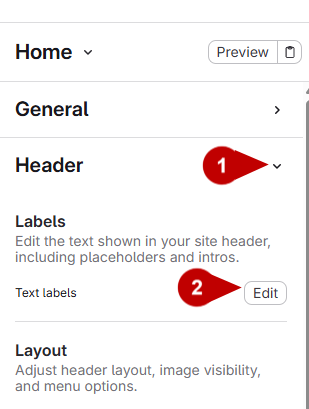
    1. Click Header.
    2. Click Edit on Labels.
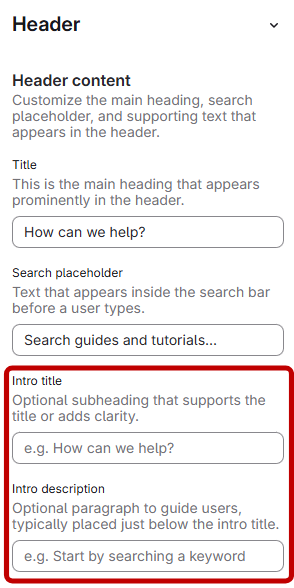
    3. Edit the intro title and intro description.

      These changes will appear in the header.


  3. Save
    1. Click Save
    2. Click Publish 
Previous Article How to Show/Hide the option to Generate PDFs for Manual/Chapter or Article pages
Next Article What happens if I change the vanity domain for my site?