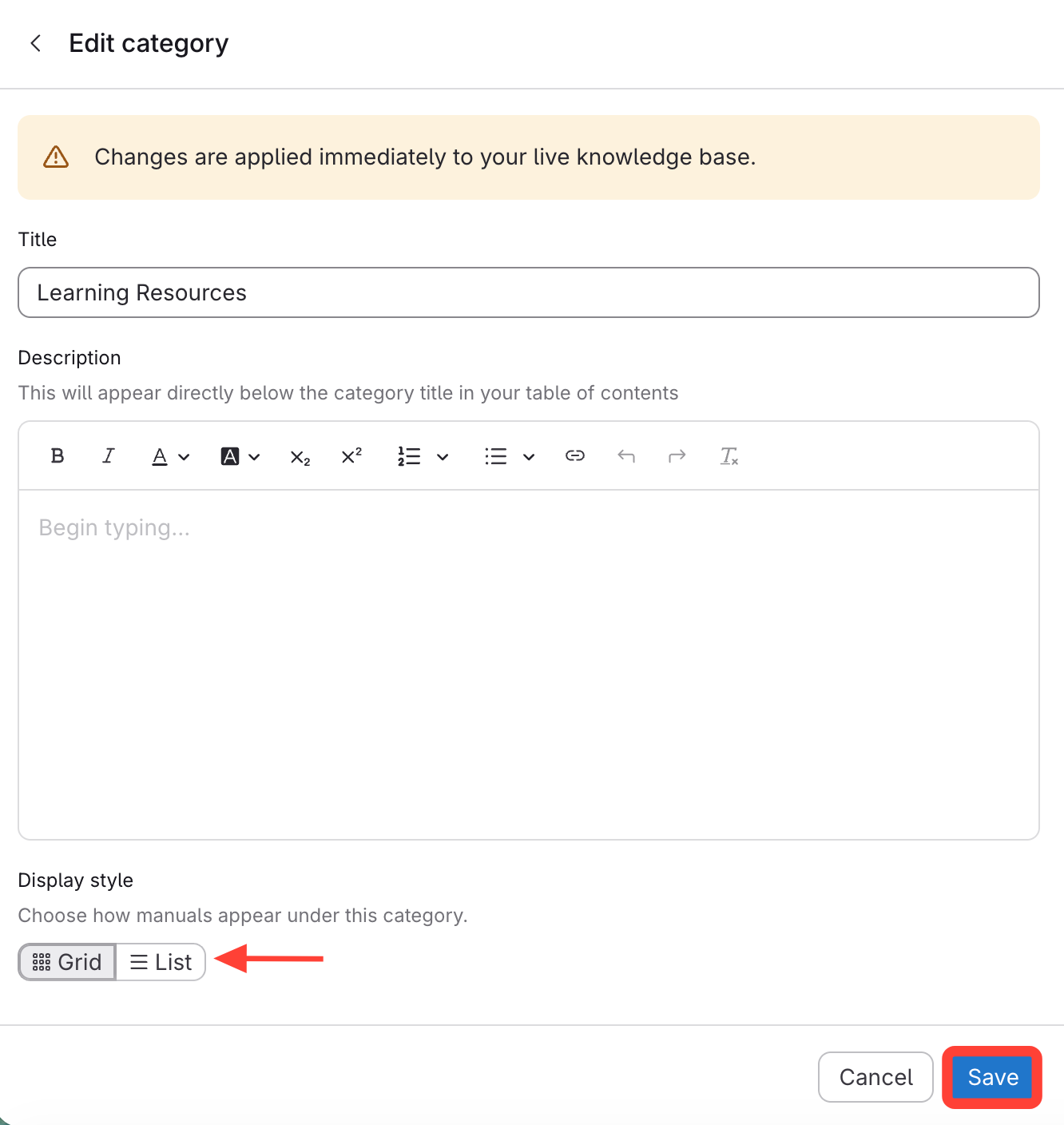
- Navigate to Template Editor
- Click on Site.
- Click on the Template Editor.
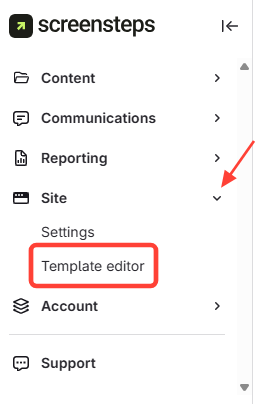
- Go to the Categories and Manuals Tab
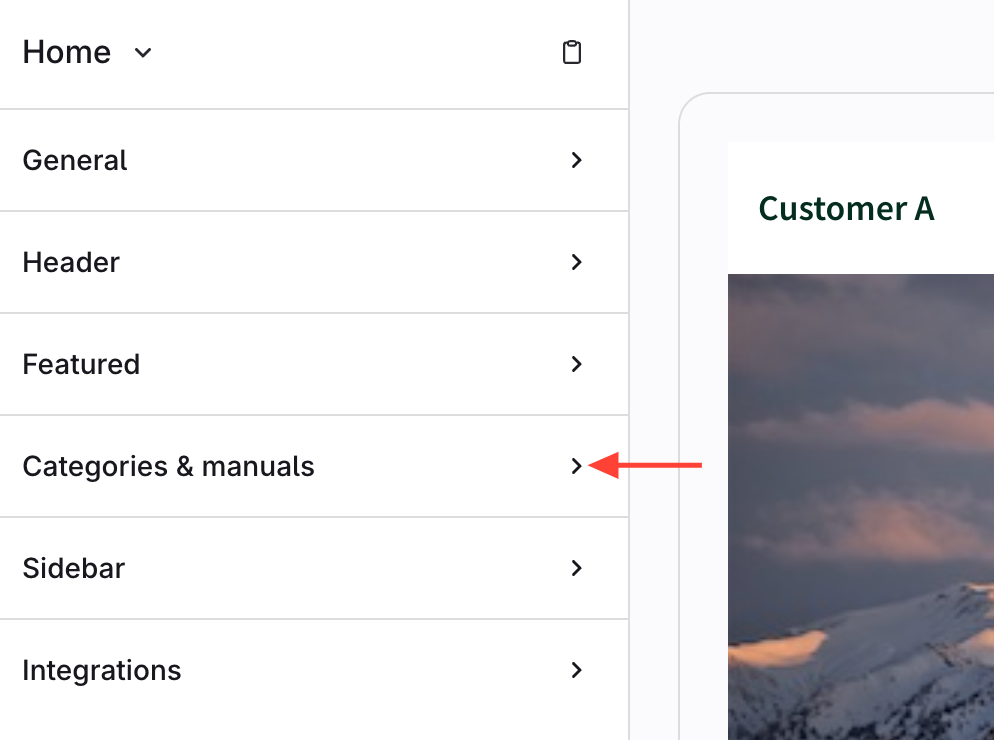
- Edit Action Menu
- Click the action menu (three dots) next to the category.
- ClickEdit.
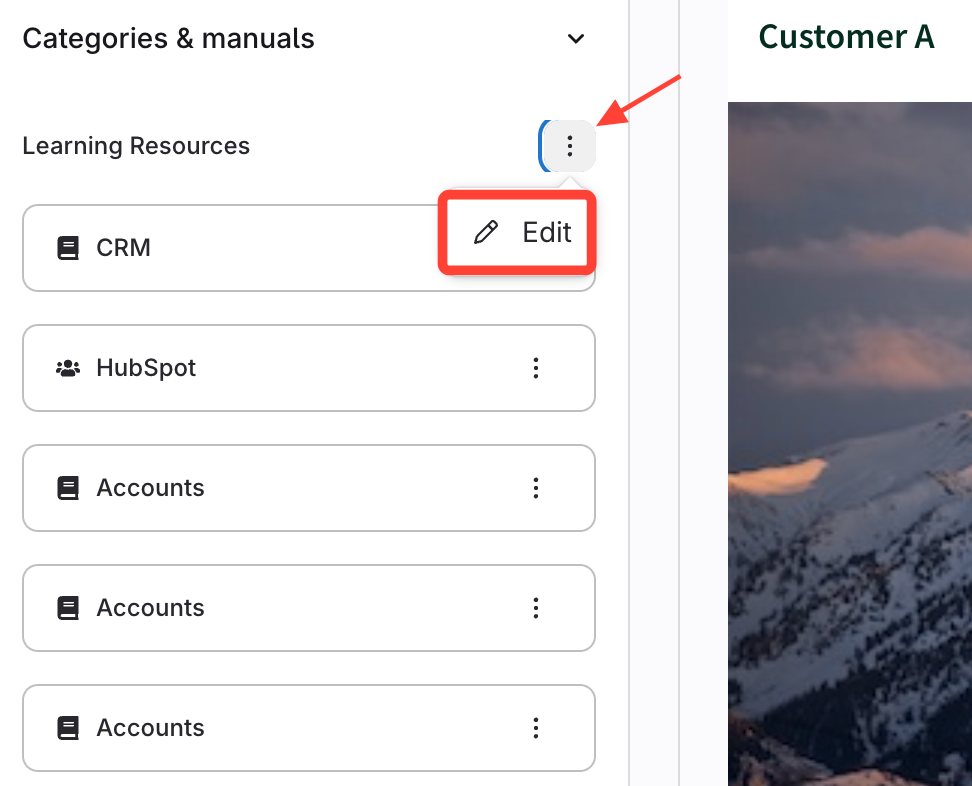
- Save Grid or List View
- At the bottom, chooseGrid or List view.
- Save your changes.