Skip to content
ScreenSteps Help
Search guides and tutorials...
Search guides and tutorials...
ScreenSteps Help
/
Customize Your Site
/
Customizing Template
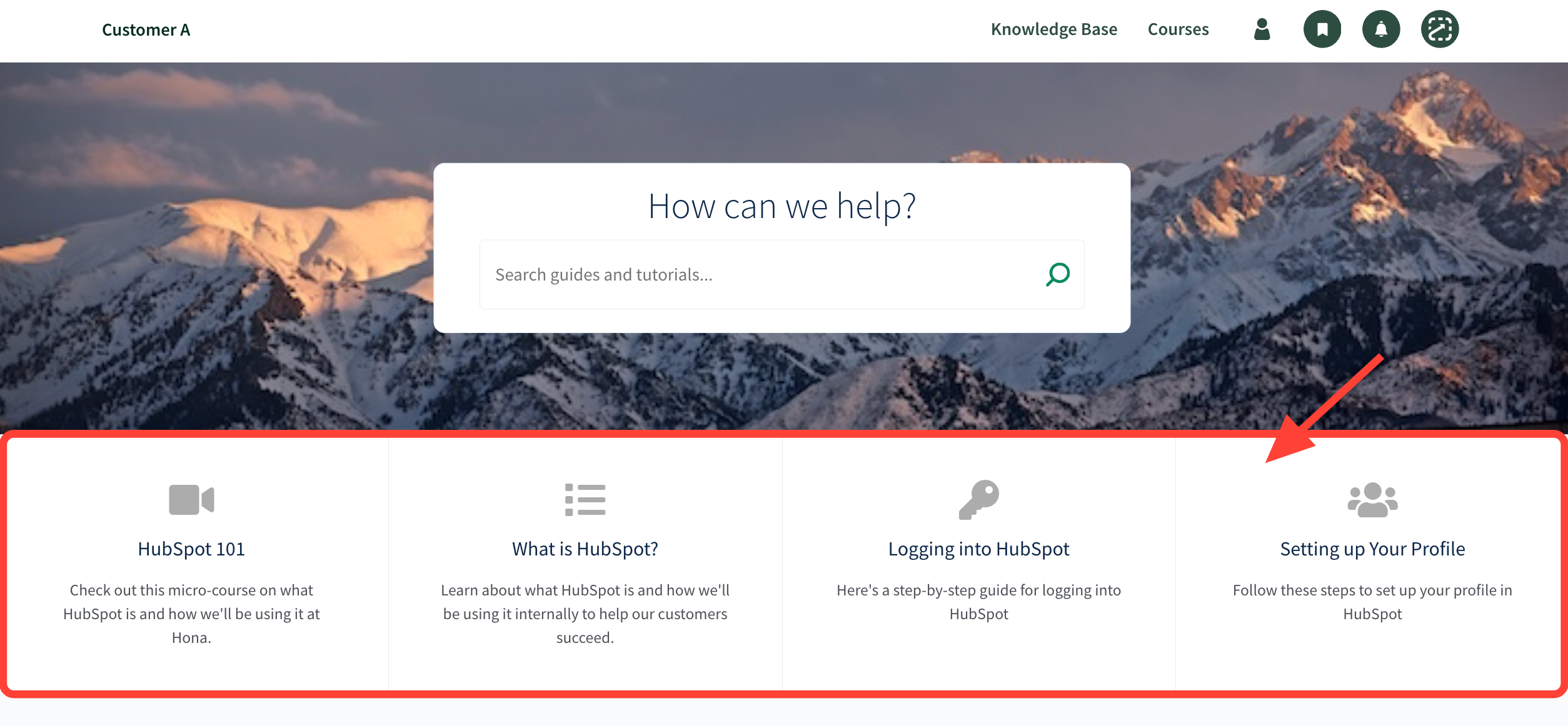
How to Edit Your Site's Featured Content Section
Updated on
Feb 03, 2026
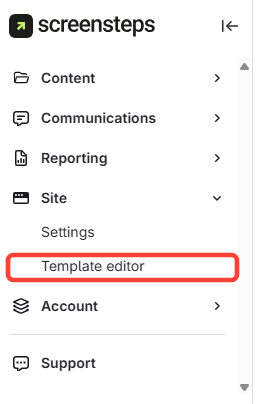
Navigate to Template Editor
Click Site
.
ClickTemplateEditor
.
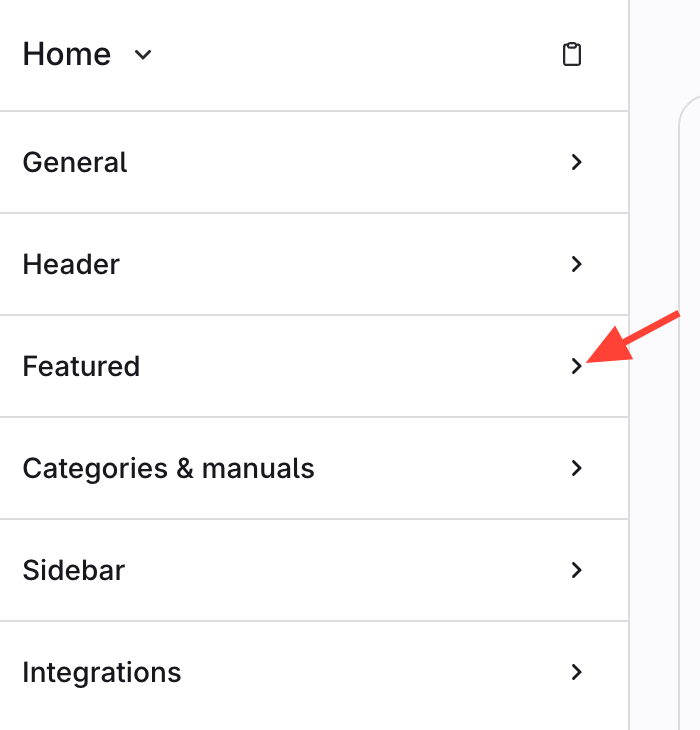
Click the Featured Tab
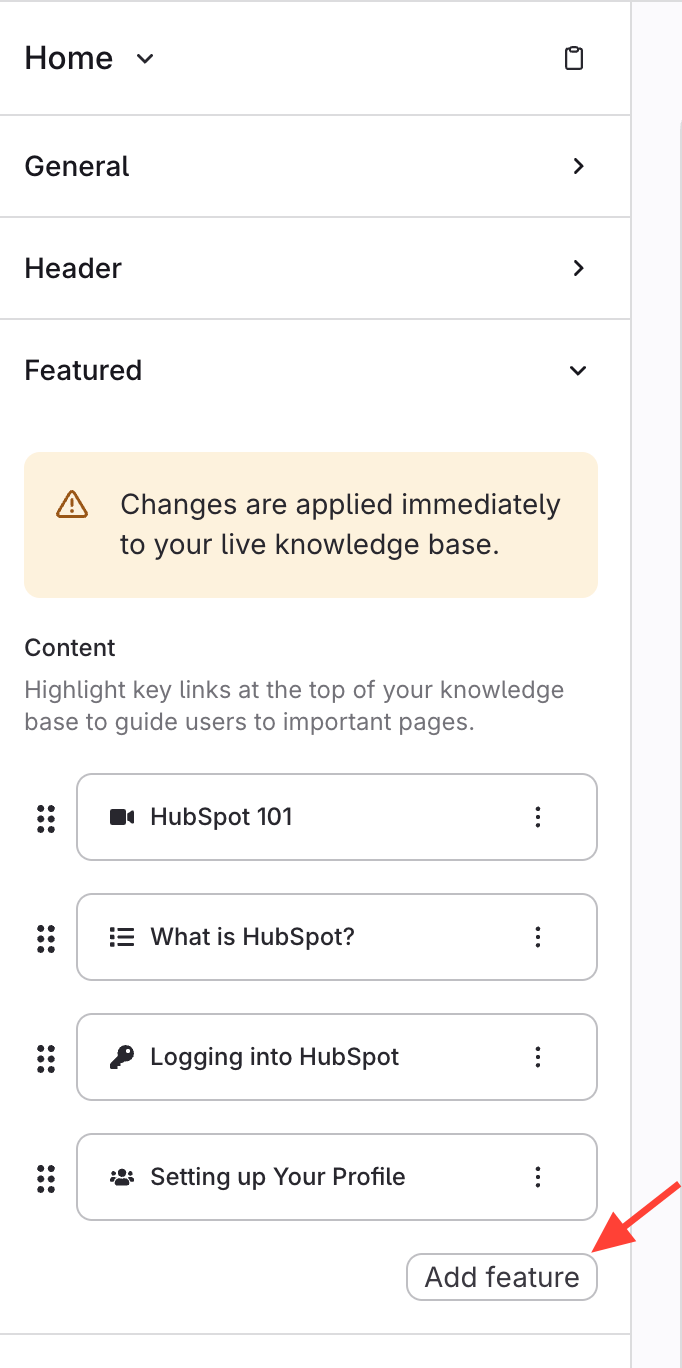
Click Add Feature
Save Modified Feature
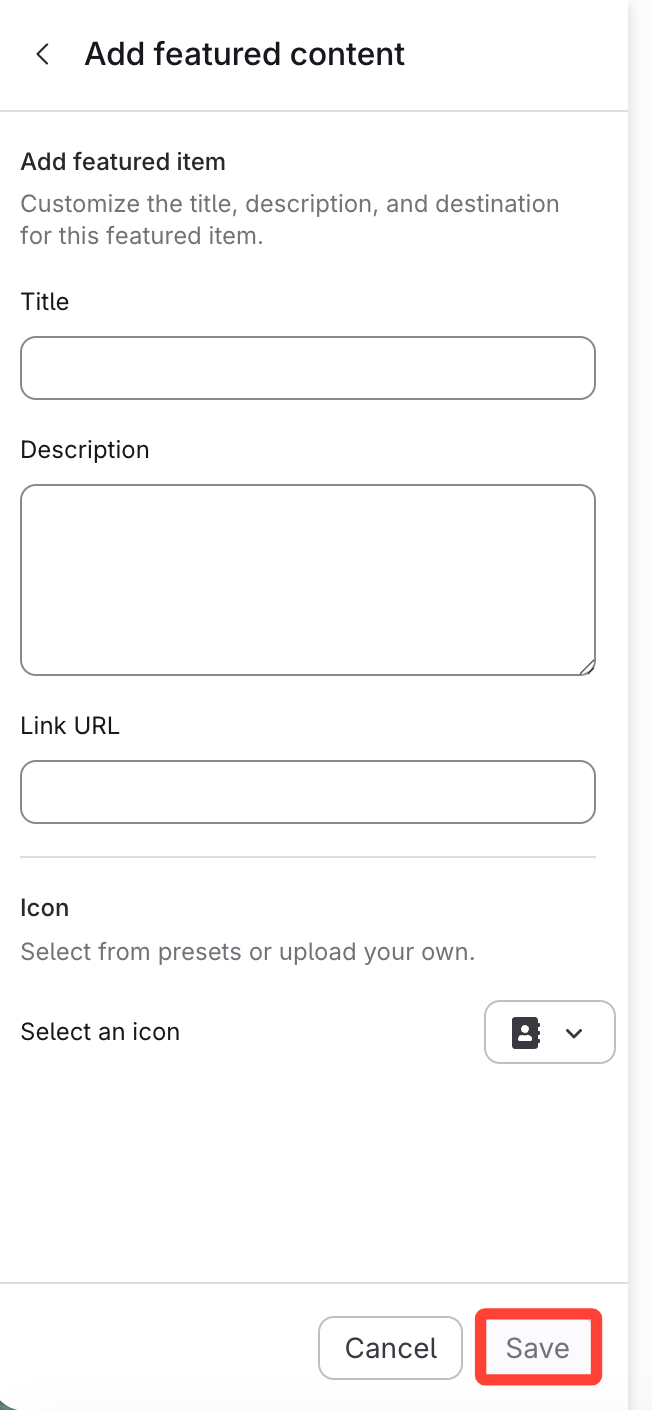
Modify
the title, description, link URL, and icon.
ClickSave
.
Checklist item
Previous Article
How to Change the Sidebar Message
Next Article
Checklist item
How to Add Featured Article Lists to the Sidebar
Customize Your Site
Customizing Template
26
How to Change the URL for the Contact Us Button
How to Change the Sidebar Message
How to Edit Your Site's Featured Content Section
How to Add Featured Article Lists to the Sidebar
How to Switch Your Category Format between Grid and List View
How to Add a Description to a Manual
How to Switch Your Site's Home Page to a Compact Layout
How to Add a Custom Logo to Your Site Header
How to Customize the Colors on Your Site
How to Add a Recently Updated Article List to the Sidebar
How to Modify the Home Page Template
How to Display Sidebar Content in an Article Page
How to Remove/Restore the User Menu
How to Change the Color of the Article Requests Button
How to modify the color of the text in a foldable section/checklist item
Dimensions and File Format Needed to Upload Custom Icons
How to change the icons that appear on each manual
How to add Contact Us to the footer (and change the text of the footer)
How to Update the Text at the End of the Workflow (to change it from "congratulations, you are done!")
What Text in the Template is Customizable and How to Customize it?
How to Modify the Article Template
How to add/change background image on site template
Display or Hide Author Name on Published Articles
How to Show/Hide the option to Generate PDFs for Manual/Chapter or Article pages
How to Customize the Template Editor
How to Turn on PDF Generation for a Published Site
Site Customization FAQs
1
What happens if I change the vanity domain for my site?
Other Resources
Getting Started
Organizing ScreenSteps
Managing Articles
Authoring Content
Working with a Team of Authors
PDFs
Admin Tasks
User and Group Permissions
Authentication (SSO, SCIM, SAML, Usernames, Passwords)
Accessibility
Integrations
Notifications
Browser Extension (Contextual Help)
FAQs
Courses
Migrating to the New Version of ScreenSteps
Print Article