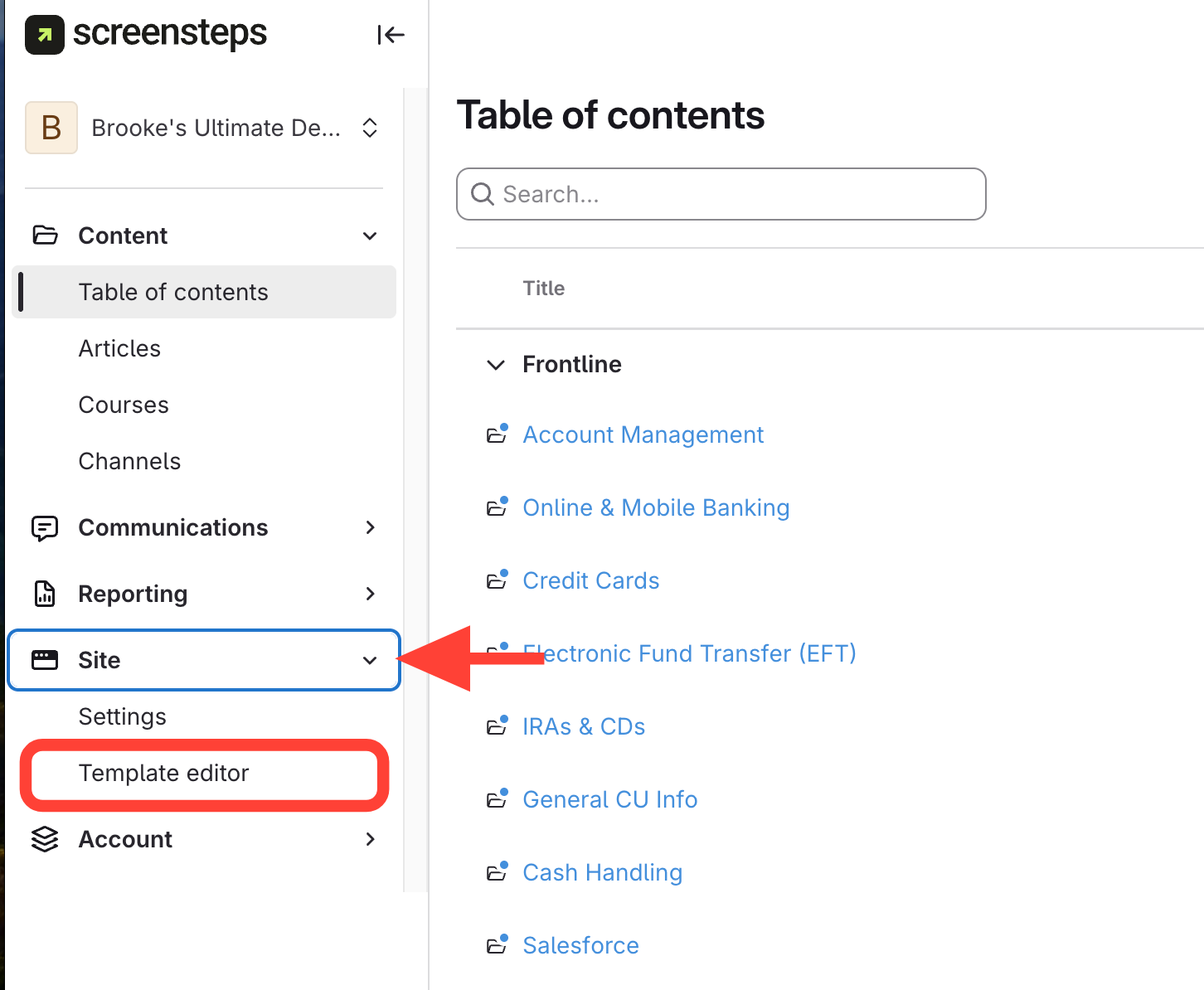
- Open the Site Template Editor
Click Site > Template editor
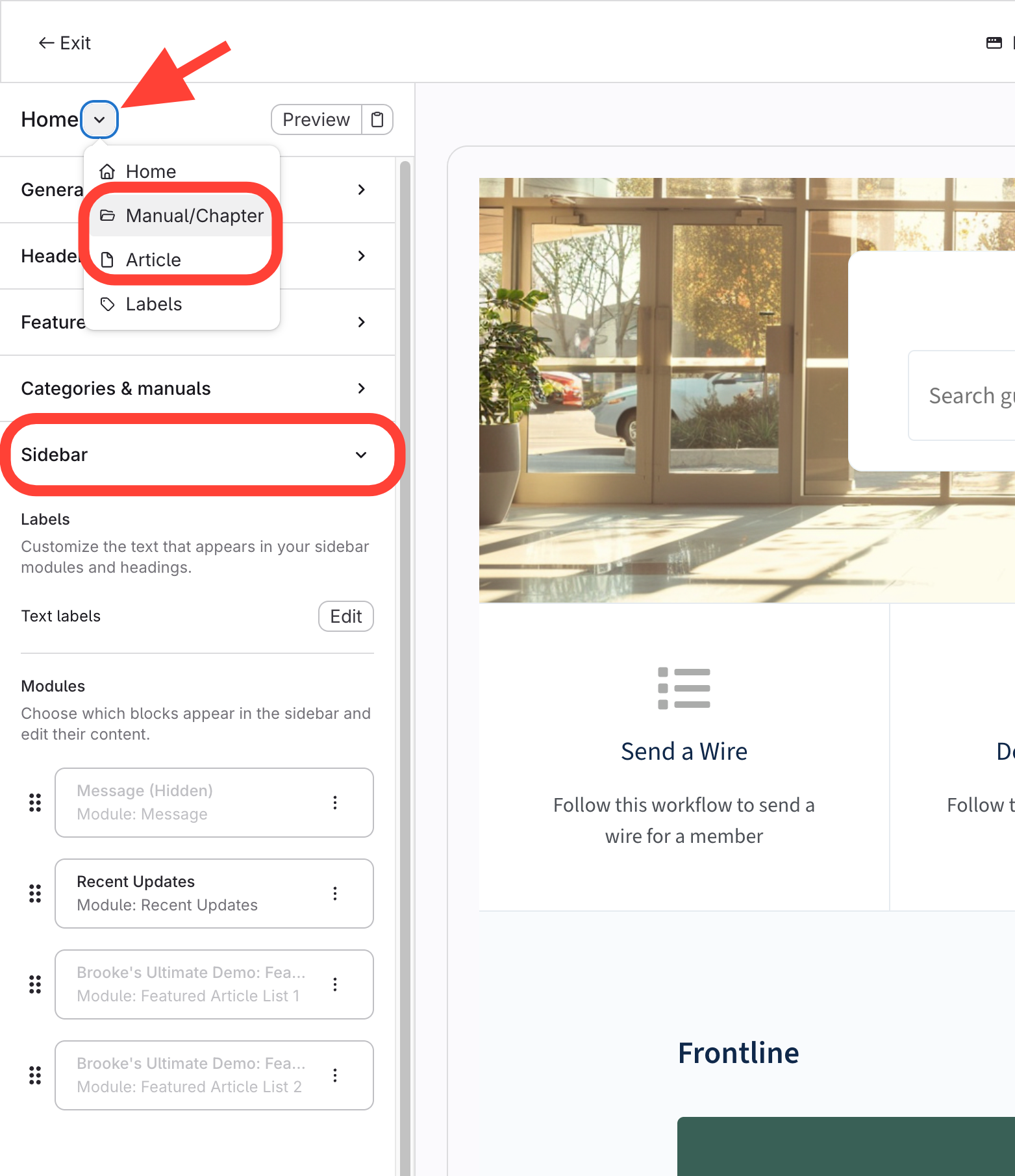
- Open Editor for Manual/Chapter or Article
- Click Manual/Chapter or Article to access configuration settings
- Open Sidebar menu
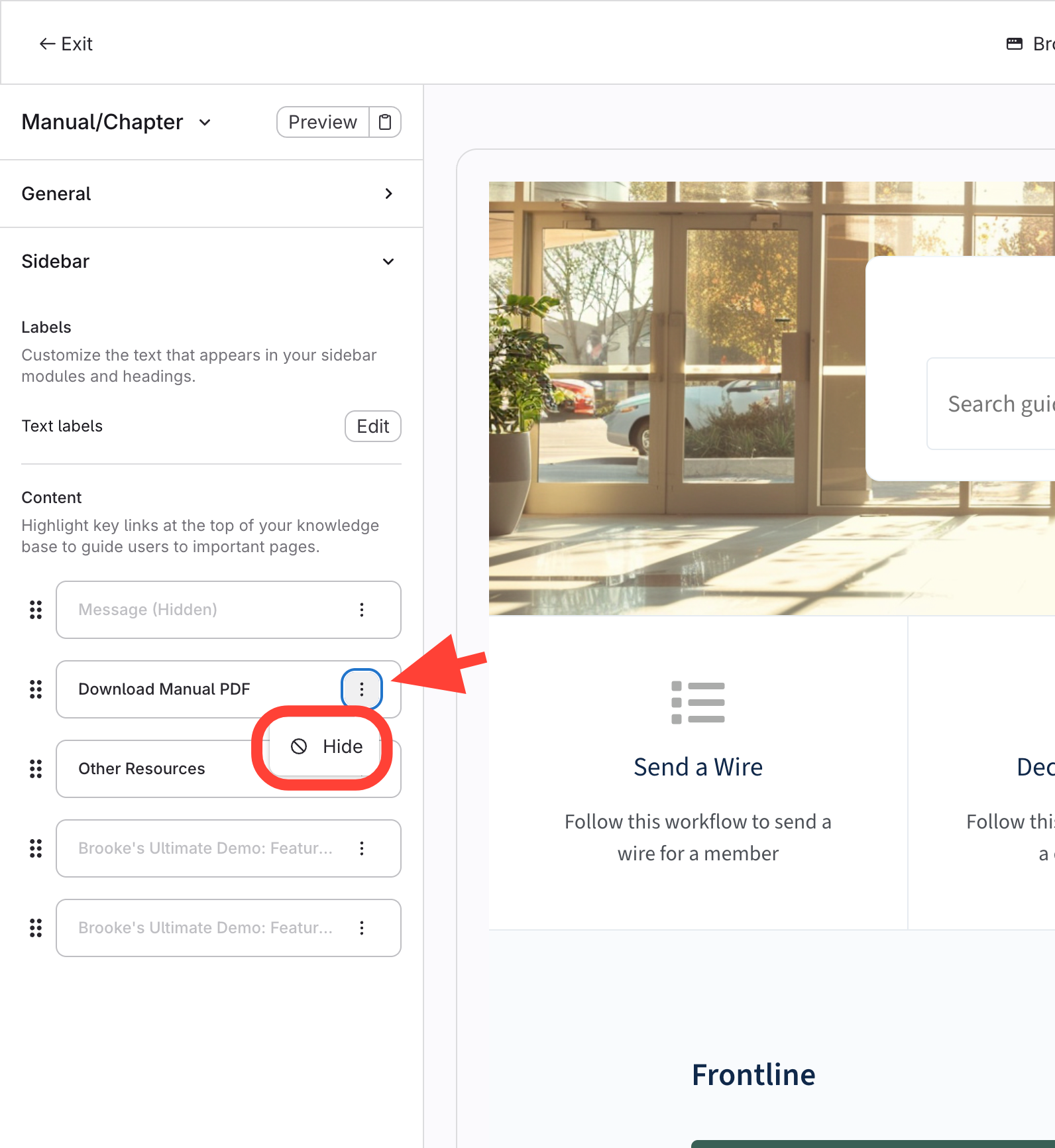
- Adjust Sidebar Settings as needed
Hide or Show listed features
- Messages
- PDF option
- Other resources
How to Show/Hide the option to Generate PDFs for Manual/Chapter or Article pages
Updated on