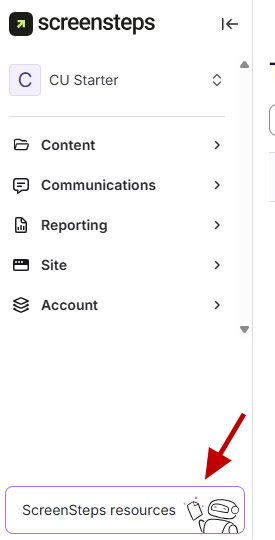
- Open ScreenSteps Resources
In the Admin Center, in the bottom left corner, click ScreenSteps Resources.
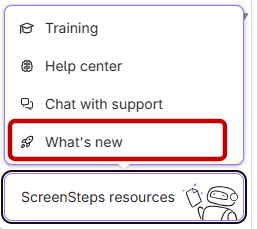
- View What's New
- Click What's New.
A menu will pop up showing new updates, release dates, and details.
How to see the updates ScreenSteps makes
Updated on