URL With IDs
If you don't set up any slugs to your manuals or sites, then the ids for those items will be used in the url.
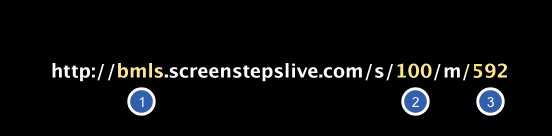
In the image below, the URL has IDs, and does not have slugs.
1. Your account name.
2. The id for the site.
3. The id for the manual.
Same URL With Slugs
In this example, we have added a screensteps slug to our site and an integration permalink to our manual.

Why Does This Matter?
Slugs make your urls much more meaningful and descriptive. There are also situations where they can be very useful. Look at the following scenario:
1. We have a manual with a slug of our_super_product.
2. We prepare to release version 2 of our super product so we have to redo the entire manual.
3. All of the links to our manual point to a manual with a slug of our_super_product. We now want those links to go to the new manual.
4. All we do is remove the our_super_product slug from the old manual and apply it to the new manual. All of users will now see the new manual.
Edit slug for a specific manual
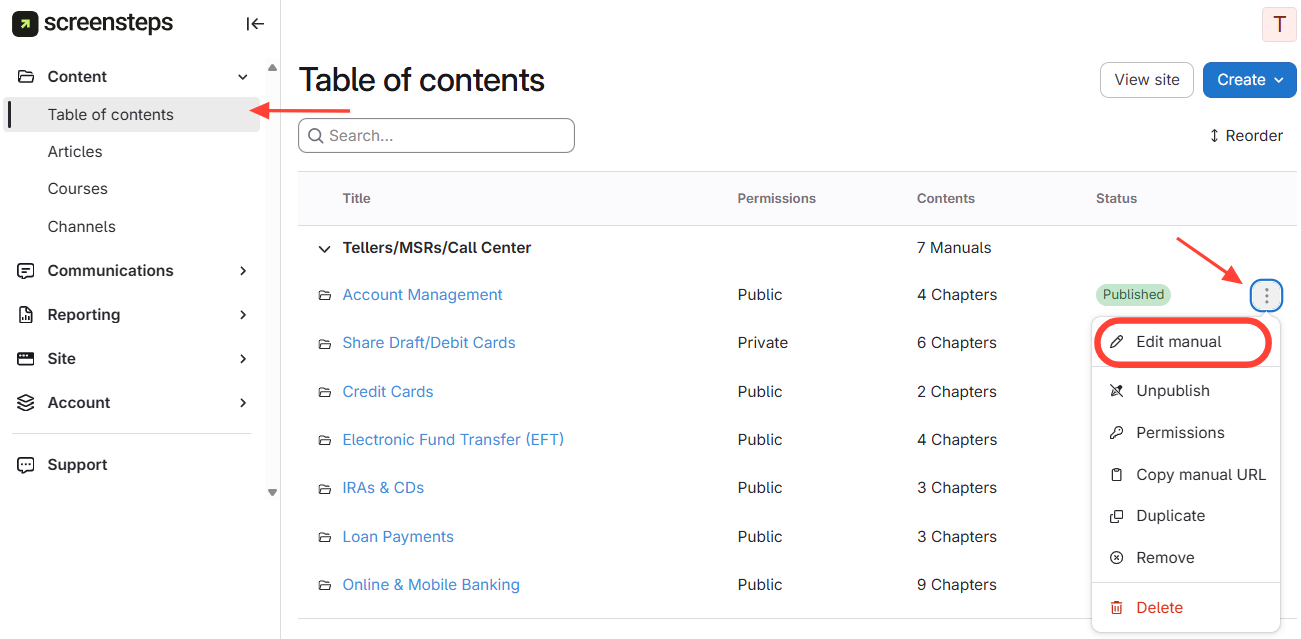
Edit Manual from the Table of Contents view
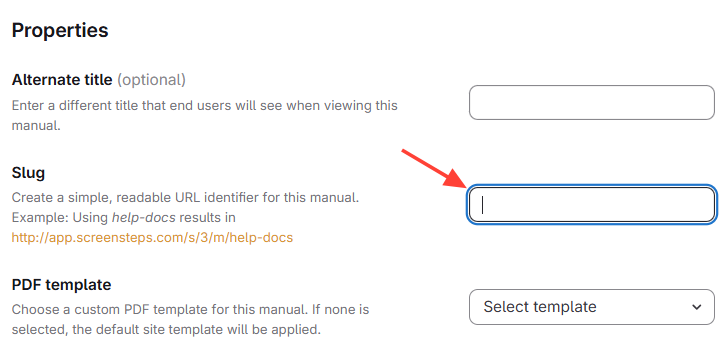
Edit Slug
After you select Edit Manual, you will be able to edit the manual's slug.