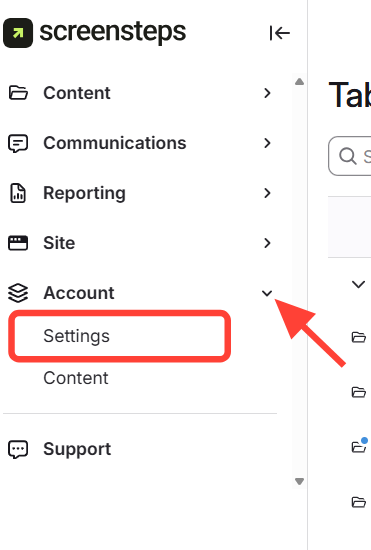
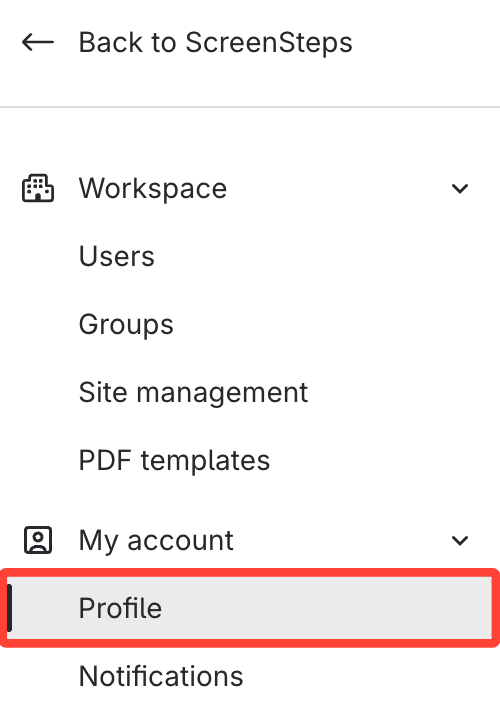
Option 1: Access your Profile through Settings
- Click Account > Settings
- Select Profile
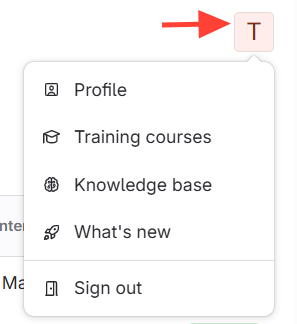
Option 2: Access your Profile through Initial at the Top Right
- Click your initial at the top right, then select Profile.
- Edit the desired profile information.
Updated on