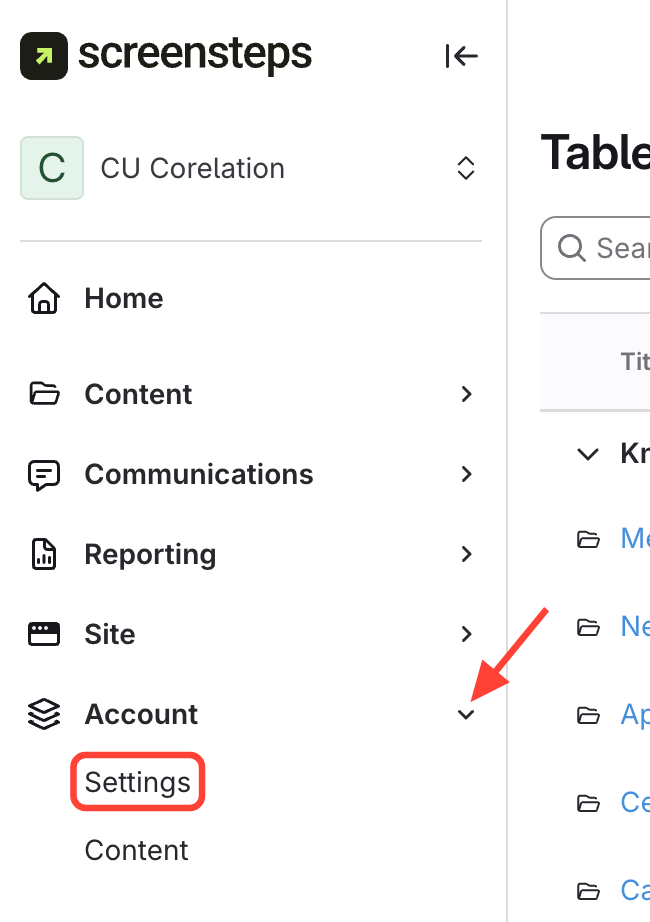
- Navigate to Settings
- Click Account
- Select Settings
- Open Group Settings
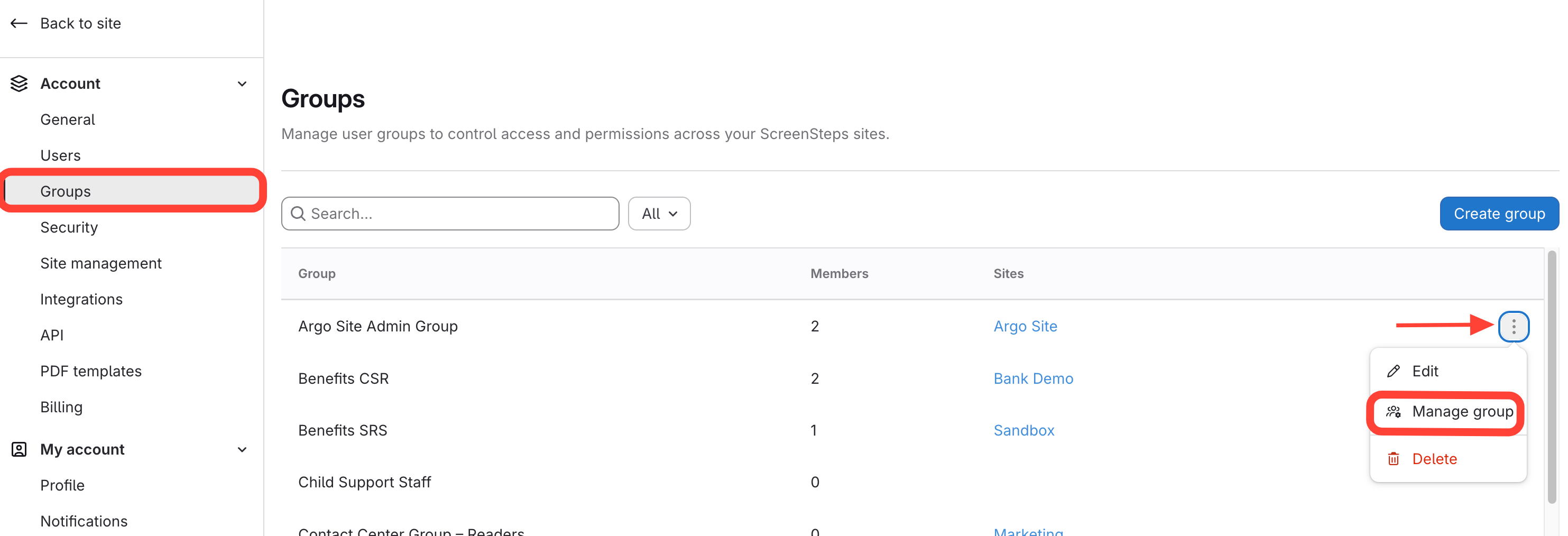
- Select Groups
- Click the three dots next to the group
- Select Manage Group
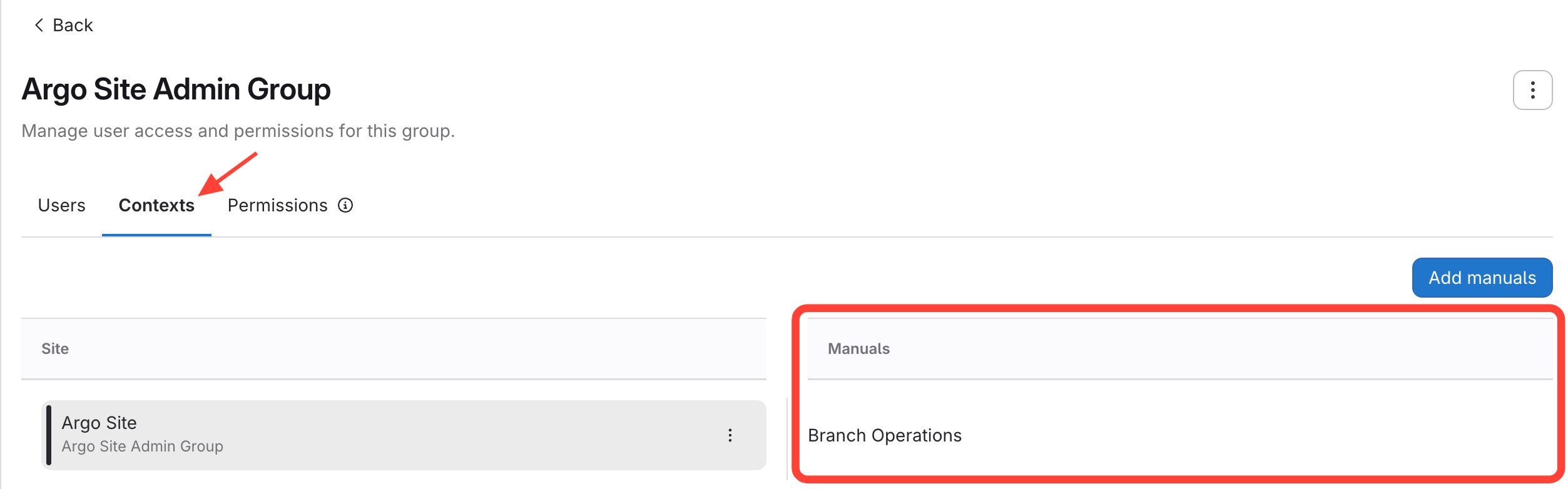
- Check which Manuals are in it's Search Context
- Click Contexts
- Sites and Manuals will appear
How to View the Manuals Assigned to a Group's Search Context
Updated on