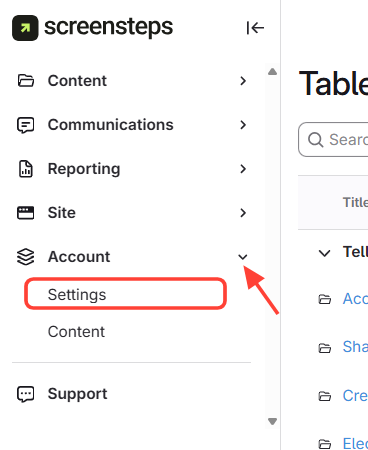
- Go to Account > Settings in the admin area
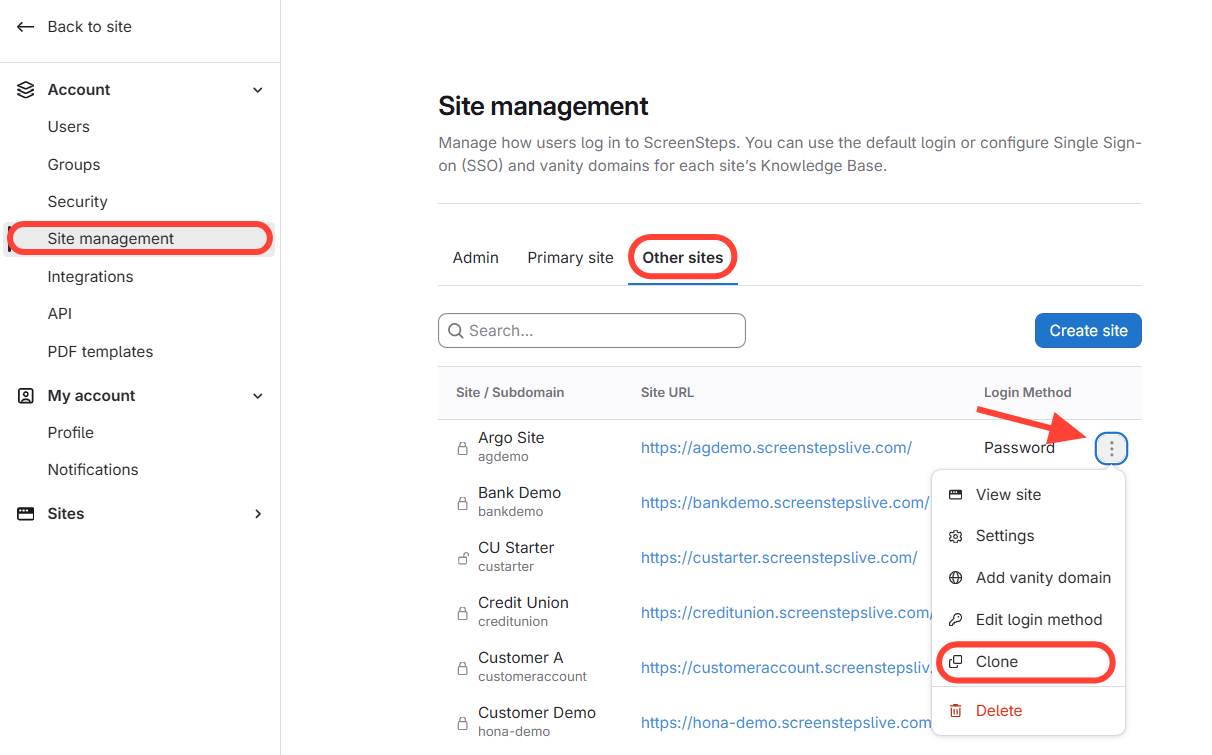
- Select Clone in Site Management
- Select Site Management from the left menu.
- Choose Other Sites.
- Find the site to duplicate. Click the three dots next to it.
- Select Clone from the menu.
- Clone
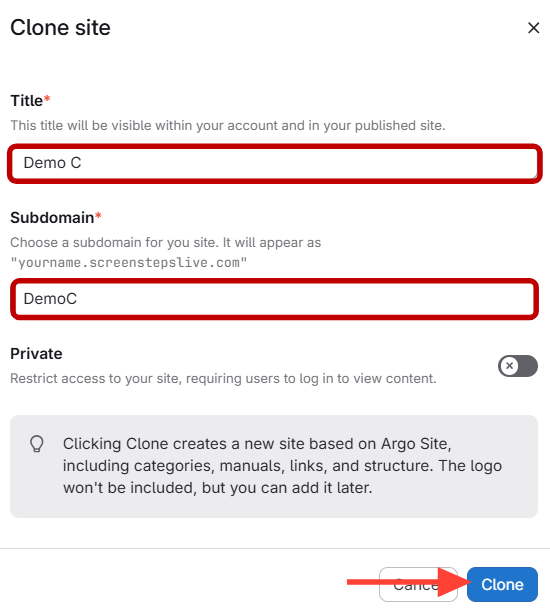
- Enter a title and subdomain for the clone and if you want it private.
- Click Clone.